
TL;DR
For developers, system architects, and compliance teams building secure, privacy-first workflows, secure redaction is an essential tool.
Redaction protectssensitive information, safeguards privacy, and enables compliance with legal and regulatory requirements. When sensitive, confidential documents need to be distributed to a wider audience, true redaction is an essential document processing feature for a variety of workflows.
Read this guide to learn more about redaction, including the redaction lifecycle, data models, regex automation, UX design, and enterprise deployment strategies.

What is Redaction?
Redaction refers to the permanent removal of sensitive or confidential data from a document. Digital documents contain more data than meets the eye, and so redaction of digital documents requires a secure, reliable process, not just hiding sensitive information from view. Secure, true digital redaction involves selectively marking or deleting specific content, such as personal identification numbers, financial data, or confidential paragraphs while preserving the integrity and structure of the document. Apryse’s Redactor APIs remove text, images, and vector graphics within a marked region.
How Not to Redact Digital Documents
Black Boxes Are Not Redactions!
When redacting PDF documents, it is essential to completely remove confidential information from the document, not just obscure or mask it. A common mistake is to open the document and draw a black rectangle over the text to be redacted. However, this only adds the rectangle as an image layer on top of the original content, which can easily be removed to reveal the “redacted” text underneath.
Many of us are trained to use computers based on a “what you see is what you get” concept. This is great for tasks like text editing and formatting, but has led to serious breaches when it comes to data redaction.
For example, a recent Federal Court case in Canada included improperly redacted documents. In the case, the judge approved a request to redact certain parts of a document in the interest of national security. However, when the documents were received, lawyers were stunned to find the redaction had been done simply by highlighting text in black, then converting to PDF. Of course, this text could easily be revealed using copy and paste.
In another high-profile incident, the tech giant Meta published a slide deck that included redacted sensitive information, as part of its trial with the Federal Trade Commission. However, many of the reporters who received the deck found the redactions to be easily removable. Meta sent out an email, stating, “the version you received included redactions that we now understand can be manipulated to reveal the underlying information, which was inadvertent.”
Bottom Line
if content is hidden in such a way that it still exists in the document or metadata, even if it’s not visible, it’s retrievable. A fewbasic methods of retrieving improperly redacted text include copy and pasting, checking the revision history of the document, and document conversion.
Redaction Glossary
Key Terms
Redaction Annotation
Annotations that mark areas of the PDF for redaction. They can exist as a text selection or rectangle to redact text or an area of a page respectively. Redaction annotations are not redactions, they mark content areas to be redacted. This helps teams and individual users prepare, plan and review redactions before content is destroyed.
Regex Redaction
Using regular expressions, developers can create a search term which will match strings that meet certain criteria. Regex redaction allows all the text in a document returned by a given regex pattern to be automatically annotated for redaction. For example, the regex pattern \b[\w]{2}[\d]{6}\b. returns Canadian passport numbers.
Metadata Redaction
Apart from visible content, the Apryse WebViewer SDK also redacts document metadata, such as author names, timestamps, or revision history. This comprehensive approach ensures that all potentially sensitive information is protected.
Pattern Matching
Similar to regex redaction, pattern matching is a feature of a PDF redaction tool that allows users to automatically flag all text that match a certain pattern, such as telephone numbers, addresses or credit card numbers.
XFDF
A file format used to store and exchange data for PDF forms and annotations in an XML-based structure. Redaction annotations are stored in XFDF format. While redacted data is not retrievable from an XFDF file, this file storing redaction annotation data can be stored for traceability and audit purposes.
Apply Redactions Step
With Apryse SDK, once redaction annotations are added to the document, the applyRedactions API is called to remove the text, images or page areas to be redacted from the PDF document’s content stream. This cannot be reversed. This is a key step in the redaction lifecycle.
Industry-Specific Redaction Use Cases
Redaction plays a key role in modern document management and compliance workflows, especially in:

Government
Redacting sensitive or classified information (e.g., personal identifiers, security details) from public records and FOIA requests before release.

Legal
Removing privileged or confidential client information from discovery materials, contracts, and court filings to maintain confidentiality and comply with privacy laws.

Healthcare
Protecting patient health information (PHI) in medical records, research reports, or insurance documents to comply with HIPAA and other privacy regulations.

Finance
Concealing personally identifiable information (PII) and financial data in audit reports, regulatory submissions, and client communications for data protection compliance.
Technology
Redacting sensitive user data, proprietary code, or system information in technical documentation, logs, and data-sharing processes to prevent data exposure and IP loss. Prepare data for AI/LLM use cases by removing PII.
How Apryse Implements Redaction
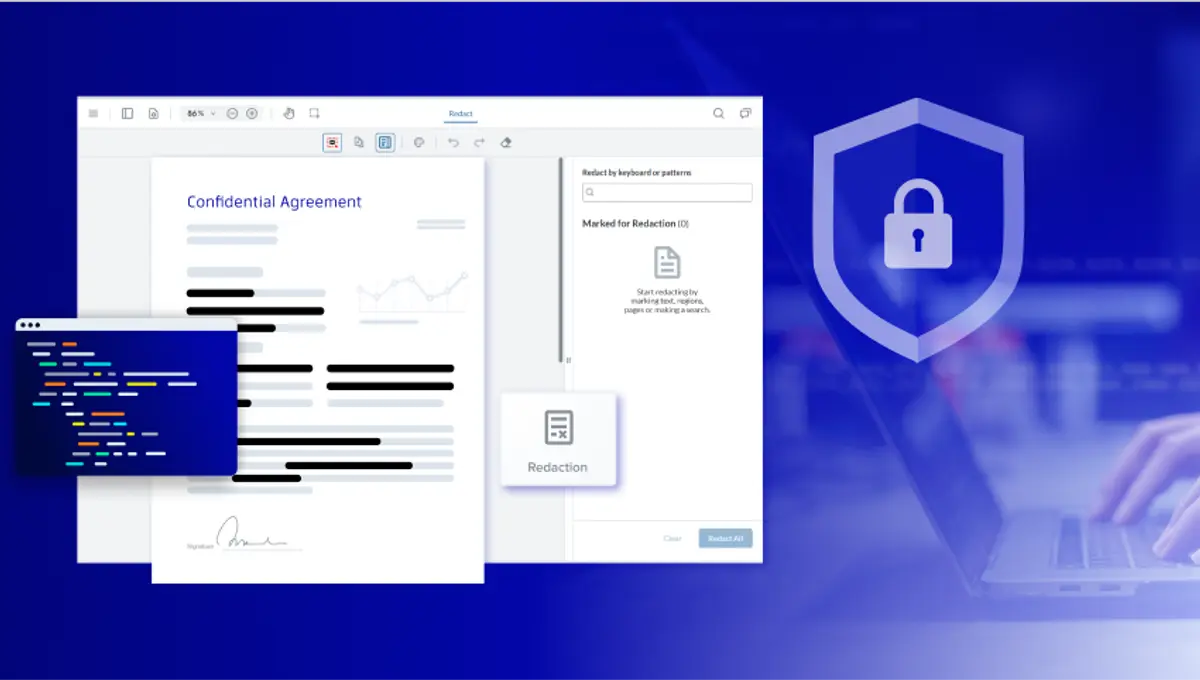
Apryse SDK handles full-lifecycle redaction, from marking, to review, to applying the secure redactions and verification. With regex and OCR support, multi-format handling via conversion for Office documents and images to PDF, and flexible deployment, Apryse delivers on the full scope of your redaction requirements.

WebViewer SDK
Offers interactive redaction tools with mark-and-apply flow (requires enableRedaction and Full API or WebViewer Server to apply).

Server SDK
Offers programmatic redaction for automation and batch jobs.
Supported Redaction Types
Core Types
- Text redaction: search and remove words or phrases.
- Pattern-based redaction: detect sensitive data with regex (emails, SSNs, phone numbers).
- Area redaction: manually draw boxes to redact regions.
- Image redaction: permanently remove image regions when applying redactions.
- Programmatic redaction:automate via Redactor APIs (C++, .NET, Java, Python, Node, etc.)
Advanced Types
- Regex lists and custom patterns: enterprise pattern sets.
- Hybrid redaction: client-side marking (XFDF) + server-side apply.
- Multi-format redaction: convert Office (DOCX/XLSX/PPTX) or images to PDF, then redact.
The Redaction Lifecycle
Apryse enables this end-to-end redaction workflow ensuring document and data security.
1. Identification
First, locate text, images, or patterns for removal. Use text search, regex or pattern matching.
2. Marking
Create temporary redaction annotations (rectangles or text selections), serialized in XFDF. This can be done via UI or programmatically.
3. Review
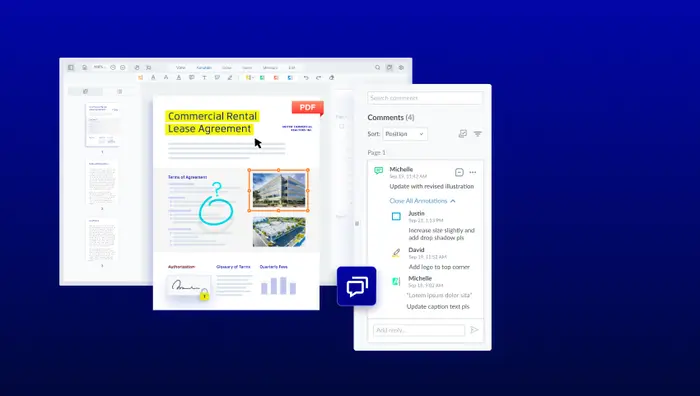
Approve, edit, or remove marks; optional commenting via the annotation layer before applying. (Standard annotation import/export applies.)
4. Apply Redactions
Apply redactions to permanently remove underlying content using Redactor APIs. This destroys text, images, and vector data in the region, and is irreversible.
5. Verification
Reopen and inspect the redacted document to confirm irreversibility.
6. Export & Audit
Export redaction annotations (pre-apply) and related metadata as XFDF for audit trails, or store them server-side post-apply.
Data Models and Formats
- Redaction marks are annotations with coordinates, page reference, author, fill/overlay style, and optional overlay text (“REDACTED”).
- Incorrect methods of redaction hide existing text with overlays. With Apryse, overlays are optional, the text is fully removed during the apply step. This makes flattening the final PDF an optional step, as flattening is not needed for secure redaction.
- WebViewer supports round-trip redaction review with XFDF import/export.
Automation and Intelligence
Automate your redaction process to empower secure document workflows at scale. Streamline how sensitive information is identified and removed across your organization with powerful automation tools that ensure consistency, compliance, and efficiency.
Regex-based Pattern Detection
Automatically locate and redact common sensitive data types such as emails, credit card numbers, and other PII. Define custom patterns to meet your organization’s specific privacy and compliance needs.
Server/Desktop Automation
Run batch redaction tasks at scale by integrating Redactor into your existing systems or workflows. Execute redaction operations as parallel jobs or automated pipelines, minimizing manual intervention and speeding up processing times.
OCR Add-on
Convert scanned documents into searchable, selectable text before redaction. Ensure no sensitive data remains hidden in unsearchable content, improving accuracy and compliance.
Event-driven pipelines with Apryse APIs
Fully automate the redaction lifecycle from detection and review to export using your own app or server code. Build dynamic, event-driven workflows that trigger redaction actions in real time for end-to-end document security.
Redaction UX and Accessibility
With Apryse SDK
Deliver an intuitive, inclusive redaction experience with WCAG 2.2 Level AA–compliant UI in WebViewer. The interface supports accessible, efficient workflows that meet modern usability and compliance standards.
UI Design Patterns
Provide a guided experience with a dedicated redaction toolbar (text and area), a smart search panel, and a clear “Apply” step to confirm changes. These elements simplify the process and reduce user errors.
Customization
Allow users to adjust overlay colors, text labels, and visual indicators to match accessibility requirements such as contrast, making redaction marks and applied areas more usable.
Usability
Enhance usability with keyboard shortcuts, screen reader support, and clear state transitions (marked → applied), ensuring more users can perform secure, compliant redactions confidently.
Collaboration and Permissions
Collaboration and permissions features provide full traceability and compliance through granular access control.
Administrators can define who is allowed to mark or apply redactions using WebViewer’s annotation and permission model, ensuring secure, role-based collaboration. Team members can comment on and review redaction marks just like other annotations, with XFDF export and import enabling seamless persistence and sharing across workflows.
Performance and Scalability
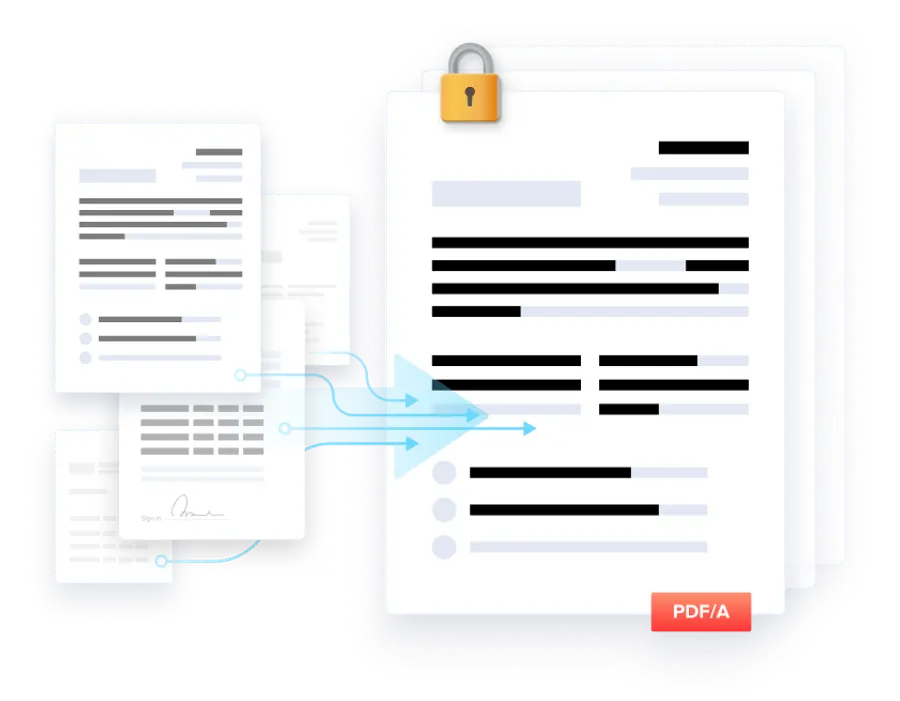
Leverage the Server SDK redaction APIs to power high-volume, scalable document workflows within your own multi-process or containerized pipelines. Designed for programmatic and batch operations, the API enables parallel job execution to maximize performance and throughput. For Office files or images, convert to PDF first on the client or server side to standardize input formats and create a consistent, efficient redaction pipeline.
FAQ: Redaction Pitfalls
Integrate Redaction into Your Application With Apryse
WebViewer Integration
Provide an interactive redaction UI in the browser for marking, reviewing, and applying redactions, powered via the Full API or Server URL for secure real-time workflows.
Server/ Desktop Integration
Automate redaction by importing XFDF marks, applying them, and saving results in background jobs, enabling high-volume processing without user intervention.
Hybrid Workflows
Combine client and server operations: client creates marks → export XFDF → server applies redactions → client displays the final output, ensuring secure and consistent results.
ECM/RPA Hooks
Integrate redaction into ECM or RPA pipelines, triggering it during ingestion or classification via Apryse APIs to remove sensitive information early in the workflow.
Checklist: Choose the Right Redaction SDK
Regex Detection
Does the SDK support detecting sensitive data (emails, SSNs, phone numbers) using customizable regex patterns?
Can patterns be refined to reduce false positives and negatives?
OCR
Can the SDK perform OCR on scanned PDFs or image-based documents?
Does OCR output make text searchable for redaction purposes?
Permanent Redaction
Are redactions permanently applied to remove underlying content, not just visually flattened?
Can redactions be reviewed and confirmed before being applied?
XFDF Import/Export
Can existing redaction marks be imported via XFDF for automated or hybrid workflows?
Can redaction marks be exported in XFDF format for persistence or server-side application?
Hybrid Flows
Does the SDK support workflows where client marks are exported, applied on a server, and returned to the client?
Can it handle multi-process or containerized deployments for high-volume workflows?
Audit Export
Can the SDK export a complete log of redactions for compliance and traceability?
Does it provide audit-ready information on who marked, applied, or reviewed redactions?

Developer Perspective on Redaction SDKs
The Apryse SDK for Redaction provides extensive API coverage for marking, reviewing, and applying redactions across multiple document types. Its robust regex support enables precise detection of sensitive data, and sample applications offer practical guidance for implementing both simple and complex workflows, helping developers integrate redaction efficiently.

Enterprise Perspective on Redaction SDKs
The Apryse SDK supports on-premises and hybrid deployments, giving organizations control over where data is processed. Designed for high-volume, parallelized workflows, it delivers reliable performance at scale and integrates with operational pipelines. Granular permissions, audit exports, and hybrid workflows help enterprises enforce compliance and streamline redaction across the organization.
Next Steps
Easily mark, review, irreversibly apply and verify your redactions with Apryse. Create smoother redaction workflows with regex for automation, conversion, and XFDF for auditability.
Enable your end-to-end redaction path across WebViewer and Server SDKs.
Check out the links below to view the demo, get your trial key and get set up using the documentation guide.