TL;DR
Why It Matters: A digital signature uses cryptography (PKI) to guarantee who signed a document and prove it hasn't been changed.
What You’ll Learn: We'll look at how hashing and encryption work, the differences between a basic e-signature and a secure digital signature, must-have security features such as Timestamping and LTV, and the best ways to integrate it into your app.
Who It’s For: Developers, software architects, and product teams building applications that need legal, irrefutable digital signatures, and global compliance for regulations such as eIDAS, ESIGN, and UETA.
Key Differentiators: Solutions that are usable everywhere (web, mobile, and server), handle advanced security features like LTV and DTS, and meet global compliance regulations.
Why Digital Signatures Matter
We've been using ink on paper as a non-repudiable mark of agreement for hundreds of years. But when you handle a contract digitally, you have two very important questions to answer: Are we absolutely sure the signer is who they say they are, and can we guarantee the document hasn't been altered since it was signed?
Simple electronic signatures (e-signatures) usually just act as a fancy digital image. Digital signatures tackle both authenticity and integrity. They use advanced math and cryptography to create a signature that is verifiable with cryptographic proof.
This guide goes into the engineering, security mechanisms, and architectural choices you need to make to successfully deploy digital signature workflows in any enterprise application.
Understanding the Difference: Digital Signatures vs. e-Signatures
Description
An e-signature, or Simple Electronic Signature, can be considered a digital placeholder for intent.
A digital signature goes through a cryptographic process, locking the signature to the content of the document and the signer's identity using Public Key Infrastructure (PKI).
Function
It’s a basic replacement for a handwritten signature with a typed name, a mouse scrawl, or a picture pasted onto a document.
It creates a unique fingerprint for the document at the moment it’s signed.
Security
It gives you zero cryptographic proof of integrity or authenticity. Your PDF software can't tell you for sure if the document was modified after that signature was added.
It provides the highest level of verifiable proof available. The validation of the signature instantly fails if even a single character is altered.
Legal Standing
It’s enough to satisfy general intent laws like ESIGN in the U.S., but it is not sufficient if the signature or document content is ever challenged.
Digital signatures provide much higher assurance and often meet the most rigorous compliance standards, such as Advanced Electronic Signatures (AES) and Qualified Electronic Signatures (QES) required by regulations like eIDAS.
How a Digital Signature Works
Asymmetric cryptography is required to make a digital signature work. This consists of two parts: a Private Key (held by the signer) and a Public Key (distributed openly by a certificate). This ensures non-repudiation (the signer can't say "it wasn't me") and integrity (the document can't be changed).
Step 1: Document Hashing (Creating the Fingerprint)
The software runs the document through a specialized mathematical process called a Hash Function.
Output: This creates a string of data called a Hash or Digest.
Integrity Guarantee: This hash is the document's DNA. If anything is changed, such as adding a space or deleting a period, the hash result also changes.
Step 2: Signature Creation (Encryption)
Next, the signer uses their private key to encrypt the document hash.
Output: The encrypted hash is now the digital signature.
Authenticity Guarantee: Only the person who controls the specific private key could have produced that particular encrypted hash, linking the signature directly to the signer's identity.
Step 3: Packaging and Embedding
The digital signature and the signer’s Digital Certificate containing the matching public key are embedded into the PDF.
Step 4: Verification
When someone opens the signed document, the software goes through a rapid two-step process for comparison:
Re-hashing the Document: The software runs the current document through the exact same hash function, creating Hash A.
Decrypting the Signature: It then uses the signer's public key from the embedded certificate to decrypt the digital signature block, revealing the original hash (Hash B).
Comparison: The software checks if Hash A and Hash B match.
- Match: The document hasn't been modified since it was signed, and the signature is considered valid.
- Mismatch: The document was likely been modified in some way and the software flags the signature as invalid.
Digital Certificates and Public Key Infrastructure (PKI)
The Digital Certificate and the Public Key Infrastructure (PKI) are the basis for providing the legal weight and institutional trust.
The Role of the Digital Certificate
A digital certificate cryptographically proves that a specific public key belongs to a specific person or company.
A digital certificate contains:
- The Public Key.
- The verifiable Identity of the owner (the signer).
- A special Digital Signature from the Certificate Authority (CA).
- The Expiration Dates.

Certificate Authorities and Trust
A Certificate Authority is the trusted third party responsible for issuing and managing digital certificates.

Trust
Relying on a reputable CA is mandatory for establishing broad trust and meeting legal requirements in regulated environments.
Function
A CA checks the signer's identity and credentials. When a CA issues a certificate, they're confirming that the public key in the certificate belongs to the person named in the certificate.
Self-Signed Certificates
You don’t always need a CA. For internal or closed systems like within a company firewall, you can use a self-signed certificate. In this case, the trust is established and managed internally by the application itself. It's still cryptographic, but the identity validation is done by the organization, not a certified third party.
Digital Signature Types and Legal Compliance
There are three tiers of electronic signatures. If you are building an application with digital signature capabilities, you need to know which of these three tiers your target clients legally require.
Simple Electronic Signature (SES) / E-signature: (Low Assurance)
Mechanism: A picture or typed text.
Verification: Visual only.
Applicability: Good for basic intent like accepting a quick terms-of-service agreement. Minimal security.
Advanced Electronic Signature (AES) / Digital Signature: (Medium Assurance)
Mechanism: Full cryptographic process tied to the signer's private key, capable of detecting any tampering.
Verification: Cryptographic integrity check.
Applicability: Meets the standard for most high-trust applications, often using self-signed or non-accredited certificates.
Qualified Electronic Signature (QES): (High Assurance)
Mechanism: All the requirements of an AES, plus the certificate must come from an accredited Trusted Service Provider (a certified CA) and often requires a hardware token for key storage.
Verification: Highest level of cryptographic check against an accredited source.
Applicability: Used for the most sensitive legal instruments, government submissions, and transactions requiring the highest possible level of non-repudiation.
Essential Digital Signature Security Features
A good signature solution needs advanced features to ensure its still valid years down the line, especially for compliance and archival.
Document Timestamping (DTS)
A certificate will eventually expire, but the document needs to remain valid forever.
Function: DTS embeds a secure, tamper-proof timestamp, validated by a Trusted Timestamp Authority (TSA), into the document when the document is signed.
Security Value: This proves that the signature was applied, and the certificate was valid at that specific, verified time to maintain legal standing and non-repudiation even after the original certificate has expired.
Long-Term Validation (LTV)
If you need to check a signature a decade from now, how do you know if the issuing CA was still active or the certificate wasn't revoked before it expired?
Function: LTV collects all the necessary verification data and embeds it directly into the signed document.
Security Value: It guarantees the signature can be verified in the future, even if the original CA's services are no longer available. LTV is typically required for documents that need long-term archival.
Modification Detection and Prevention (MDP)
Digital signatures are designed to break if you change anything, but sometimes you need to allow minor changes after signing.
Function: MDP permissions allow the signer or document owner to specify which types of modifications are still allowed (for example, only form filling without content changes) after a signature is applied.
Security Value: It provides granular control, preventing malicious changes while allowing necessary post-signing actions to occur without flagging the signature as invalid.
Certificate Expiration and Revocation
For security purposes, certificates are designed to have a finite, managed lifecycle.
Expiration: Every certificate has a set expiry date. Without DTS or LTV, the signature’s validity period is tied to this date.
Revocation: A certificate can be invalidated prematurely (for example, if the private key is believed to be compromised). It's placed on a Certificate Revocation List, ensuring applications immediately know that anything signed with that key after the revocation date is not to be trusted.
Implementing Digital Signatures
How you implement digital signatures depends mostly on whether the signing needs to be interactive or automated.
Cross-Platform Integration
A successful product needs a consistent user experience (UX) everywhere. A robust SDK must work reliably across:
Web: JavaScript-based components (like WebViewer) for interactive in-browser signing.
Mobile: Native SDKs for iOS and Android.
Server/Desktop: Core libraries (Java, .NET, C++) for automation and batch processing.
Using an SDK with a unified core ensures your developers aren't managing completely different logic for each platform.
Client-Side Signing (Web/Mobile)
This is where the end-user is actively involved.
Flow: The user selects the signature field, provides their certificate and password or PIN, and the cryptographic hashing/signing happens on their device.
Benefit: Great for individual, high-value consent forms. It offers the most flexible UX and keeps the user's private key closer to them.
Server-Side Signing (Automation)
This is the high-volume pattern used for certifying or watermarking documents.
Flow: The user approves the document through the UI, and the document is sent to a secure application server. The server, which centrally holds a corporate private key, automatically applies the signature programmatically.
Benefit: Ideal for Signature Workflow Automation, such as automatically certifying every bank statement or applying a non-repudiable audit signature to every document generated by a system.
Signature Field Management
The user interface needs fields for the signer to interact with.
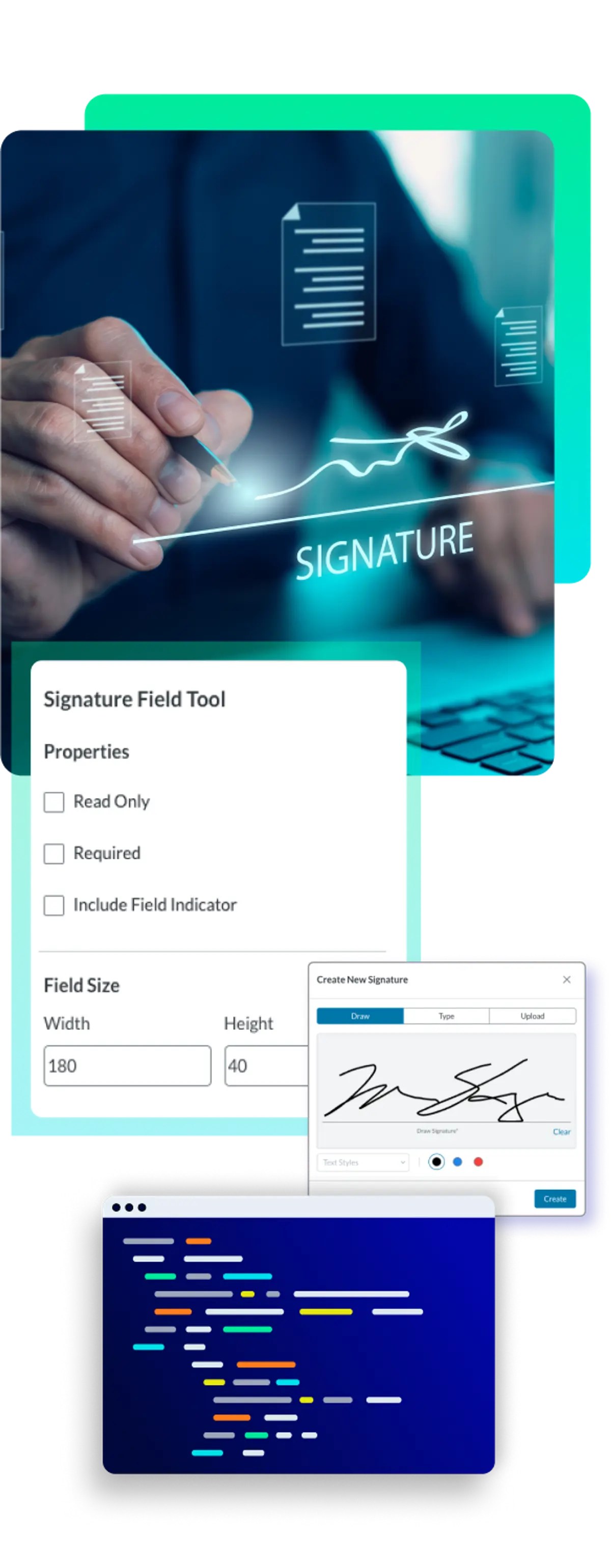
Widget Annotations: Signature fields are managed as special Widget Annotations. Their data is easily imported or exported using formats like XFDF/FDF.
Customization: The visual appearance of the signature, including the image and text, can be customized while the cryptographic block still performs the security work underneath.
Real-World Examples
For many regulated industries, digital signatures are a fundamental compliance requirement. Compliance Risk Management: Using digital signature technology is the most effective way to avoid document risk by eliminating ambiguity by precisely identifying the signer, protecting against legal challenges by instantly detecting if a document was altered, and ensuring the application meets critical standards like ESIGN, UETA, and eIDAS.
Legal/Financial
Guaranteed Non-Repudiation: Legal and financial documents such as contracts, loan agreements, and client mandates are tamper-proof from the moment of signing.
Healthcare
Secure Auditing: Provides a verifiable audit trail for patient consent documentation (HIPAA-relevant) such as patient intake forms, consent documents, and lab reports.
Government/Public Sector
Trust at Scale: Automates the certification of high-volume public records such as official permits, certifications, and digital records, ensuring verifiable trust and authenticity.
AEC/Manufacturing
Traceable Approvals: Speeds up the project approval cycle while maintaining an auditable chain for documents such as engineering sign-offs, change orders, and quality control forms.
Why Apryse is Leading the Way in Digital Signature Security and Compliance
NATIVE PKI & PFX INTEGRATION
Native PKI & PFX Integration
We provide built-in, native support for handling PKI signing, including a parser for common PFX/P12 certificate files. This means your developers spend less time integrating specialized cryptography libraries and more time building features.
COMPREHENSIVE SECURITY

HIGH-FIDELITY RENDERING

CROSS-PLATFORM CONSISTENCY

CUSTOM WORKFLOWS

Key Criteria for Choosing a Digital Signature Solution
PKI/Certificate Support
Built-in PFX parsing and support for custom handlers simplifies integration with existing certificate management systems.
Guarantees compatibility with corporate PKI and reduces security integration hurdles for IT.
LTV/DTS Support
Simple API calls to enable LTV and DTS without requiring extensive manual embedding of external verification data.
Ensures signatures meet long-term archival and legal requirements.
Cross-Platform UX
Single, unified SDK logic minimizes maintenance and ensures the signing experience is identical on web and mobile.
Delivers a consistent user experience, supporting mobilized contract workflows universally.
Integrity & Security
Automatic detection of tampering is reliably handled by the SDK's core cryptographic engine.
Reduces risk by providing verifiable proof of non-repudiation, essential for all legal and financial data.
Custom Signatures
Flexibility to sign with images, ink, or custom text managed by the SDK’s annotation layer.
Allows branding and visual fidelity requirements to be met without sacrificing cryptographic security.
Deployment Model
Core libraries support high-volume, automated server-side signing for efficient batch certification workflows.
Enables centralized key management and signature workflow automation, saving operational time.

How Can Developers Get Started with Digital Signatures?
Integrating secure digital signature capabilities into a web application focuses on using a reliable, component-based SDK. The WebViewer SDK is the simplest way to deliver an interactive signing experience.
Note: We’ll be focusing on the WebViewer SDK for this guide, which includes the JavaScript PDF Digital Signature Library. Digital signature capabilities can also be added through the Server SDK, which is available across multiple languages.
Step 1: Get to Know the WebViewer SDK
The Apryse WebViewer SDK is a client-side JavaScript component that provides a full, interactive PDF viewer. It has built-in support for both simple electronic signature annotations and digital signatures. It handles the complex field interaction and signature validation entirely in the browser.
Learn more about the digital signatures in our documentation.
Step 2: Explore the Interactive Demo
Check out our digital signature demo and try out it out for yourself.
Step 3: Implement Digital Signatures into Your Projects
To begin developing, integrate the WebViewer component into your project and start implementing digital signatures.
- Sign up for our developer portal and get your trial license key.
- Install and configure the Apryse WebViewer SDK.
- Follow the documentation guides to initialize the viewer and start using digital signatures.
- Contact our Sales Team with any questions.
FAQ
Next Steps
We've detailed the main differences between simple e-signatures and cryptographic digital signatures, exploring how PKI, hashing, and certificates ensure document integrity and signer non-repudiation.
A high-assurance solution must incorporate advanced features like Document Timestamping (DTS) and Long-Term Validation (LTV) to protect documents against certificate expiration and legal disputes. By leveraging robust, cross-platform SDKs, developers can easily integrate client-side interactive signing and server-side automation, guaranteeing that their applications meet global compliance standards such as eIDAS, ESIGN, and UETA.