TL;DR
Why the Front End Matters: Large Language Models (LLMs) generate drafts and data; the Interaction Layer is where human verification, redlining, and approval happen. Value comes from the model output becoming an auditable, sharable, and compliant artifact.
Core Value Proposition: A production-grade front end prevents issues such as fidelity loss, missing audit trails, and context-switching, directly impacting executive KPIs like time-to-decision and approval throughput.
Solution Architecture: The decision is often Embed vs. Build. Embedding a specialized SDK, like Apryse WebViewer, is the default path to market speed, allowing engineering resources to focus on LLM logic, RAG, and core product differentiation.
Must-Have Capabilities: High-fidelity rendering (DOCX, PDF, CAD), true redaction, collaboration, and guaranteed accessibility (WCAG/508).
Who This Guide Is For
This guide is written for Product Managers, Founders, and Engineering Leaders looking to transform proof-of-concept AI into scalable, revenue-generating SaaS applications.
If your LLM spots an anomaly in a contract, summarizes a complex report, or drafts a response to an audit, the job isn't done until a user can confidently approve, edit, or sign the resulting document.
Our Goal: To enable you to create a production-ready front end using Apryse WebViewer for the critical Interaction Layer, turning raw model output into verifiable, auditable, and actionable business outcomes.
Why the Interaction Layer Matters
AI models excel at generating data, finding patterns, and proposing initial answers. But they do not sign documents, they do not take legal liability, and they do not execute business processes. That responsibility belongs to the human user.
The Interaction Layer (the document viewer and editor component) is the critical point where an application converts model output into realized value. This final step of operationalization is where human verification ensures data accuracy and legal integrity.
Common Data Interaction Failure Modes in LLM-Enabled Applications
Failing to prioritize the review and interaction experience with the source data leads directly to poor user adoption and a lower return on investment (ROI):

Downloads and Context Switching
Forcing users to download a file to verify it in an external application breaks the workflow, prevents collaboration, and introduces challenges into the workflow.
Fidelity Loss
When documents are converted for viewing (for example, PDF to HTML), critical formatting, fonts, tables, or CAD layers are often lost.
Weak Redaction
Relying on simple visual black boxes for covering sensitive information is a security liability. Without true redaction, which permanently removes content and metadata from the file, compliance is a challenge.
Missing Audit Trail
An application cannot support auditing if it doesn't log the user who approved a change, the time it was made, and the link back to the source data.
Executive KPI Lens
Prioritizing a robust Front End directly translates into better operational metrics.

Time-to-Decision
Reducing review challenges speeds up contract approvals and claims processing.

Review Cycle Time
Implementing in-app collaboration and redlining shortens the time required to move a document from draft to final version.

Approval Throughput
A high-fidelity, trustworthy review experience increases the volume of documents users can process.

Error Rate
Programmatic editing capabilities reduce human error compared to manual copying and pasting.
Core Interaction Capabilities (What Good Looks Like)
A production-ready document app must deliver more than just a scrolling PDF. It requires a specialized set of features to meet enterprise expectations.
High-Fidelity Rendering Across All Formats
Multi-Format Support
Accurately displaying DOCX, PDF, XLSX, PPTX, and even technical files like CAD.
Layout Integrity
Preserving fonts, pagination, tables, and complex track changes/redlines exactly as the native application intended.
Scalability
Rendering files with more than 1,000 pages or large spreadsheets without crashing the client or introducing lag.
Review and Collaboration Tools
Annotations and Comments
Allowing multi-user feedback with threaded discussions.
Redlines and Programmatic Edits
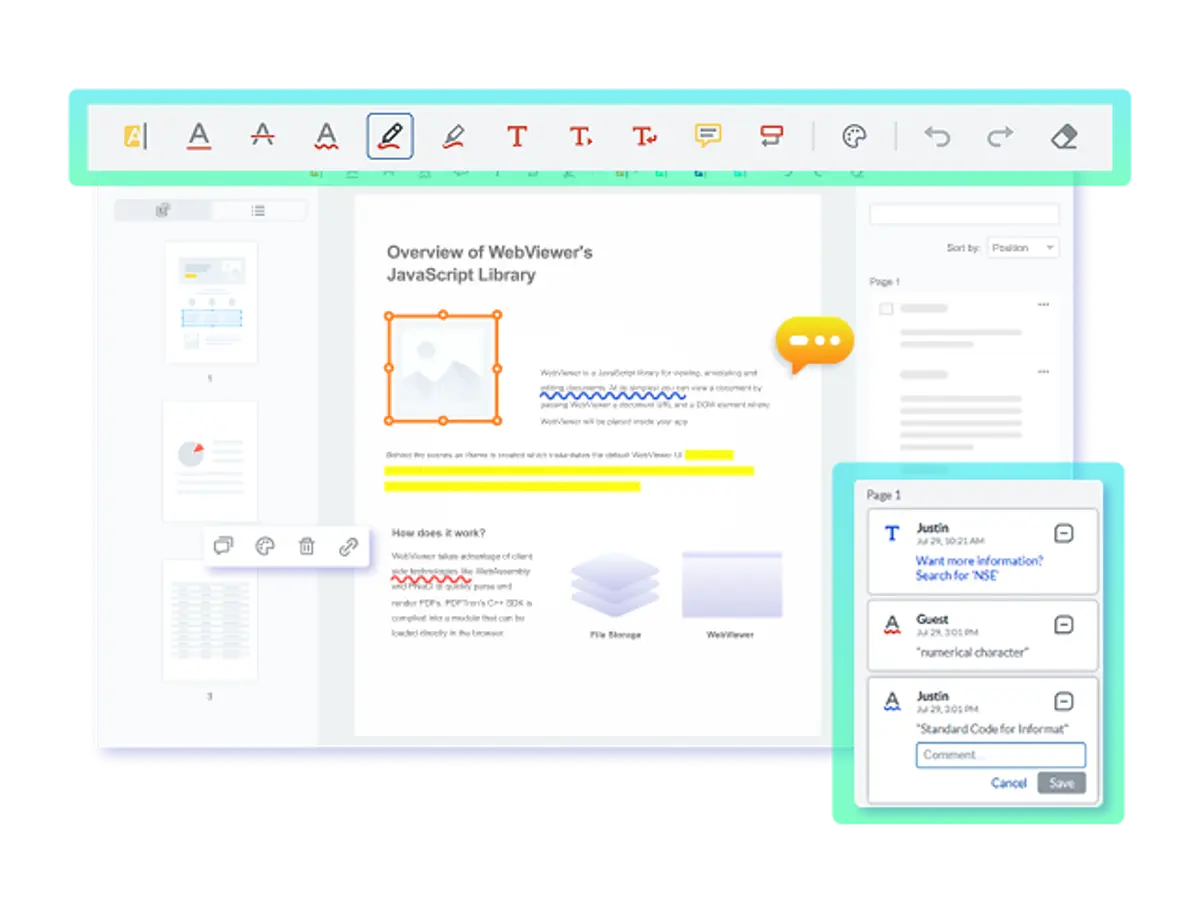
Enabling users to suggest and approve changes with full visibility through features like Track Changes (for DOCX) or programmatic text insertion.
Multi-Format Consistency
Offering a unified set of tools for commenting and review that works identically across various file formats such as PDFs, Office files, and images.
Search, Verification, and Compare
Accurate Verification
The ability to highlight a citation generated by the LLM and instantly see the page and line location in the source document.
Robust Search
Fast, full-text search that works across multiple documents loaded simultaneously (cross-document search).
Document Compare
Providing visual side-by-side or overlaid comparison views to quickly spot differences between an LLM draft and a source template, or between two versions of a contract.
Packaging and Export
Document Manipulation
APIs to dynamically merge, split, rotate, or reorder pages and entire documents with the ability to preview instantly.
True Redaction
The ability to perform a two-step redaction process that permanently removes the selected content and any underlying metadata from the file.
Audit-Ready Output
Finalizing the document by permanently applying all markups (flattening annotations) and generating a clean, secure artifact.
Accessibility at Scale
Keyboard-First Workflows
Ensuring the entire application and all document interactions can be accessed and controlled without a mouse.
Screen Reader Support
Maintaining a correct, logical reading order for content and interactive elements.
Pre-Audited Components
Prioritizing vendors who provide pre-audited compliance documentation (like a VPAT), significantly reducing the burden on your engineering and legal teams.
USE CASES

RAG + Human Review
Workflow: The system is fed a vector index knowledge base for Retrieval-Augmented Generation (RAG). The LLM then produces a compliance report draft.
Interaction: The user reviews the LLM draft and the source documents in a Dual-Pane or Side-by-Side viewer. The UI tags each statement in the draft with a page/line accurate citation link to the source.
Operational Outcome: The user verifies the facts, applies final formatting, and exports a fully cited, validated compliance report.

Summarize/Extract + Spreadsheet/Report Review
Workflow: An LLM extracts financial data from a batch of vendor invoices and transfers the data to a spreadsheet.
Interaction: The manager opens the generated XLSX file in the viewer and uses cell-level comments to flag discrepancies, add notes for audit, and verifies key figures.
Operational Outcome: The manager exports the XLSX or PDF package that includes all audit notes that is immediately ready to be transferred to the accounting system.

Contract/Legal Drafting
Workflow: An LLM generates a custom contract based on a clause library and specific deal terms.
Interaction: The lawyer reviews the document. The system displays the LLM's changes using inline redlines (track changes). The lawyer adds, removes, and approves clauses, attaching page-accurate citations to external case law or templates.
Operational Outcome: The final, approved contract is bundled with exhibits and immediately sent for secure Digital Signing.

AEC (Architecture, Engineering, Construction) Mark-up
Workflow: An LLM analyzes two versions of a large CAD drawing and highlights the differences.
Interaction: The engineer opens the drawing. The CAD/PDF viewer allows deep zoom, layering, and precise measurement. The engineer uses specialized annotation tools to mark up the graphic changes, adds an official stamp, and signs off.
Operational Outcome: A secure, versioned artifact is created, eliminating paper printouts while speeding up change order approvals.
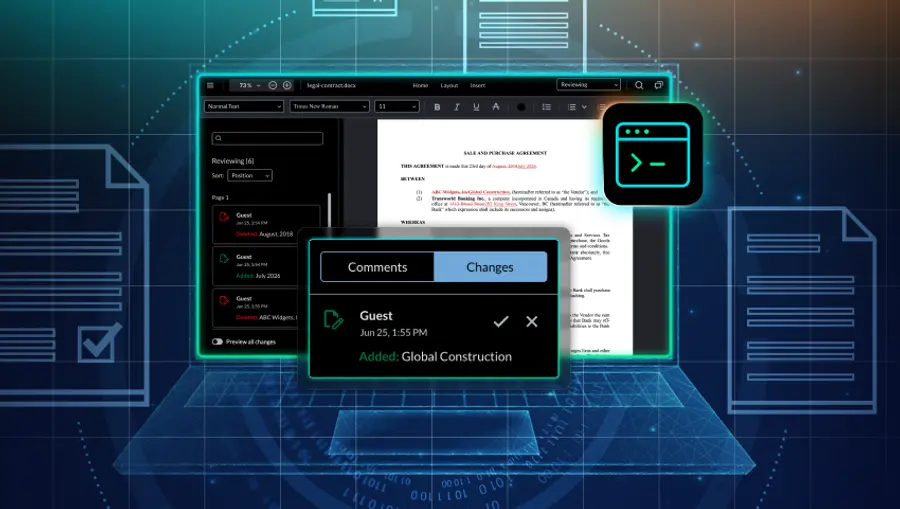
Programmatic Redlining via Tracked Changes API
Workflow: An LLM reviews an internal policy document and generates suggested edits to align it with a new regulatory requirement.
Interaction: The system inserts the LLM's suggestions as native tracked changes using the Tracked Changes API, so insertions and deletions appear inline and attributed to the AI. The reviewer accepts, rejects, or edits each change directly in the viewer, adding comments where needed.
Operational Outcome: The reviewer exports a finalized document with all changes addressed, showing exactly what the AI suggested and what the human approved.
Defining Production Readiness
Moving from a proof-of-concept to a production application requires satisfying crucial non-functional requirements that govern trust and stability.
Performance and Scale
Enterprise users must be confident that the application won't fail under heavy load.
Large File Handling
The component must reliably open and stream documents with thousands of pages or deal with high-density data (large spreadsheets, complex CAD layers).
Resource Management
Utilizing streaming, virtualization, and incremental rendering ensures that the CPU and memory usage remain manageable, especially in low-power or mobile environments.
Stress Testing
The SDK should be backed by vendor-provided performance data and be designed to handle features such as collaborative editing without degradation.
Security and Privacy
Client-Side Processing
Whenever possible, viewing and annotation creation should happen entirely in the client's browser. This guarantees data residency and ensures sensitive file contents never touch the vendor's or the application's servers unless necessary.
Authentication & Access
Full support for SSO (Single Sign-On) integration and role-based permissions to control who can view, edit, or redact documents.
No Temp File Leakage
The component must be designed to not create easily recoverable temporary files on the client's machine that could expose sensitive data.
Compliance
Regulatory adherence is non-negotiable for highly regulated industries.
True Redaction
Must permanently remove content and metadata as visual black-boxing is not compliant.
Audit Trails
Support for generating and logging the necessary data points for external auditing such as user, time, and action.
WCAG/508 Accessibility
Compliance with modern accessibility standards is often a requirement for government and large enterprise contracts.
eSignature and Digital Signing
Support for both simple, visual eSignatures and complex, certificate-based Digital Signatures for export control and legal validity.
Reliability and Observability
Version History/Autosave
Built-in mechanisms to save user changes automatically and allow rollback to previous versions in collaborative settings.
Observability
The application needs clear metrics on user activity to diagnose bottlenecks, such as review time, approval rate, and tracking the backlog of unverified citations.
Automated Error Detection
The system should be able to proactively monitor for exceptions and network interruptions, automatically re-queueing operations or switching to offline modes when connectivity is lost to prevent data loss or service disruption.
Why Apryse Stands Out
With AI and Large Language Models (LLMs), the interface is where the magic happens. A great LLM application requires a robust document environment that balances developer control with high-stakes compliance. Apryse WebViewer stands out as the premier front-end for AI-driven document workflows, offering unmatched format support and deep API integration.
High-Fidelity Context and Rendering
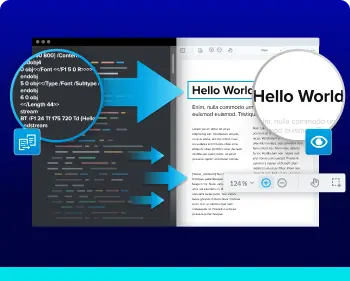
AI insights are only as good as the context they provide. For industries like AEC (Architecture, Engineering, and Construction) or Legal, the visual layout of a document is data in itself.
Deliver pixel-perfect rendering for PDF, Office, and CAD files. Ensure that when an LLM cites a specific paragraph or diagram, the user sees it exactly as intended.
Large-scale LLM datasets often involve massive files. WebViewer uses advanced streaming and pagination to keep the UI responsive, allowing reviewers to jump to sections instantly without waiting for huge downloads.
Human-in-the-Loop Review Tools
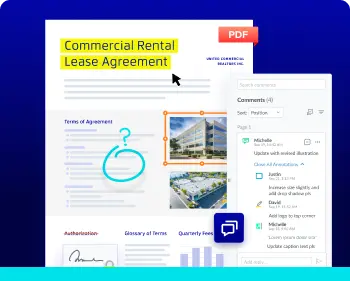
Most SDKs offer basic comments, but LLM workflows require deep, programmatic interaction across multiple formats.
Allow users to edit, annotate, and comment on PDF, DOCX, and XLSX files directly in the browser.
Whether the LLM is analyzing a spreadsheet or a legal brief, the review interface remains identical, reducing the cognitive load for your users and simplifying your development stack.
Document Assembly
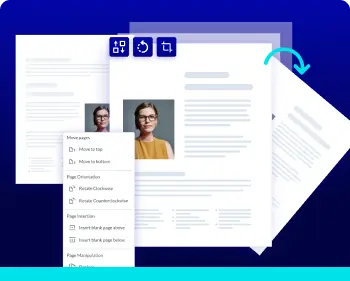
The end goal of many AI workflows is a final, polished document, like a summarized report or a filtered case file.
Empower users to reorder, merge, or split documents based on LLM suggestions.
Generate final documents that are correctly formatted and ready for sharing, complete with a clear history of the changes made during the human-review phase.
Secure, Deep-Level Redaction
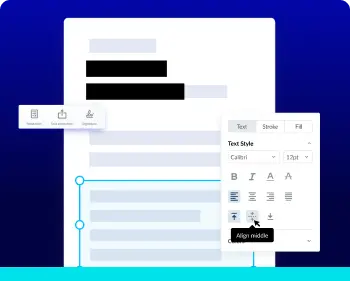
When using LLMs in regulated industries, sanitizing data is a non-negotiable step.
WebViewer performs true redaction, which scrubs sensitive content and hidden metadata from the file's internal structure, not just the surface.
This ensures that PII (Personally Identifiable Information) is permanently removed before documents are shared or used to further train models, maintaining a strict audit trail throughout.
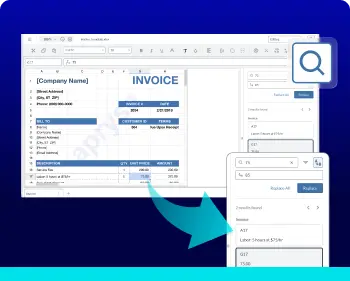
Precision Search and Verification
Search that is fast and trustworthy reduce review process times.
Our robust search engine allows users to rapidly locate and compare citations across various document types without ever leaving the application.
Perfect for legal tech applications where finding a specific case law reference or clause is time-critical.
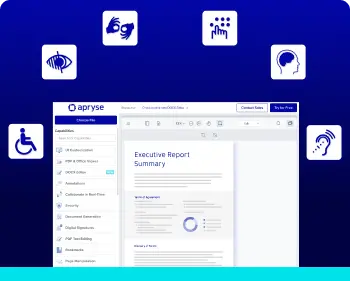
Accessibility
AI-powered tools must be inclusive to be adopted at the enterprise level.
We’ve built WebViewer to support keyboard-only navigation, screen readers, and high-contrast modes.
We handle the complex audits and regulatory updates for accessibility, so you can focus on your AI logic while knowing your front end meets global compliance standards.
Build vs Embed
Embed a Commercial SDK (Recommended Default)
Focus: Shipping core LLM features and business logic (RAG, workflow UX). Outcome: Achieving production-readiness in weeks, not quarters.
Your Engineering Capacity: If your engineers are focused on the LLM model and differentiating workflow, embedding offloads the complexity of rendering, compliance, and security to a specialist vendor.
Embed an Open-Source Library
Focus: Lowering initial licensing costs while integrating existing components. Outcome: Faster time-to-market than with building from scratch, but with immediate and substantial integration effort.
Total Cost of Ownership (TCO): While the code is free, your team owns 100% of the integration, patching, security, bug fixes, and maintenance for the entire life of the product. Feature parity with commercial solutions will require significant internal development.
Build from Scratch
Focus: Maximum, granular control over every pixel and internal data structure. Outcome: A potentially higher quality solution eventually, but with the highest Total Cost of Ownership (TCO).
Maintenance Burden: Building parity for high-fidelity rendering (Office, CAD), true redaction, and global accessibility (WCAG/508) is a long-term, high-cost commitment that constantly drains future roadmap time.
Build vs Embed Checklist
Use this checklist to frame the decision for your engineering and leadership teams:
Differentiation
Is the act of viewing and redlining a document your core product differentiator (your "moat")? If not, embed.
Compliance Burden
Do you need WCAG/508, true redaction, or complex eSignature handling now or soon? A vendor has already addressed this; building it will take time.
File Scope
Does your application need to support Office formats (DOCX, XLSX) and CAD files, not just PDF? This dramatically increases the complexity of a Build path (both proprietary and open source).
Runway & Milestones
Can you afford to delay your LLM-enabled product launch by 6–12 months to build rendering and annotation parity?
Open-Source Maintenance
If choosing an open-source library, are you prepared to dedicate long-term engineering resources to manage integration, security patching, bug fixes, and feature development?
Evaluation Criteria (Feature-by-Feature)
Rendering Fidelity
Pixel-accurate display across all required formats (PDF, DOCX, CAD). Preservation of fonts, tables, and track changes visualization.
High: Directly impacts user trust and verification accuracy.
True Redaction
Irreversible removal of both content and metadata; verifiable output.
Compliance Critical: Non-negotiable for security and regulated industries.
Collaboration
Commenting, mentions, permissions, and support for redlines/track changes in non-PDF formats.
High: Determines review cycle time and adoption among team users.
Search/Compare
Fast cross-document search, side-by-side document diff, and pin-accurate citation verification.
High: Essential for the LLM verification use cases (RAG).
Signing
Support for both simple eSignatures and secure, certificate-based Digital Signing.
Operational Critical: Required for the final point of business execution.
Accessibility
Full keyboard-first compatibility, screen reader support, correct reading order, and availability of a VPAT.
Compliance Gate: Required for government and large enterprise contracts.
Security & SSO
Client-side processing options, support for your corporate SSO, and audit logging features.
Security Gate: Non-negotiable for IT and Procurement approval.
Scalability & Stability
Proven performance on very large files (1,000+ pages); stress test data available.
High: Guards against application failures under real-world load.
Support & Maturity
Clear SLA, comprehensive documentation, active community, and history of reliable long-tail format fixes.
TCO/Roadmap: Assures long-term maintainability and reduces risk.
Developer Experience (DX) Requirements
Consider evaluating the vendor based on ease of integration.

Install in Minutes:
The vendor should offer clear, concise, getting-started guides and clean package managers (NPM, NuGet) for rapid installation.

APIs & Samples:
Comprehensive APIs that are well-documented, with working code samples for all major frameworks including React, Vue, and Angular.

Extensibility:
The component must offer clear hooks and customization APIs to allow engineering to build unique workflow logic on top of the viewer, without being boxed in by the vendor's UI.

Versioning & Migration:
A clear roadmap, explicit changelogs, and a thoughtful deprecation policy that minimizes friction when migrating between major versions.

Licensing & Pricing Clarity:
Clear licensing models (seats, events, usage) that make forecasting Total Cost of Ownership simple and transparent.
How Can Developers Get Started with Integrating the WebViewer Component?
To launch your LLM-enabled application quickly, the path of least resistance is integrating a robust SDK. This guide covers the steps for embedding WebViewer as your production-ready Interaction Layer.
Step 1: Get to Know the Component
The WebViewer component is a modular, client-side JavaScript SDK that embeds a full document viewer and editor into your web application. It handles all rendering and user interaction locally, ensuring privacy and speed.
Learn more about WebViewer and its full range of features, customization options, and more in our documentation.
Step 2: Explore the Interactive Demo
Check out our WebViewer demo and try out features such as collaboration, Digital Signatures, and more.
Step 3: Install and Configure WebViewer
To begin developing, integrate the WebViewer component into your project.
- Sign up for our developer portal and get your trial license key.
- Install and configure the Apryse WebViewer SDK.
- Follow the documentation guides to initialize the viewer and begin adding WebViewer functionality to your application.
- Contact our Sales Team or Discord with any questions.