This page is not available in your preferred language - You're viewing content in English (US).

Garry Klooesterman
Senior Technical Content Creator
Published May 15, 2026
Updated May 18, 2026

8 min


Converting HTML to PDF in 2026: 10 Methods Compared
Garry Klooesterman
Senior Technical Content Creator
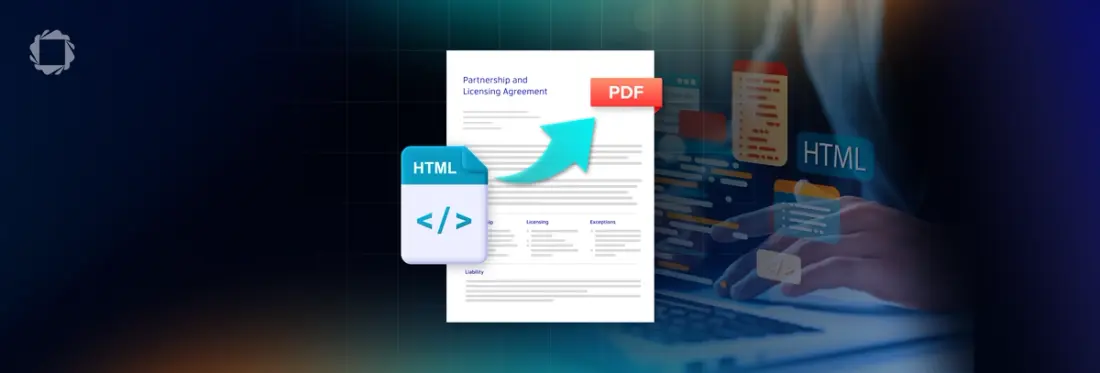
Summary: Converting HTML web pages to fixed PDFs involves selecting a strategy, such as headless browsers, cloud APIs, or native engines, to manage rendering engine challenges. This article looks at 10 HTML-to-PDF conversion methods, including Playwright, Puppeteer, WeasyPrint, and Apryse, while analyzing production requirements for scaling, security, and layout accuracy.
Introduction
Converting a web page to a static document is harder than you might think. This is because browsers are designed to be fluid and responsive, while PDFs are fixed, coordinate-based structures.
When you're picking a conversion strategy, you're essentially choosing how you want to handle the Layout Engine problem. You generally have three paths:
1. Headless Browsers (Playwright/Puppeteer): This is running an actual instance of Chrome. It’s pixel-perfect because it is a browser, but it's incredibly heavy on RAM.
2. Cloud APIs (DocRaptor/PDFShift): Here, you’re offloading the infrastructure. It's the easy but costly way out. This is not the option to go with when handling regulated data like health or finance records.
3. Native Engines (Apryse/iText): These parse the HTML/CSS code directly. They are fast and secure, but because they aren't Chrome, they require a modern layout engine to handle current CSS specs.
10 Ways to Convert HTML to PDF
1. The Browser's Native window.print()
An effortless, client-side script that triggers the operating system's native print spooler to save or print the active viewport.
- The Workflow: Runs entirely in the user's browser using basic JavaScript. It costs nothing to scale and offloads 100% of the CPU rendering overhead away from your server backend.
- The Reality: Impossible to automate on a server. It cannot save a file silently to a directory because it requires manual user interaction to click Save in the print dialog window.
- The Catch: You lose all layout control. Final margins, font scaling, background colors, and default page headers are dictated by the individual user's browser and local printer software.
- Best Use: Single-page user-facing views like quick receipt confirmations or booking passes where absolute visual precision is not required.
2. jsPDF + html2canvas
The most common frontend workaround found on StackOverflow, operating entirely within the browser sandbox without requiring backend infrastructure.
- The Workflow: html2canvas takes a graphical snapshot of your DOM tree and turns it into a flat canvas image. jsPDF then drops that image array into a blank document container.
- The Reality: Because the resulting PDF is just a flat image wrapper, the text is non-searchable. Users cannot highlight or copy text, and web hyperlinks become unclickable static blocks.
- The Catch: The visual quality turns blurry when a user zooms in. File sizes swell greatly, and it completely breaks screen readers and accessibility (WCAG) standards due to missing metadata.
- Best Use: Frontend interactive dashboards, analytics widgets, or charts where users just want a fast graphical screenshot of a specific UI component.
3. html2pdf.js
An improved structural wrapper around the jsPDF and html2canvas pipeline designed to automate multi-page browser-side generation.
- The Workflow: It introduces a vital mathematical pagination layer. It calculates DOM element heights in the browser and automatically slices up the long canvas image across multiple PDF pages.
- The Reality: While it simplifies client-side multi-page building, it inherits all the underlying flaws of a canvas-based engine. Your final documents still lack searchable text and selectable metadata.
- The Catch: Severe text clipping issues occur. If your application uses complex CSS positioning, grid layouts, or padding, the engine will frequently slice text blocks and image elements directly in half horizontally at page breaks.
- Best Use: Client-side generation of basic multi-page documents like user resumes or simple, predictable invoice grids.
4. Playwright
Microsoft's flagship backend browser automation framework, engineered to handle isolated browser rendering contexts over a single machine runtime.
- The Workflow: Uses an optimized multi-context architecture. A single underlying browser process can spin up dozens of completely isolated, lightweight browser tabs to process multiple PDF jobs concurrently.
- The Reality: Delivers pixel-perfect rendering that processes advanced modern layouts like CSS Flexbox, Grid, web fonts, SVGs, and heavy JavaScript framework hydration loops.
- The Catch: Massive infrastructure footprint. Bundling full Linux browser binaries causes production Docker deployment images to increase past 500MB. Running it inside serverless environments like AWS Lambda requires fragile third-party layers.
- Best Use: High-fidelity automated report compilation or dynamic dashboards heavily reliant on React, Vue, or Angular web hydration.
Code Sample:
5. Puppeteer (Node.js)
Google's original library for headless Chrome automation, interacting directly with the server through the low-level Chrome DevTools Protocol.
- The Workflow: Grants developers granular control over browser events, network traffic interception, viewport emulation, custom authentication states, and raw console logging timelines.
- The Reality: Severe server resource hog. Unlike Playwright's contextual isolation, running concurrent rendering threads in Puppeteer can easily trigger severe memory leaks.
- The Catch: It frequently leaves behind orphaned "zombie" browser processes that peg server CPUs to 100%. To scale safely in production, you must build complex worker queues or buy third-party tools like Browserless.
- Best Use: Legacy Node.js automation stacks or highly complex enterprise web scraping applications that require deep access to the Chrome DevTools Protocol.
6. wkhtmltopdf
A historic command-line utility that converts static HTML files into PDFs using an embedded, modified local instance of the WebKit rendering architecture.
- The Workflow: Executes with simple terminal or shell script invocation flags (wkhtmltopdf input.html output.pdf) directly on your host operating system.
- The Reality: Run times are extremely fast and use a fraction of the RAM of a modern browser. However, the open-source project was officially archived and abandoned in 2023.
- The Catch: Critical security liability. It contains unpatched system vulnerabilities; most notably exposing host servers to Server-Side Request Forgery (SSRF). Its outdated 2012 layout engine completely garbles modern CSS.
- Best Use: None. Legacy projects still using this tool should be rewritten to use modern alternatives immediately to mitigate infrastructure data breaches.
7. WeasyPrint (Python)
A native, open-source Python document compiler built strictly around the W3C Paged Media web printing specifications rather than standard screen browser constraints.
- The Workflow: Bypasses browser engines entirely, directly interpreting document layouts and CSS printing directives (@page) to output native PDF objects, print margins, and textbook-style running headers.
- The Reality: A great choice for Python developers (Django/Flask) who want to avoid installing massive Chrome binaries. It features native support for CMYK color spaces, bleed markings, and vector outputs.
- The Catch: Zero JavaScript support. It reads raw HTML and CSS only. Any charts, graphs, or UI components generated dynamically on load with React, Vue, or D3.js will render as completely blank spaces.
- Best Use: Server-side generation of heavily text-based documents, academic reports, and print-ready transactional invoices inside pure Python applications.
8. DocRaptor/PDFShift
Managed cloud infrastructure platforms providing reliable SaaS document conversion microservices over structured, remote HTTP REST API gateways.
- The Workflow: You send your raw HTML code over a secure network request, their cloud infrastructure processes the rendering, and they stream the completed binary PDF file payload straight back to your server.
- The Reality: Fast integration with zero server maintenance or Docker configurations. They utilize high-end commercial document layout engines under the hood (DocRaptor leverages the elite print-engine PrinceXML).
- The Catch: Expensive operational scaling costs. Because you pay a fee per document, your ongoing monthly SaaS bill scales indefinitely alongside your application's user volumes.
- The Blind Spot: Data privacy compliance. Your data must leave your private network to be processed on their cloud servers, which immediately rules them out for apps requiring strict HIPAA, GDPR, or SOC2 data isolation.
- Best Use: Fast-moving startups, lightweight serverless stacks, or low-volume applications that want to skip server-side browser management.
PDFShift Code Sample:
9. iText pdfHTML (Java/.NET/C#)
An enterprise-grade document generation framework that maps incoming HTML element trees directly to native programmatic PDF object models.
- The Workflow: Acts as an algorithmic compiler rather than a visual browser layout engine. It transforms raw elements directly into native compiled code blocks like iText Paragraph and Table objects.
- The Reality: Delivers extremely fast execution speeds with an incredibly low server memory footprint. Built natively to support specialized enterprise compliance archival targets like PDF/A and PDF/UA.
- The Catch: Strict licensing rules and code constraints. The free tier use is locked behind the highly restrictive AGPL open-source license. Commercial pricing tiers scale based on your production server core counts.
- Best Use: High-volume banking systems, enterprise Java architectures, insurance platforms, and backends running within highly secure, private on-premises data centers.
10. Apryse Server SDK (HTML2PDF)
An institution-grade, locally deployed document platform that bridges browser-level visual rendering accuracy with native C++ machine execution speeds.
- The Workflow: Runs as a locally deployed native C++ module binary directly on your server hardware, eliminating the need to launch or manage bloated background browser execution windows.
- The Reality: Uses a tiny fraction of the server RAM required by Playwright or Puppeteer. Because it is a complete lifecycle SDK, it can handle advanced requirements like document redaction, digital signatures, PDF/A compression, and more.
- The Catch: Developers must manually manage platform-specific native binaries locally and wire up custom module paths. It requires an enterprise commercial contract for production builds.
- Best Use: Healthcare platforms, financial backends, and enterprise software suites requiring massive, secure, local PDF rendering pipelines alongside advanced document manipulation features.
Code Sample:
Comparison Tables
Let’s take a look at these options and core metrics. The first table looks at the engine type, CSS support, and the current status for 2026. The second table compares the RAM usage, how they are deployed, and best use case.
Table 1: Engine & CSS Support
Method | Engine Type | CSS Grid and Flexbox Support | 2026 Status |
|---|---|---|---|
1. Browser Print | Local Browser | Full | Use for Client-only tasks |
2. jsPDF + Canvas | Client-side | No | Legacy / Blurry snapshots |
3. html2pdf.js | Client-side | No | Active / Broken text slicing |
4. Playwright | Headless Chrome | Full | Top Pick (Node.js) |
5. Puppeteer | Headless Chrome | Full | Maintenance mode |
6. wkhtmltopdf | Legacy Webkit | No | Deprecated (Security Risk) |
7. WeasyPrint | Python Native | Partial | Good for static layouts |
8. Cloud APIs (DocRaptor/PDFShift) | Managed SaaS | Full | Easy setup (Infrastructure-free) |
9. iText pdfHTML | Native Engine | Full | Heavy Enterprise (Java/.NET) |
10. Apryse SDK | Native Engine | Full | Top Pick (Production Server) |
Table 2: Scaling & Resources
Method | RAM Usage | Deployment Stack | Best Use Case |
|---|---|---|---|
1. Browser Print | Client-side | Frontend (Browser) | User-led print dialogs |
2. jsPDF + Canvas | Client-side | Frontend (Browser) | Quick graphical snapshots |
3. html2pdf.js | Client-side | Frontend (Browser) | Basic multi-page templates |
4. Playwright | ~50MB/context (+ base) | Node.js / Multi-lang | Modern JS app automation |
5. Puppeteer | ~40MB/page (+ base) | Node.js Server | Deep Chrome DevTools hooks |
6. wkhtmltopdf | ~40MB | Binary / CLI | None (Deprecated / Risk) |
7. WeasyPrint | ~60MB | Python Server | Django / Flask text reports |
8. Cloud APIs (DocRaptor/PDFShift) | N/A (Cloud) | Managed Cloud API | Infrastructure-free setups |
9. iText pdfHTML | ~50MB | JVM / .NET Server | Enterprise corporate backends |
10. Apryse SDK | ~40MB | Native SDK (C++) | High-volume & local security |
The Issue of Layouts
The biggest headache with HTML to PDF conversion is handling the layout. If you use a legacy tool (like wkhtmltopdf), your display: flex or display: grid layout will collapse into a vertical stack because the engine doesn't understand the property.
If you use an image-based tool (like jsPDF), your document becomes a static image. This severely limits SEO, accessibility, and the ability for your users to search their own files.
If your layout looks modern, you have to use either a headless browser or a modern native SDK with a built-in rendering engine.
Scaling: Why Chrome is a Resource Hog
Chrome was never meant to be a backend service. When you run Playwright or Puppeteer, you're running a full browser process with font engines, GPU layers, and tab management just to print a document.
This doesn't scale linearly. Eventually, your CPU will peg at 100% managing the inter-process communication between your Node app and the browser binaries. Native SDKs like Apryse and iText run in a thread pool and are designed to process 24/7 without the massive overhead of a UI engine.
FAQ
Is wkhtmltopdf still usable?
Technically yes, but it is a security risk as it is no longer actively maintained.
Should I use Playwright or Puppeteer to convert HTML pages to PDFs?
You should choose Playwright. It’s better supported, handles parallelization much more gracefully, and the API is more intuitive for modern developers.
Why are my custom fonts not showing up?
PDF engines don't automatically know about your local fonts. You usually have to embed them as Base64 in your CSS or provide a clear BaseURL for the engine to find the .woff or .ttf files on your server.
How do I convert a page that needs a login?
Use Playwright to automate the login flow first. You can programmatically enter credentials, wait for the session cookie to be set, and then trigger the PDF save.
Does my data stay safe?
If you use a native SDK, like the Apryse SDK, or a headless browser on your own server, yes. If you use a Cloud API, you're trusting a third party with your sensitive data. For healthcare or legal apps, that creates risk.
Can I convert charts like Chart.js or D3?
Only if you use a browser-based tool (Playwright/Puppeteer) or an SDK that supports JavaScript execution. Native renderers like WeasyPrint will not do the JavaScript execution and leave your charts blank.
Conclusion
As you can see, there are many tools to choose from and choosing the right tool mainly depends on your volume of work. If you're on a budget and doing low volume conversions, Playwright is the winner.
However, if you're building something for a bank, a hospital, or a high-traffic enterprise application, you need the speed, security, and low overhead of a native engine like Apryse.
The Apryse Server SDK and HTML2PDF Module can easily handle all your HTML to PDF conversion needs, along with many other document processing tasks. You can check it out for yourself with a free trial.
If you have any questions, contact us for support.
Suggested Reads
- Blog: Convert HTML to PDF in C# and Java
- Blog: Advanced Options When Converting from HTML to PDF
- Blog: PDF vs HTML: Choose the Better Format for Document Viewing
- Blog: A Simple Example of Converting PDF to HTML
- Blog: PDF to HTML in Exact Mode: Why the Little Things Matter