
TL; DR
How do spreadsheets factor into your users’ workflows? The spreadsheet is ubiquitous in a wide variety of industries, helping users manage assets, process data, generate charts, graphs and insights, and track information.
Without spreadsheet editing functionality built into your application, users are forced to leave in favor of external tools, reducing adoption of your solution while introducing issues such as SaaS subscription costs and version control issues.
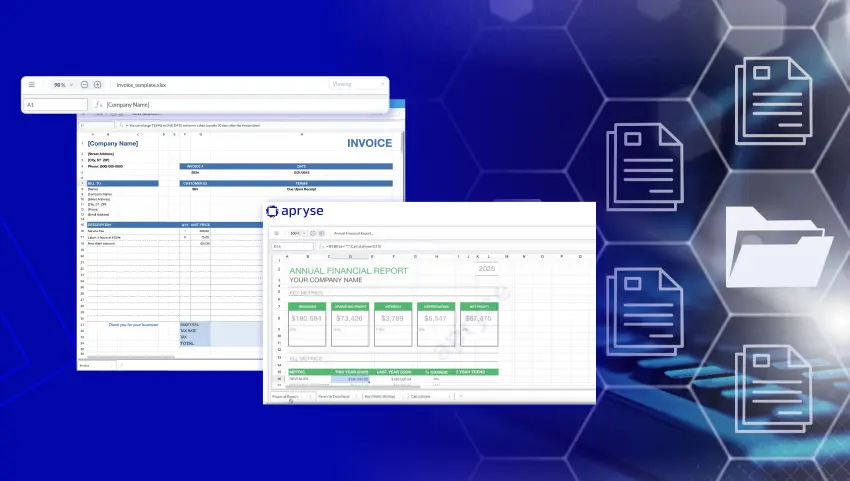
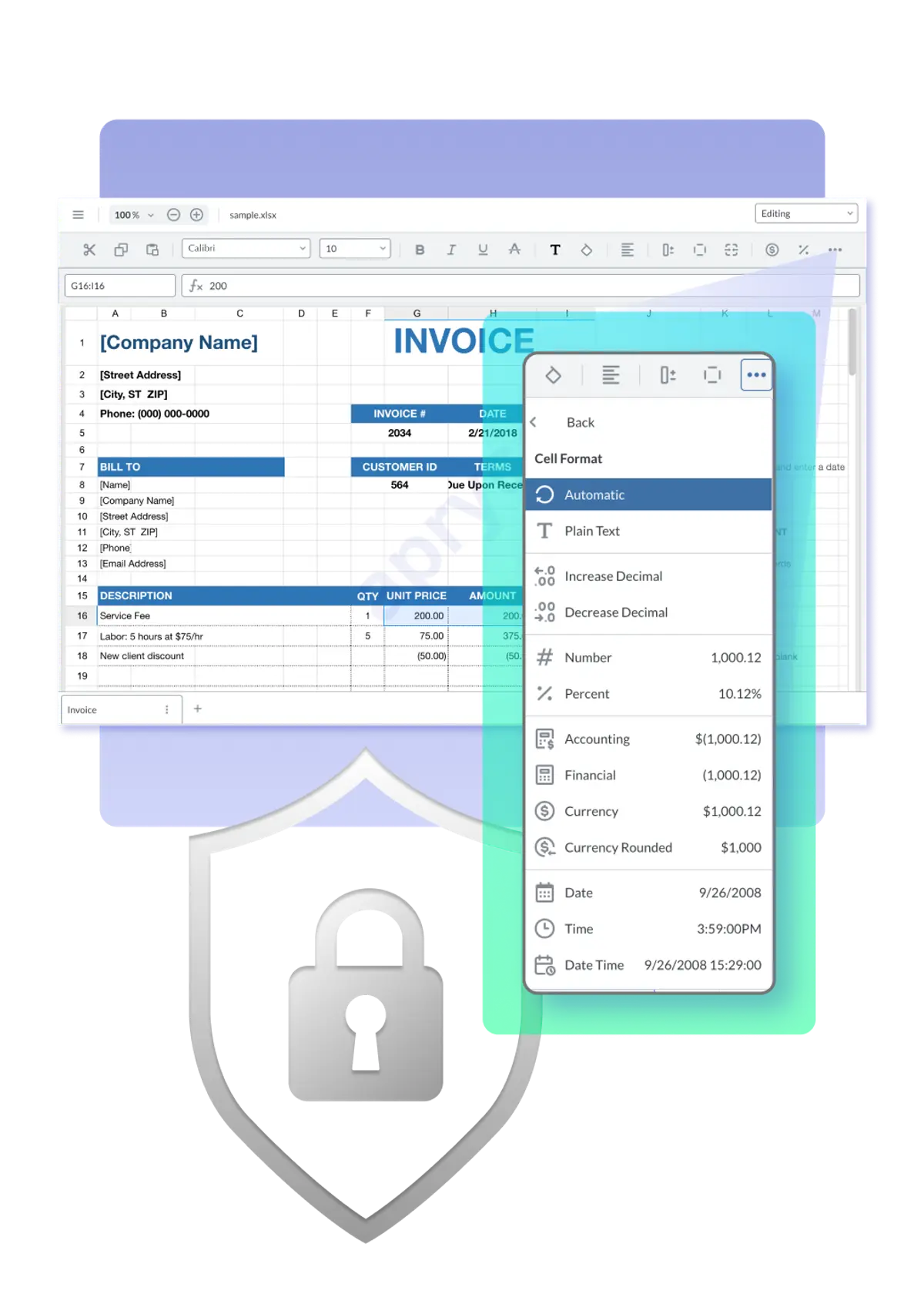
Eliminate the need for users to juggle Microsoft Excel, Google Sheets or any other external apps to view, edit or review spreadsheets with the Apryse Spreadsheet Editor SDK. Manipulate XLSX files in a familiar Excel-style interface, including formulas and cell formatting, inside your application with no external dependencies.
Why Spreadsheet Editing Matters
For developers and product leaders, embedding spreadsheet editing capabilities into applications is a critical requirement for productivity, collaboration, compliance and scalability. Supporting spreadsheet editing boosts security and privacy by ensuring data remains within your platform with no external dependencies, while minimizing version control issues caused by ad-hoc file sharing methods such as email.
What is XLSX?
XLSX is the default file format for spreadsheets created by Microsoft Excel. As an XML-based format, it contains a collection of XML documents and files defining the spreadsheet’s content and formatting.
The Apryse Spreadsheet Editor allows importing of XLSX files, viewing, editing and spreadsheets in the UI users expect, and export in XLSX format.
Top Challenges of Spreadsheet Editing
Spreadsheets are complex, combining multiple sheets, formulas, formatting, and even charts and graphs in a single file. With the goal of putting intuitive spreadsheet editing directly into your application, supporting all these features is a challenge, while preserving full XLSX fidelity is a must.
Format Complexity
Spreadsheet files bundle data, formulas, styles, and metadata into a compressed XML-based format.
Parsing and rendering spreadsheets requires managing formula dependencies and relationships across sheets and formatting rules.
Configurability/modular UI
Using an embedded spreadsheet API leaves no room for customization. With an SDK, developers can make it their own, in their own branding, leaving out or including items they feel would be most relevant to users, providing a more sophisticated experience overall.
Security and Compliance
Spreadsheet editing must comply with regulations, keeping data private and secure.
Editing workflows in spreadsheets must support compliance with ISO 27001, SOC2, HIPAA, GDPR, and other security and privacy standards.
User Expectations
If the experience doesn’t feel like Excel, adoption will suffer.
Spreadsheets offer high utility, but most users are familiar with only one interface. If users need to learn an entirely new experience to edit spreadsheets in your application, they’ll quickly go back to Excel.
Features like formulas, cell formatting, and navigation must be familiar.
How to Integrate Spreadsheet Editing into Your Applications
The best approach for adding secure, reliable spreadsheet editing into your application is to use a software development kit (SDK). An SDK offers a prebuilt library with all the tools and APIs developers need to integrate and customize, giving your teams a significant head start without any external dependencies.


SDKs for Spreadsheet Editing: Benefits
Faster time-to-market: Eliminate all the developer hours of building from scratch. Familiar UI: Users view and edit spreadsheets in a familiar excel-like experience. Cross-platform support: Web, desktop, and mobile SDKs ensure the same experience everywhere. Enterprise readiness: Built-in compliance, scalability, and vendor support.



Other ways to build Spreadsheet Editing functionality (and their tradeoffs)
Besides an SDK, there are a few other ways to add spreadsheet editing to your application.
Embedded Web Apps or Via API:
With the Excel web app, developers can embed Excel directly in a webpage. For example, a file stored in Microsoft Sharepoint or OneDrive can be embedded via URL, giving users a similar experience. However, this requires significant dependence on Microsoft solutions and licenses, and files aren’t stored in your secure platform. Other SaaS tools can also be connected via API to simulate built-in functionality, but these don’t centralize work inside your platform with no external dependencies.

Authoring Libraries
such as SheetJS or LibXL are programmatic editors. These libraries are designed to create, read and write to XLSX files, but they don’t give users a UI to do things like view spreadsheets, navigate rows, and collaborate on spreadsheet documents. These libraries are useful for backend automation such as handling large datasets in spreadsheets, but they don’t fit the same use case.

SaaS solutions like Google Sheets or Office 365
These solutions are familiar, but require costly licenses, and require users to work with documents and data outside your application, leading to version control, security and adoption issues.
Choosing a Document Conversion SDK:
Core Spreadsheet SDK Capabilities for Developers
FULL-FIDELITY RENDERING
Spreadsheets should look identical to Microsoft Excel Prevents formatting issues across browsers, devices, and platforms.
CELL FORMATTING
Modify text size, text color, fonts, border styles, cell colors, and more.
Formula and function support
Execute standard mathematical operations, statistical calculations, and date/time functions.
Dynamic data manipulation
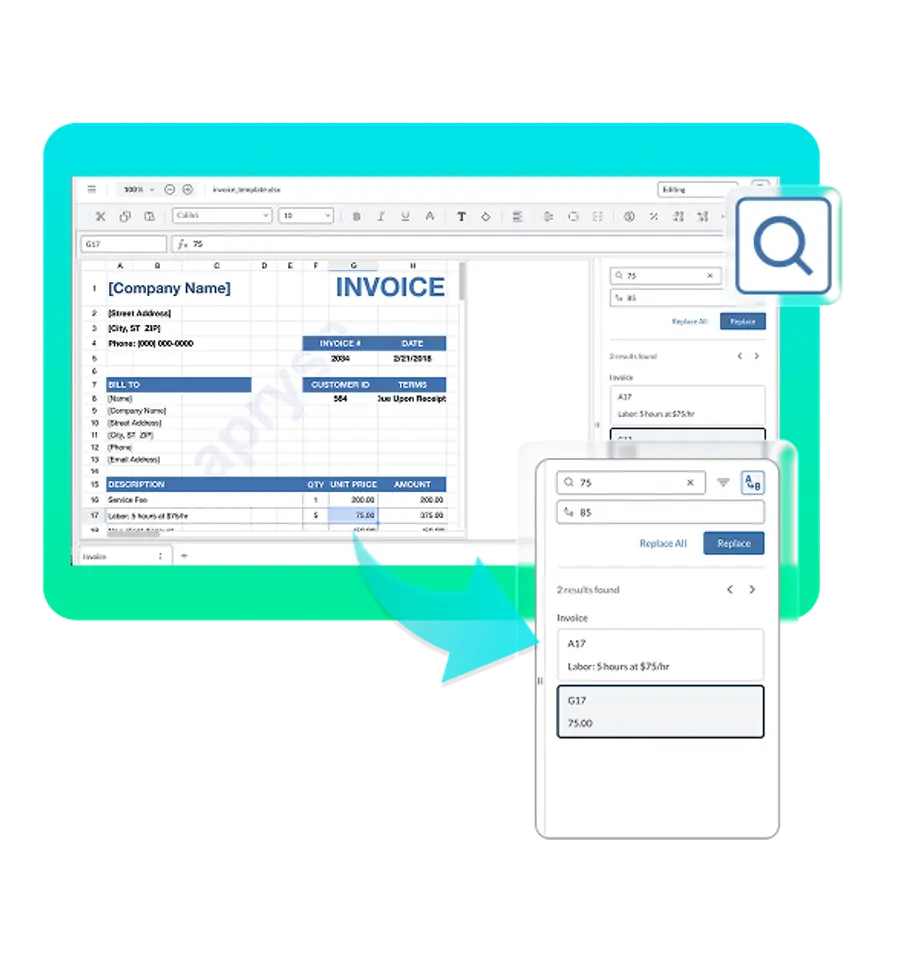
Seamlessly add, edit, or delete rows and columns. Search and replace across sheets.
Styling tools
Merge cells, apply styles, and preserve formatting.
EXPORT and CONVERSION
Convert XLSX to PDF, including batch processing.
CROSS-PLATFORM CONSISTENCY
Same APIs and functionality across web and desktop. Developers shouldn’t need separate implementations per platform.
Choosing a Conversion SDK Vendor:
What do leaders need from a Spreadsheet Editing SDK?
SECURITY AND COMPLIANCE
Support for ISO 27001, SOC 2, HIPAA, and GDPR. Options for on-prem, cloud, or hybrid deployment.
USER EXPERIENCE AND ADOPTION
An Excel-like experience that reduces training and resistance. Clean, intuitive interface to drive adoption.
TOTAL COST OF OWNERSHIP (TCO)
Compare build vs. buy, factoring in licensing, support, and maintenance. Predictable pricing models with long-term ROI.
VENDOR RELIABILITY
Track record in enterprise document processing. Strong roadmap, support team, and financial stability.
INTEGRATION FIT
Works with existing workflows (CRM, ERP, case management systems). Flexible APIs to adapt to unique use cases.
6 Questions to ask Potential Spreadsheet Editor SDK Vendors
Apryse Spreadsheet Editor is designed to provide an Excel-like experience for users, with no external dependencies. The WebViewer SDK uses client-side processing for scalability and performance.
The UI is fully customizable, with the ability to add branding, change colors, and add or remove items from the toolbar to match workflow needs.
Apryse SDK is SOC2 and ISO 27001 compliant, safeguarding your data security.
Most regulatory accessibility requirements and legislation call for WCAG 2.1 compliance. Apryse goes above and beyond with WCAG 2.2 compliance, meeting additional criteria to reach even more users.
You can find APIs, sample code, comprehensive documentation for all our SDKs and features on our website, and you can access developer support by email or on Discord.
Apryse released Spreadsheet viewing in the Spring 2025 release, with full Spreadsheet editing available the next quarter in the Summer 2025 release. Subsequent releases include further improvements and advancements, including programmatic find and replace in Fall 2025, and much more to come in 2026 and beyond.
The Apryse Advantage for Spreadsheet Editing
Does Apryse support true WYSIWYG Spreadsheet Editing?
Yes. Apryse delivers full-fidelitySpreadsheet editing , ensuring documents look and behave exactly like they do in Microsoft Excel.
- Preserves original formulas and formatting while keeping sensitive data in-house.
- Easily toggle between view mode for read-only tasks and Edit Mode to modify data and content.
- Manipulate text size, color, and cell colors.
- Insert, delete, rearrange and merge cells.
- Search and replace via UI and programmatically.
- Supports basic math, date/time, and statistical functions.
- Export edited spreadsheets to XLSX with all edits intact.
- WCAG 2.2 AA compliant interface.
- With full Spreadsheet Editing released in 2025, new advances are central to Apryse SDK’s upcoming roadmap.
Is Apryse scalable and secure?
Yes. Apryse was built with enterprise-grade scalability and security in mind.
- Client-side rendering and processing — documents never leave your environment.
- Compatible with low-code platforms like Salesforce, Appian, and Mendix.
- Load/save documents from local storage or cloud sources (e.g., AWS S3).
- Save updates back to storage, or export to XLSX.
- Designed for compliance: SOC2, ISO 27001, WCAG 2.2 Level AA
What makes Apryse the best choice for Spreadsheets?
Apryse SDK provides an enterprise-grade spreadsheet editing experience, giving users a self-contained, secure environment for viewing and editing data. Reduce workflow interruptions, protect information, and enable better workflows without compromising on fidelity. In addition, build PDF and DOCX functionality with the same SDK, enabling streamlined multi-format document productivity.
Capabilities
What core capabilities does Apryse Spreadsheet Editor provide?
TRUE WYSIWYG RENDERING
Save changes with confidence; formatting, styles, and formulas remain identical to Microsoft Excel
Framework Flexibility
Build with Apryse in JS frameworks like React, Angular, Vue, Nuxt.js, and Next.js.
Formula Support
Supports formulas essential for data analysis and complex calculations.
View Mode and Edit Mode
Control access to sensitive data with permissions control, restricting users to view only or edit access as needed.
ACCESSIBILITY COMPLIANCE
WCAG 2.2 AA compliant user interface.
SECURE, CLIENT-SIDE PROCESSING
All rendering and editing happens in the user’s environment; documents never leave your app.
SCALABILITY
Built to handle enterprise workloads and integrate into low-code platforms like Salesforce, Appian, or Mendix.
Getting Started with Apryse Spreadsheet Editor
Q: How can developers get started with Spreadsheet editing in their apps?
A: The Apryse Spreadsheet Editor is delivered as an add-on to ApryseWebViewer , our powerful JavaScript SDK for embedding document viewing and editing in the browser. If you’re already using WebViewer, enabling Spreadsheet Editor is simple.
Step 1: Understand the WebViewer SDK
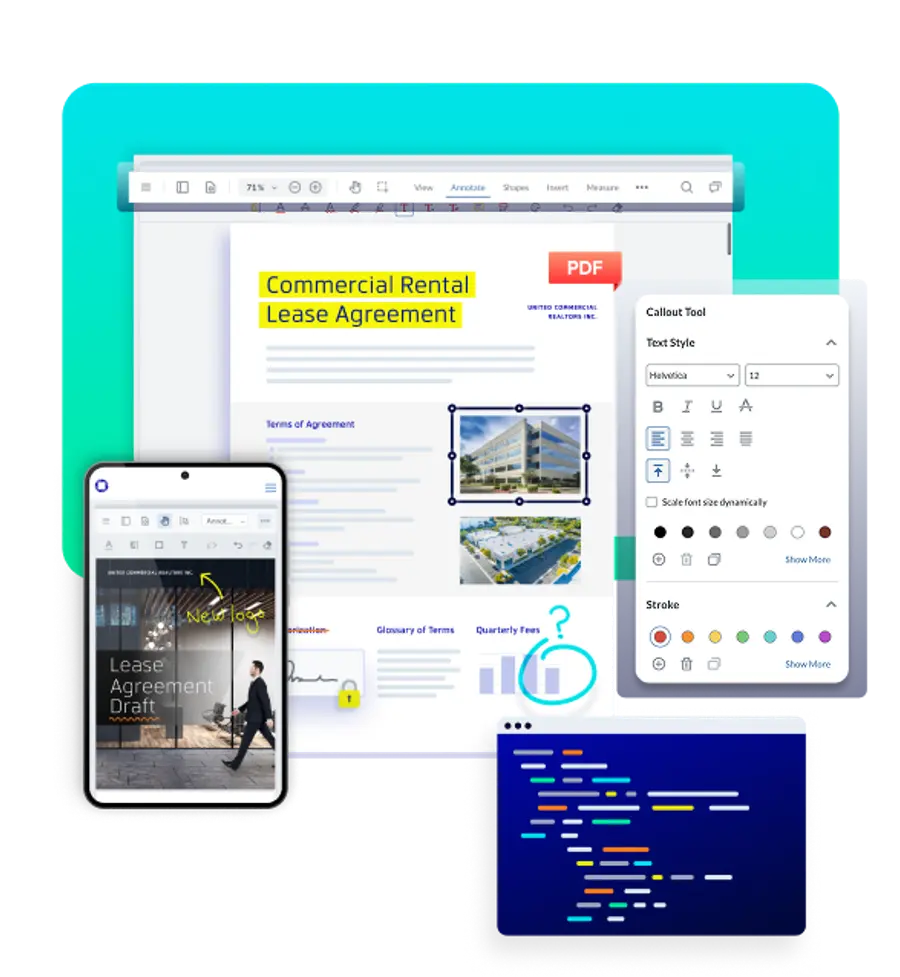
WebViewer is Apryse’s JavaScript SDK that allows developers to view, annotate, and edit PDF documents directly in the browser. It’s lightweight, fully client-side, and highly customizable. Use the DOCX Editor and Spreadsheet Editor add-ons to WebViewer to extend functionality to DOCX and XLSX viewing and editing.

Step 2: Integrate into Your Application
Follow the directions in our documentation to install WebViewer, Enable Spreadsheet Editor, and begin customizing your experience.
- Sign up for our developer portal and get your trial license key.
- Install and configure Apryse WebViewer.
- Enable the Spreadsheet Editor add-on module.
- Use the WebViewer APIs to load documents, customize the UI, and connect storage options (local, AWS S3, etc.).
- Contact our Sales Team or Discord with any questions.