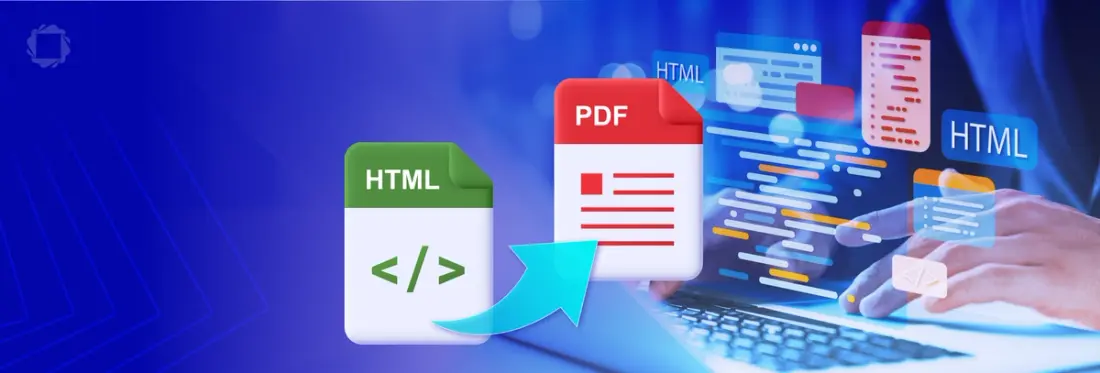
How to Convert HTML to PDF
By Garry Klooesterman | 2026 Jan 15

4 min
Tags
html
pdf conversion
Summary: Converting dynamic web content into static, professional documents is essential for tasks like reporting, archiving, offline viewing, and ensuring consistent viewing across various platforms. This blog explores how to use the Apryse Server SDK and the HTML2PDF module to generate high-fidelity PDF documents from HTML strings and URLs, ensuring your server-side rendering is both scalable and pixel-perfect.
Introduction
HTML is the staple for building webpages with an estimated 97.3% of all websites being built using this option. It’s flexible, easy to manipulate, and supported by an immense set of styling tools. However, HTML has a significant weakness in that how a page looks today might change tomorrow based on a CSS update, or it might look completely different on a mobile browser versus a desktop.
When you need to freeze a moment in time, whether it’s a monthly financial statement or a signed contract, you need a format that is constant and universal. This is where converting from HTML to PDF becomes critical. While there are many print-to-pdf options available, professional-grade applications require a robust, server-side engine that can handle complex layouts without external dependencies.
In this blog, we’ll look at using the Apryse Server SDK and its HTML2PDF module add-on. We’ll also cover why PDF is the gold standard for document exchange, explore practical use cases for automated conversion, and answer some commonly asked questions.
Why Convert HTML to PDF
Can’t we just send users a link to a web page and tell them to hit Print?
Not really. In a production environment, that lack of control is a liability. Converting HTML to PDF on the server side offers several advantages that web technologies just can’t match:
- Consistency: A PDF looks the same regardless of the platform or device used to view it. By converting HTML to PDF, you ensure that the layout, fonts, and images are preserved, removing the risk of CSS rendering discrepancies across different browsers.
- Long-Term Archiving: The PDF format, specifically the PDF/A standard, is designed for long-term preservation as it ensures that the document will be readable for decades to come.
- Security and Integrity: Unlike HTML, PDFs are designed to be tamper evident. With the right SDK, you can apply encryption, add digital signatures, and restrict permissions so that a user can view a document but not edit or print it.
- Offline Accessibility: PDFs are self-contained files that don't require an active internet connection to load external stylesheets or images once they are generated.
Use Cases for Developers
Here are some of the most common ways developers implement this feature:
- Automated Invoicing and Receipts: Instead of building a PDF layout from scratch, you can design your invoice in familiar HTML/CSS and then programmatically add user data before converting it to a PDF.
- Dynamic Report Generation: You can capture complex data such as charts and tables in an HTML snapshot and send it to stakeholders as a professional PDF report.
- Legal and Compliance Documentation: For contracts or Terms of Service agreements, you can capture the exact HTML state the user agreed to, convert it to PDF/A, and store it in a secure archive for compliance purposes.
- Content Distribution: Converting technical documentation or e-books from a web-based CMS into a downloadable PDF allows for easier distribution and offline reading for your users.
How to Convert HTML to PDF
While there are many libraries out there, and it’s worth noting that iText is another very good option that handles HTML data excellently, Apryse offers a module specifically for HTML to PDF conversion that is self-contained and doesn't rely on external dependencies. It's easy to use and works on Windows, Linux, and macOS.
I’ll be using JavaScript in this example, but the code is available in many other languages such as C#, Java, Python, and more.
Let’s get started.
- First, you’ll need to download and set up the Apryse Server SDK.
- Next, you’ll need to install the HTML2PDF module.
- Last, we’ll use the following code that’s needed to convert HTML to PDF. This code sample is the heart of the process and can be used to convert from an HTML string or a URL.
And that’s it! You have now converted HTML to PDF. That was easy.
Advanced Customization
A basic conversion is rarely enough for professional use. The Apryse Server SDK and HTML2PDF module allows you to specify custom options such as page size (A4, Letter, or custom dimensions) and formatting (margins, headers, footers) to ensure that the final document looks professional.
See the full code sample for advanced options available in this module.
FAQ
Does the HTML2PDF module require a browser to be installed on the server?
No. The Apryse HTML2PDF module is a standalone utility with its own rendering engine, so you don't have to worry about managing other dependencies.
Is it possible to add headers and footers that appear on every page?
Yes. The SDK provides settings to add HTML-based headers and footers.
Can I customize the appearance of the page?
Yes. The SDK allows you to configure the PDF output, including page size, margins, orientation, and more.
What languages are supported for this workflow?
The Apryse SDK is incredibly versatile and available in C#, Java, Python, JavaScript (Node.js), and more.
Conclusion
When you are building enterprise-grade software, you need a solution that is reliable, scalable, and produces high-quality output every single time.
Using the Apryse Server SDK and HTML2PDF module removes the complexity of document generation. They allow developers to stay within the familiar world of HTML and CSS, while providing the power of a professional PDF engine to bridge the gap between web development and document management. Whether you’re generating a thousand invoices an hour or archiving sensitive legal data, Apryse provides the tools to ensure your documents are accessible, secure, and professional.
Try the Apryse Server SDK and HTML2PDF module with a free trial or check out the documentation.
Contact our sales team for any questions or jump on Discord for support and discussions.
Tags
html
pdf conversion

Garry Klooesterman
Senior Technical Content Creator
Share this post




