
The Guide to Universal CAD Access: Viewing, Conversion, and More
In architecture, engineering and design, document needs in software platforms go beyond text, images and spreadsheets. The right SDK supports comprehensive functionality for working with technical drawings, giving all your users the tools they need, without external dependencies.
TL;DR
Architecture, engineering and construction software has different document processing needs than your typical business. Computer-aided design (CAD) is essential to core workflows across the lifecycle of the project, and software needs to handle the size, precision and complexity of CAD documents as seamlessly as it handles a brief, contract, or invoice.
For software developers and AEC leaders, this guide dives into why the right document SDK matters, what to look for, and how to get started.
Taming the Complexity: Why CAD Processing Demands a Specialized Approach
The right SDK acts as a seamless bridge between complex engineering docs and project success.
File size volatility
CAD file sizes can be unpredictable. Your SDK must offer the performance and scalability to meet your needs.
Vendor lock-in
Relying on proprietary design software, file formats or APIs can trap you in one ecosystem, limiting flexibility and increasing long-term costs.
Large-coordinate issues
Models with very large or distant coordinates can cause rendering glitches, precision errors, and slow performance.
Model corruption
Poor handling of CAD data can lead to broken assemblies or missing geometry, disrupting workflows and causing delays.
Security compliance issues
CAD files often contain sensitive IP. Inadequate encryption or access controls can lead to compliance violations and data breaches, especially on sensitive projects.
Collaboration pain points
Inconsistent formats and lack of interoperability push teams out of your platform to use inefficient, ad-hoc workflows.
How Does Apryse Support CAD File Processing?
Engineering excellence lives in the details, from microscopic components to massive industrial plants. However, specialized formats like DWG and RVT often create bottlenecks for stakeholders who don't have expensive CAD software.
The Apryse WebViewer Server SDK bridges this gap. A containerized, drop-in backend, it uses a hybrid engine to serve initial images before transitioning to client-side rendering. This combines server-side power with the infinite scalability of the client, ensuring a responsive experience on any device, including mobile.
By moving the heavy lifting to the server, you transform complex CAD data into functional, high-performance PDFs that allow your users to:
- Render & Review: View high-resolution drawings with 1:1 visual accuracy and full layer control.
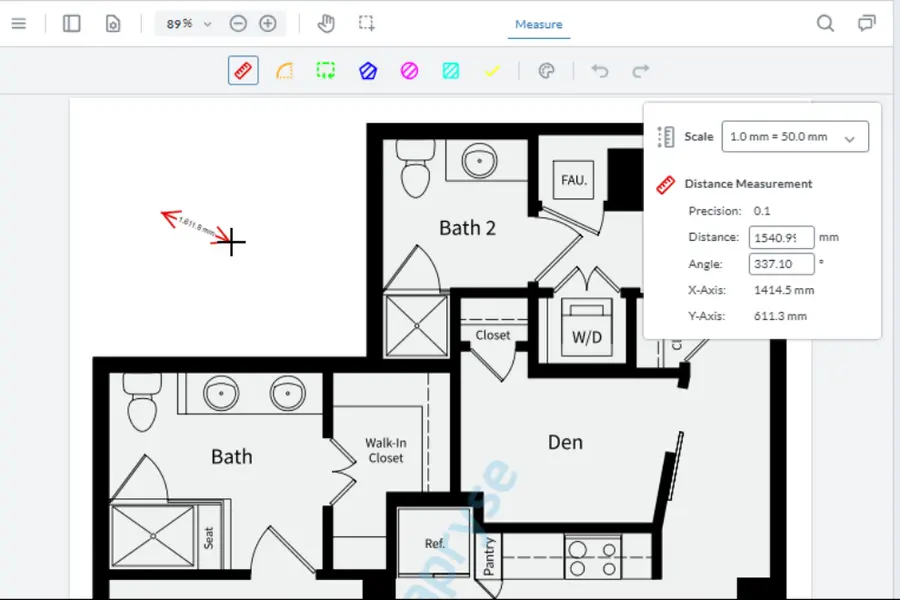
- Measure & Annotate: Use "snap-to-geometry" tools for precise measurements and add collaborative redlines.
- Compare & Secure: Overlay versions to spot design changes or apply server-side redaction and digital signatures.
Whether you are automating simple conversions or building a complete AEC collaboration suite, Apryse provides a toolkit that grows with your needs, without the overhead of external plugins or licenses.
What differentiates a server SDK from:
Key Considerations When Choosing an SDK
Supported File Formats
The right SDK should handle the specific file types your projects demand. Apryse supports major formats, including Autodesk AutoCAD® (DWG, DXF, RVT, DWF) and Bentley MicroStation® (DGN), without requiring CAD software or expensive licenses. Once processed, these files are ready for high-performance review, where you can see how our SDK handles massive drawings reliably in the browser.
Supporting Large Files
Platform Support
AEC projects span stakeholders from the office to the job site. Apryse SDKs support Windows, Linux, macOS, iOS, Android to ensure your platform can meet the needs of all users.
Integration Ease
Saving time and costs during development is a key reason to choose an SDK over custom development. But how easy does your vendor make integration? Apryse is built for a variety of frameworks and languages, and can be integrated with many external systems using our APIs for C++, Java, .NET and Python.
Security
Apryse SDK supports your security and data privacy compliance with document security features like encryption, access permissions, digital signatures and secure redaction. In addition, choosing a secure SDK with quarterly releases reduces your external dependencies and vulnerabilities.
Why Apryse Core SDK for CAD?
Apryse offers several key advantages for CAD workflows in your application:
Broad Format Support
With support for DWG, DXF, DWF, DGN, and RVT, Apryse SDK supports a broad range of the most popular CAD formats, including conversion to PDF. Keep users in your platform, even when they bring different formats.
Flexible and Powerful
Apryse SDK is optimized for large-scale CAD files and large multipage, multi-layered PDFs. It works on desktop, mobile and server environments in the framework you need, with comprehensive documentation, sample code and APIs to get you up and running.
Advanced Features
Apryse goes beyond viewing CAD files, to complete your platform’s CAD offering with no external dependencies. Deliver CAD-to-PDF conversion, layer control and measurement tools, and collaborative features like annotation and sharing to complete more workflows.
Enterprise-Grade Security
Stay compliant with document security features, including encryption and digital rights management. Learn more about Apryse SDK document security features.
CAD Title Block Extraction
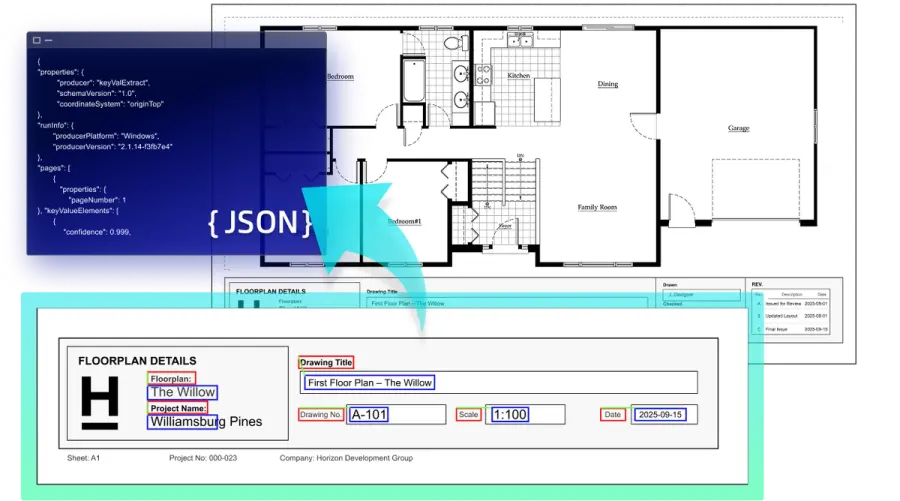
Apryse's Smart Data Extraction module handles CAD title block extraction directly, using specialized training for key-value extraction on CAD and technical drawing title blocks, including non-standard layouts and fonts. The output is structured JSON with page numbers and bounding boxes, ready to index into a searchable drawing register. Paired with CAD-to-PDF conversion, this turns a folder of DWG or RVT files into an organized, queryable set without requiring a CAD license to process it.
Measurement and Dimensioning
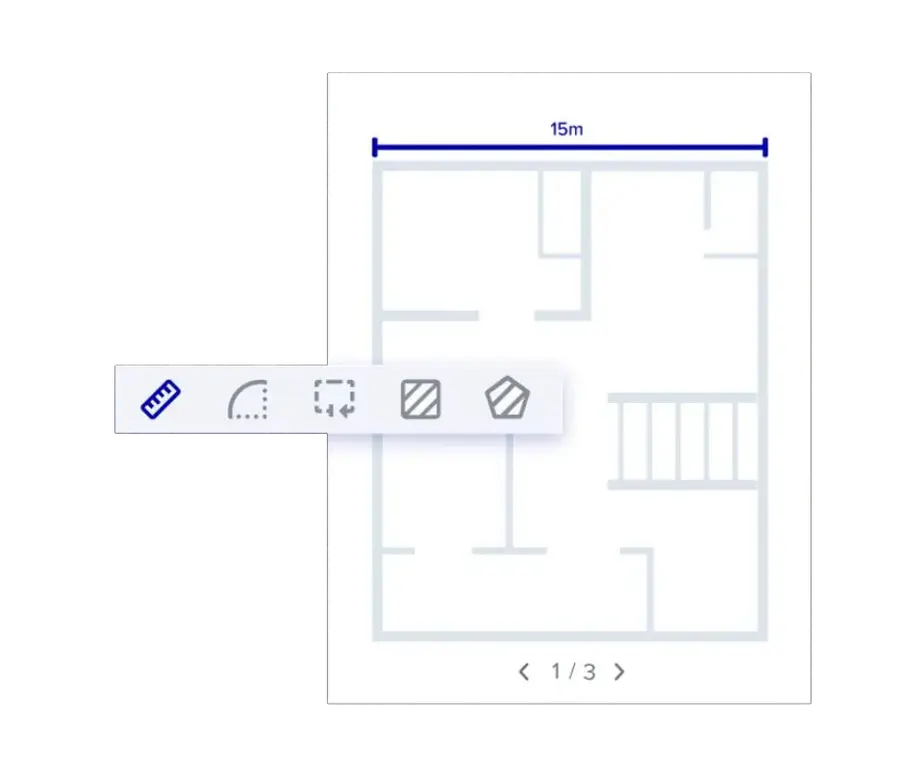
Accurate measuring and dimensioning tools for area, distance, perimeter, and more at any level of detail in PDF, CAD, and dozens more file formats. Scale and adjust your measurement units as needed. Add measurement annotations to your documents.
Arc Measurements
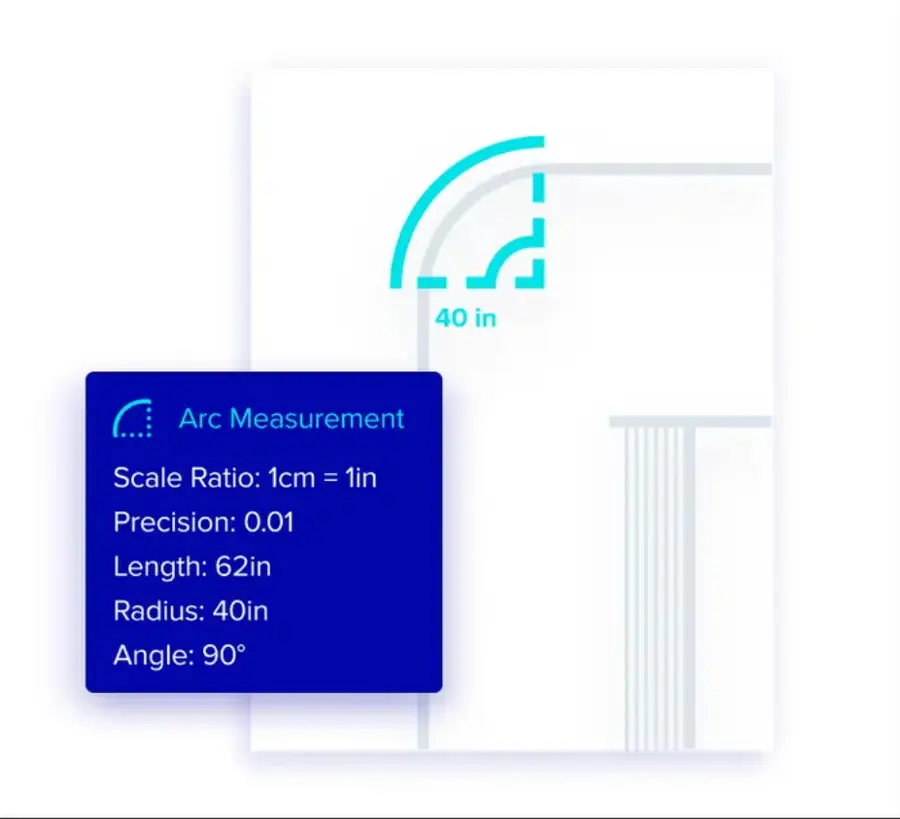
Measure curved lines using the arc measurement tool. Select a startpoint, a midpoint, and an endpoint to get arc length, arc radius, and the center angle measurements.
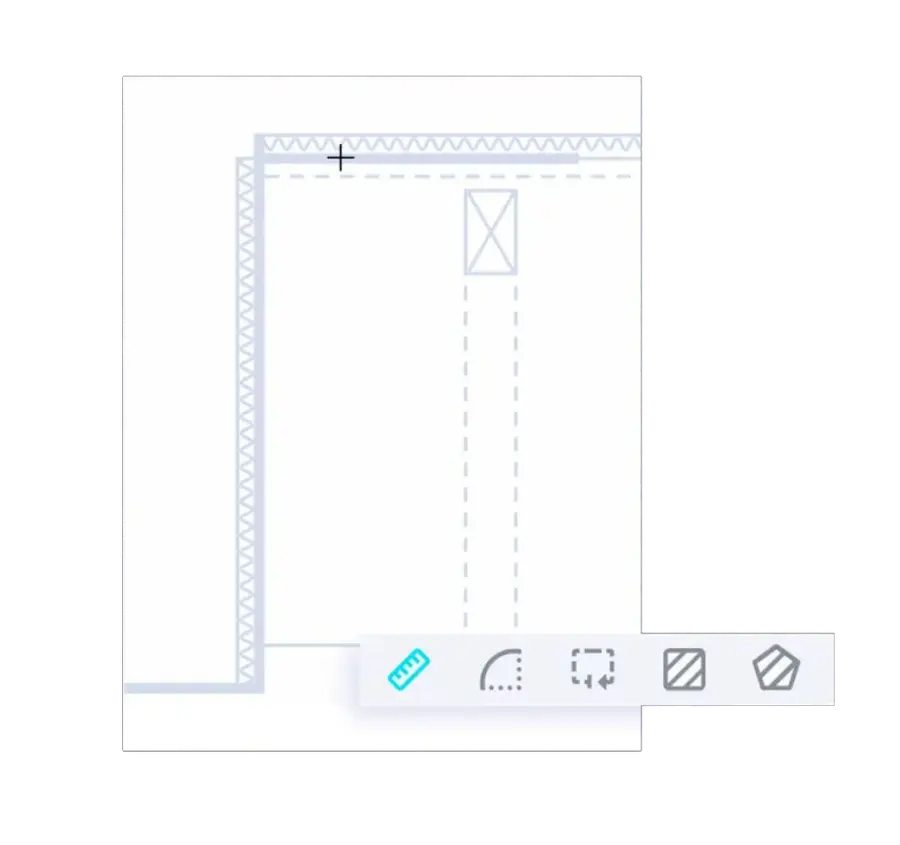
Object Snaps
Ensure accuracy with PDF measurement tools that snap to objects in drawings or plans. Snap to endpoints, midpoints, intersections, and more to get precise estimates and takeoffs from your software.
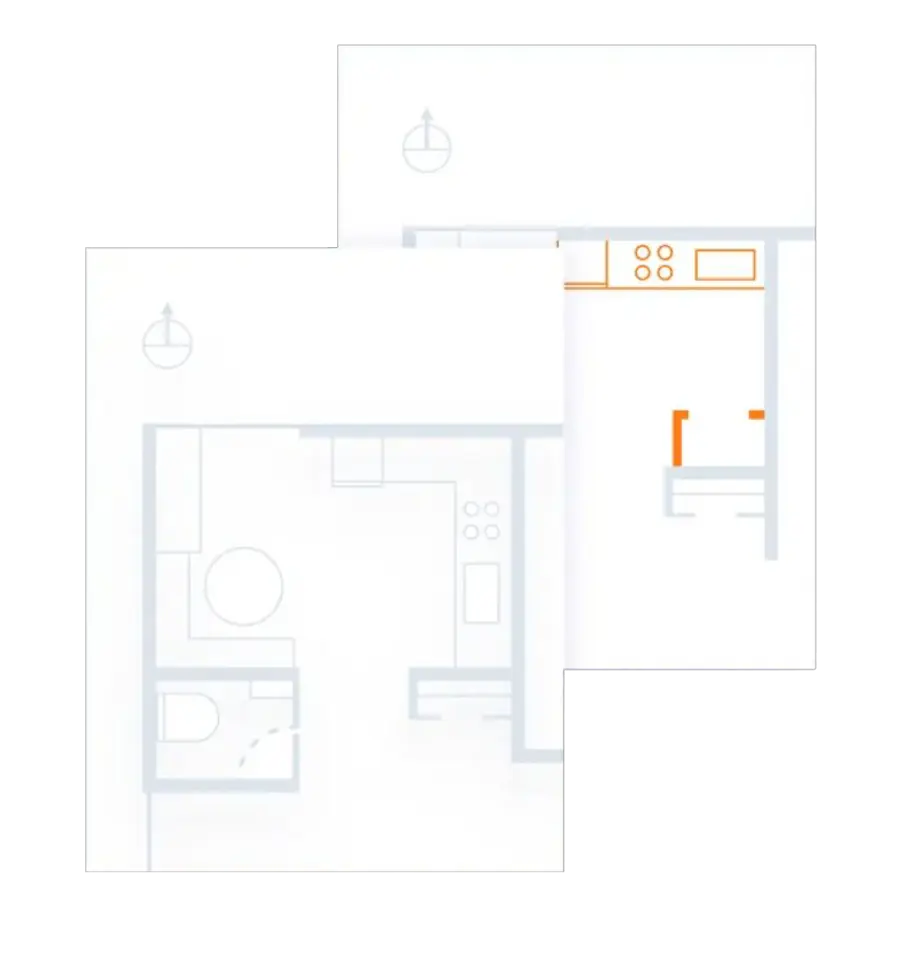
Image Overlay
With image overlay, review changes in your document with side-by-side, pixel-by-pixel comparisons of versions.
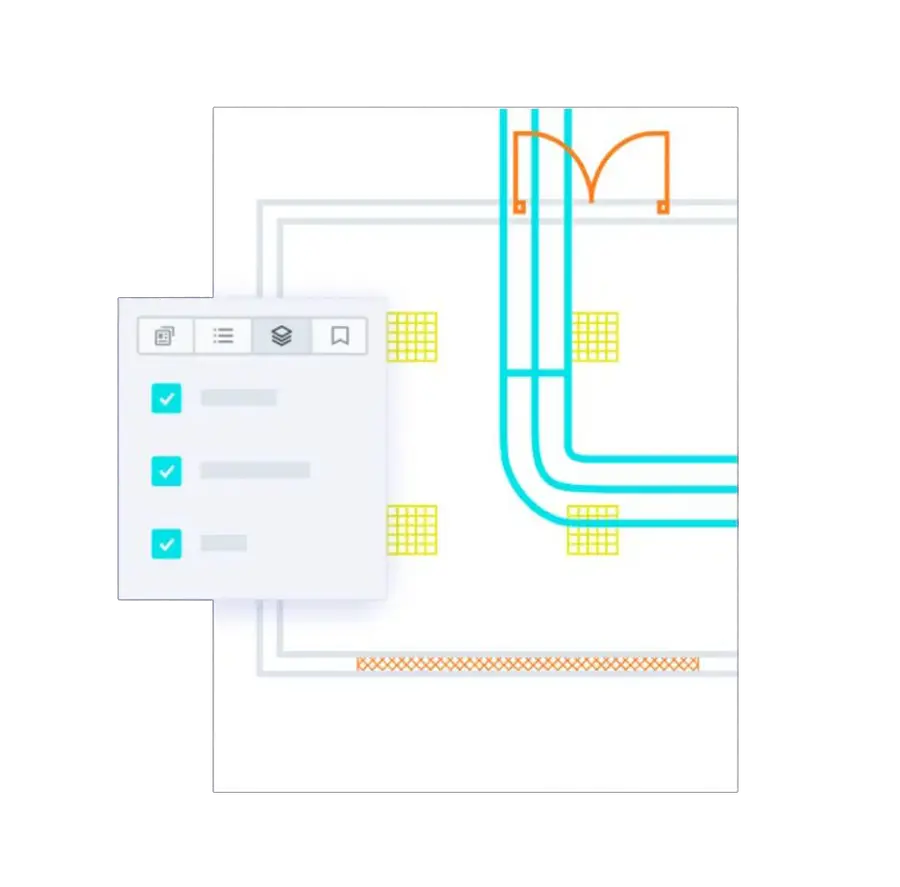
Layer Support
Create, edit, and modify layers in your plan. Toggle visibility of layers to declutter your view.
Apryse CAD SDK Capabilities
Markup & Annotate
Add or remove any type of PDF markup, including stamps, watermarks, callouts, free text, signatures, shapes, and more. Customize annotation appearances to fit your needs.
Learn More
Collaboration
View markups from multiple users on the same document in real time while maintaining the original drawing. Organize annotations in a dedicated XFDF layer and manage roles, permissions, or audit trails.
Measuring Tools
Enable users to measure distances, trace perimeters, or calculate areas with precision. Use snap-to-point for accuracy and adjust measurement scales to match drawing specifications.
Learn More
Compare Files
Quickly identify subtle visual differences with version comparison tools. Compare documents side by side or overlay versions with highlighted changes for easy review.
Produce high-quality vector printouts. Rasterize specific regions, subsets, or layers as needed. Programmatically bundle multiple files into a PDF portfolio for faster, large-scale printing.
Printing Documentation
Search
Effortlessly navigate documents by adding bookmarks, notes, and highlights. Power advanced searches by extracting text and annotations.
Learn More
Support for Brava! Annotations
Continue working on drawings marked up in Brava!® using Apryse’s native and web-based viewers. Convert Brava! annotations from XRL™ to XFDF, the ISO-standard format for annotation exchange. (Supported only for annotations on PDFs.)
TITLE BLOCK EXTRACTION
Perform key-value extraction on CAD and technical drawing title blocks, including non-standard layouts and fonts. Get structured JSON with page numbers and bounding boxes, ready to index.
Learn More
Real-World CAD SDK Use Cases

Engineering Document Management
On large projects, engineers use document management software to control the flow of information across all stakeholders of a project. Keeping hundreds of drawings, documents and data secure and accessible across all these teams requires robust document processing capabilities. Check out our HEXAGON Asset Lifecycle Intelligence case study.

Manufacturing
For developers working on software for manufacturing operations management, ERP, MRP, and process-specific tools, the capability to open, view and interact with CAD files without an expensive design software license is important.

CAD-to-PDF Publishing
Publish accurate, reliable PDF versions of CAD drawings for submissions, compliance, sharing, and archiving without relying on external tools. Maintain security and privacy with CAD-to-PDF conversion capability built in.