No Server Round-Trip Required
The Apryse Spreadsheet Editor SDK processes XLSX, XLS, and CSV files entirely in the browser using WebAssembly. No files are uploaded to a server. The WASM runtime handles file parsing, formula evaluation, and rendering client-side, so spreadsheet data never leaves the user's device. This architecture satisfies data residency requirements for regulated industries without requiring custom server infrastructure. In addition, with the engine running on the client device, document tasks happen at near-native speed.
How Client-Side Spreadsheet Processing Works
Some spreadsheet editing tools, such as cloud API services, rely on a server round trip. A user uploads a file, the server parses it, processes it, and returns the result to the browser. Each step adds latency and raises a flag on your customer's security compliance checklist.
The Apryse Spreadsheet Editor removes that round trip. It loads a WebAssembly module into the browser containing the spreadsheet engine: file parsing, formula evaluation, and rendering logic compiled to run inside the browser's JavaScript engine. Every operation happens locally, including opening a file, editing a cell, and moving a chart.
The browser's standard security model applies. The WASM module runs inside the same sandbox as any other browser process, with no elevated permissions and no access to the file system beyond what the user explicitly grants through a file picker or drag-and-drop action, for example.
The Spreadsheet Editor SDK is part of Apryse's broader Web SDK, which also includes a document viewer SDK for PDF and other file formats. This means that you can build PDF, DOCX and Spreadsheet support with one SDK, providing a unified, accessible UX across formats.
The WebViewer modular UI meets WCAG 2.2 Level AA, the same standard applied across WebViewer and the DOCX Editor, with full keyboard navigation, ARIA support, screen reader compatibility, and customizable focus indicators.
Setup Example
A basic implementation requires no server URL configuration for file processing. Before this runs, copy the required static assets from node_modules/@pdftron/webviewer/public into a publicly served directory:
The Spreadsheet Editor opens in view mode by default. Switch to edit mode with spreadsheetEditorManager.setEditMode(). Your trial key gives you access to all SDK add-ons. This code is a starting point, not a full integration.
For the full walkthrough:
Features
File Format Handling in the Browser
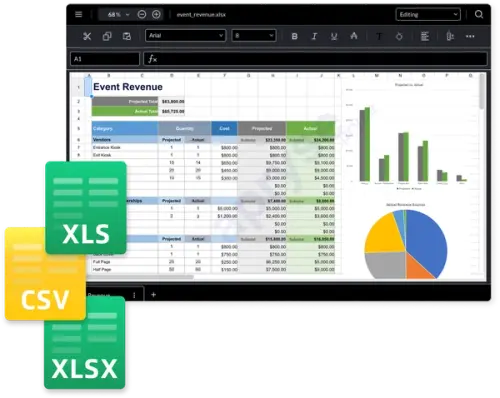
The Apryse Spreadsheet Editor processes XLSX files natively. XLS and CSV files convert to XLSX format client-side automatically. This means that a user can open any of these file types in WebViewer with an uninterrupted experience. This matters for teams working with a mix of legacy XLS files and newer XLSX files. Users can save and download edited files as XLSX or PDF.
Formula Evaluation Without a Server
The Spreadsheet Editor supports many common functions spanning math and trigonometry, statistics, date and time, text, logical, lookup and reference, financial, and engineering (complex-number) categories.
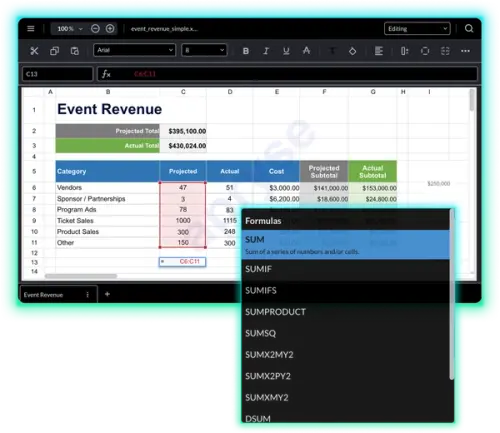
Chart Rendering Client-Side
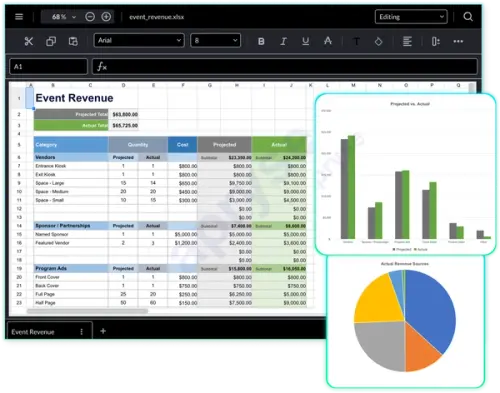
The Spreadsheet Editor renders 11 chart types directly from spreadsheet data, without a server-side rendering step: column, bar, pie, donut, line, area, scatter, stock, radar, histogram, and sunburst. Users select, move, and resize charts in the browser. Currently, creating new charts is not yet supported.
Data Residency and Compliance
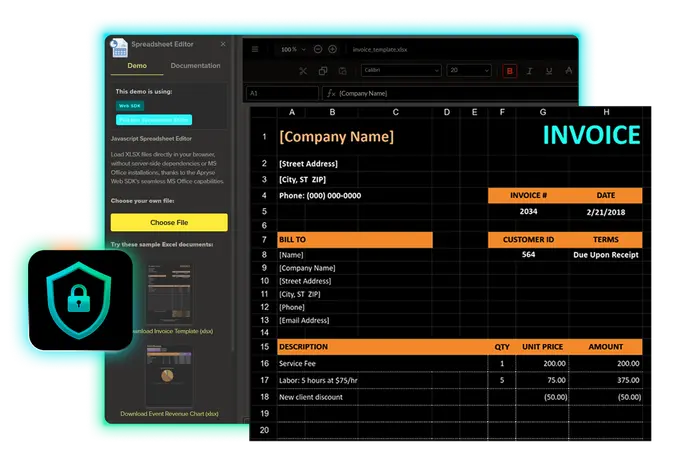
Because file processing happens inside the browser, spreadsheet data is not transmitted to a server for parsing, formula evaluation, or rendering. This satisfies data residency requirements: policies that restrict where sensitive data can be transmitted, regardless of where it is ultimately saved.
If your team builds for finance, insurance, healthcare, or legal customers, this architecture helps you meet your data residency requirements. See the spreadsheet editor use cases for real-world examples across these industries.
The Spreadsheet Editor supports GDPR and HIPAA compliance by keeping regulated spreadsheet data in the browser instead of transmitting it to or storing it on a server. Apryse holds SOC 2 and ISO 27001 certification at the company level. For implementation details specific to file handling, see the XLSX Editor for web applications.
Comparison: Client-Side vs. Server-Side Processing
The table below compares client-side processing, as implemented in the Spreadsheet Editor, against a typical server-side spreadsheet processing setup. Some teams choose server-side tools, especially for growing projects, as they can be fast to set up and costs scale with usage. If you're still evaluating which library to use, the JavaScript spreadsheet library comparison covers the broader landscape. Teams with server-side requirements can explore the Excel API for developers.
A few other spreadsheet tools follow a similar client-plus-server pattern: Syncfusion's DOCX editor uses a proprietary format that requires server-side .NET conversion, and its Blazor-based web viewer requires a server backend for some workflows. GrapeCity's SpreadJS follows a comparable pattern, pairing client-side rendering with server-side components for full editing in many deployments.
Performance Considerations
Client-side processing shifts computation from a server to the user's browser, which changes the performance considerations compared to a server-side setup.
Initial load: the browser downloads the SDK's library assets before it can process any file. Apryse ships a lib folder optimization script that removes unused files from the production build to reduce this initial load.
- File size: because processing happens in the browser's memory, large files can affect performance depending on the user's device and available browser memory. Check out the WebViewer Large Files Showcase Demo Code Sample for more information.
- Offline capability: once the initial script and library assets have loaded, file viewing and editing does not require a continuous network connection.
FAQs
No. All file parsing, formula evaluation, and rendering run client-side through the WASM runtime. The file is not uploaded to a server during processing.
A server is required only for delivering the initial script and validating the license. File processing itself does not require a server.
Unsaved changes are lost. Implement an auto-save pattern, such as periodic saves to local storage or a save action tied to specific edit events, to prevent data loss.
Yes. Spreadsheet data is processed and stored only in the browser during editing, and it is never transmitted to or stored on a server, which supports HIPAA-regulated workflows.
