Evaluating a DOCX editor SDK
When evaluating a DOCX editor SDK, there's several areas to focus on: Full-fidelity rendering; documents must look identical to Microsoft Word across browsers, devices, and platforms. Clean DOCX editing API integration, so you can embed DOCX editing or embed a DOCX editor into your app without heavy HTML conversion. Check whether it ships as a true DOCX editing component or requires a full DOCX editing library integration across separate modules. Confirm collaboration support such as Track changes, comments, and version history with conflict resolution. Verify template and automation APIs for populating contracts or forms programmatically. Check conversion capabilities (DOCX to PDF, HTML, TXT) and batch processing. Finally, confirm it's a DOCX editing SDK GDPR compliant option, alongside ISO 27001, SOC 2, and HIPAA support, plus deployment flexibility (cloud, on-prem, hybrid) and consistent performance at scale.
What is DOCX?
DOCX is the standard file format for Microsoft word documents. Compared to the old DOC format, DOCX is more efficient, easier to parse programmatically and widely supported across platforms making it the dominant format for word processing in business, education and government.
What is DOCX editing and why does it matter?
DOCX is the most widely adopted business document format, used for contracts, reports, proposals and countless workflows. DOCX editing means giving users the ability to create, edit, and collaborate on these files directly inside an application or browse. Users expect in-app and in-browser editing with features like track changes, comments and collaboration. Without it, they’re forced to switch to external tools like Microsoft Word or Google Docs, creating friction and security risks. For developers and product leaders, embedding DOCX editing capabilities into applications is a critical requirement for productivity, collaboration, compliance and scalability. Applications that support DOCX editing meet enterprise expectations, protect sensitive data and improve user satisfaction. DOCX editing enables secure, seamless document collaboration and editing inside an application.
Why is DOCX editing difficult?

Format Complexity
DOCX editing is hard because the format contains many interdependent parts that must stay consistent. DOCX files aren’t just text—they bundle XML, styles, formatting rules, images, tables, and metadata inside a compressed container. Handling tracked changes, comments, and advanced formatting makes parsing and rendering difficult.
Rendering Differences Across Platform
Users expect their DOCX files to look like Word everywhere, which requires precise rendering engines. A DOCX file might look slightly different when opened in Microsoft Word, Google Docs, or an embedded editor. Developers must ensure full-fidelity rendering so documents appear identical across browsers, devices, and operating systems.
Performance at Scale
Scaling DOCX editing for enterprise workloads means handling large, complex files without sacrificing speed. Large DOCX files (hundreds of pages, embedded images, or complex tables) can be slow to load or edit in-app. Without optimization, in-browser editing can cause lag, crashes, or excessive resource usage.
Security and Compliance
DOCX editing must keep data private, secure, and compliant with enterprise regulations. DOCX files often contain sensitive business data (contracts, financial records, healthcare reports). Editing workflows must support compliance with ISO 27001, SOC2, HIPAA, GDPR, and other standards.
User Expectations
If DOCX doesn’t feel like Word, users won’t adopt it End users compare every DOCX editor to Microsoft Word. They expect features like track changes, comments, collaboration, and formatting options to work seamlessly.
How to Integrate DOCX Editing into Your Applications
What is the best way to add DOCX editing to an app?
The most effective approach is to use a Software Development Kit (SDK) - a prebuilt library of tools and APIs that developers can integrate directly into their applications. An SDK saves time compared to building from scratch, ensures reliable performance and provides enterprise-grade security and compliance?
Why use SDKs for DOCX editing?
Faster time-to-market: Avoid reinventing the wheel and focus on product differentiation.
Full-feature coverage: Advanced features like track changes, collaboration, and real-time co-authoring are already built in.
Cross-platform support: Web, desktop, and mobile SDKs ensure the same experience everywhere.
Enterprise readiness: Built-in compliance, scalability, and vendor support.
Why not just build it in-house?
Complexity: DOCX is a structured XML-based format that requires handling styles, formatting, comments, and revisions.
Maintenance: Continuous updates are needed to keep pace with Microsoft Word fidelity.
Cost: Building and maintaining editing engines consumes significant engineering resources.
In short:
SDKs give developers a reliable foundation for DOCX editing, helping decision makers balance cost, speed, and enterprise requirements
DEVELOPER LENS
What do developers need from a DOCX editing SDK?
FULL-FIDELITY RENDERING
Documents should look identical to Microsoft Word. Prevents formatting issues across browsers, devices, and platforms.
TRACK CHANGES, COMMENTS, AND COLLABORATION APIS
Ability to capture revisions, inline comments, and audit trails. Essential for industries like legal and finance.
RICH TEXT EDITING FEATURES
Tables, lists, images, headers/footers, and advanced formatting controls. Ability to customize the editor UI to match the app’s brand.
TEMPLATE AND AUTOMATION SUPPORT
APIs to populate contracts, reports, or forms programmatically. Useful for automating repetitive workflows.
CONVERSION APIS
Seamless DOCX ↔ PDF, HTML, and TXT conversions. Must handle batch processing and high-volume workloads.
COLLABORATION AND VERSION CONTROL
Real-time co-authoring support with conflict resolution. APIs for saving version history and restoring previous edits.
CROSS-PLATFORM CONSISTENCY
Same APIs and functionality across web, desktop, and mobile SDKs. Developers shouldn’t need separate implementations per platform.
EXECUTIVE LENS
What do leaders need from a DOCX editing SDK?
SECURITY AND COMPLIANCE
Support for ISO 27001, SOC 2, HIPAA, and GDPR. Options for on-prem, cloud, or hybrid deployment.
ENTERPRISE-GRADE PERFORMANCE
Can handle large, complex documents at scale without lag. Proven benchmarks and customer references.
USER EXPERIENCE AND ADOPTION
A Word-like experience that reduces training and resistance. Clean, intuitive interface to drive adoption.
TOTAL COST OF OWNERSHIP (TCO)
Compare build vs. buy, factoring in licensing, support, and maintenance. Predictable pricing models with long-term ROI.
VENDOR RELIABILITY
Track record in enterprise document processing. Strong roadmap, support team, and financial stability. Flexible offering including similar functionality for other file types, such as PDF.
INTEGRATION FIT
Works with existing workflows (CRM, ERP, case management systems). Flexible APIs to adapt to unique use cases.
Other ways to Edit DOCX Files (and their trade-offs)
While SDKs are the most complete and scalable way to integrate DOCX editing, some developers consider other approaches. These alternatives can work in limited scenarios, but each comes with trade-offs in performance, security, and feature coverage:
Rich-text editors like CKEditor or TinyMCE
Provide WYSIWYG formatting (fonts, colors, images), but often rely on HTML conversion, which can cause inefficiencies, inconsistent rendering, and struggles with large DOCX files.
Programmatic editors like Aspose or authoring libraries
Useful for backend automation and large document processing, but typically lack a user-facing editor or built-in collaboration tools.
Collaborative editors like Google Docs or Microsoft 365
Familiar for real-time editing, but require paid licenses, introduce security and compliance risks, and force users outside of your application.
10 Questions to ask Your DOCX Editing Vendor
- Does the editor provide full-fidelity DOCX rendering in the browser?
- How does it support track changes, comments, and review workflows?
- Can it handle large, complex DOCX files without lag or crashes?
- Does it allow template creation and programmatic population (contracts, forms, reports)?
- What conversion capabilities are built in (DOCX ↔ PDF, HTML, TXT)?
- Does it support collaboration, including conflict resolution and version history?
- How customizable is the editor UI to match branding and workflow needs?
- What security and compliance standards does it meet for browser-based editing (SOC2, ISO 27001, HIPAA, GDPR)?
- Does the vendor provide APIs and developer support for seamless web integration?
- What is the vendor’s track record and roadmap for advancing in-browser DOCX editing?
The Apryse Advantage in DOCX Editing
Apryse provides the only enterprise-grade native DOCX Editor SDK for the web, delivering true WYSIWYG fidelity, collaboration features, and secure client-side processing — all without relying on lossy HTML conversion
Yes. Apryse delivers full-fidelity DOCX editing, ensuring documents look and behave exactly like they do in Microsoft Word.
- Save changes with no formatting or style inconsistencies.
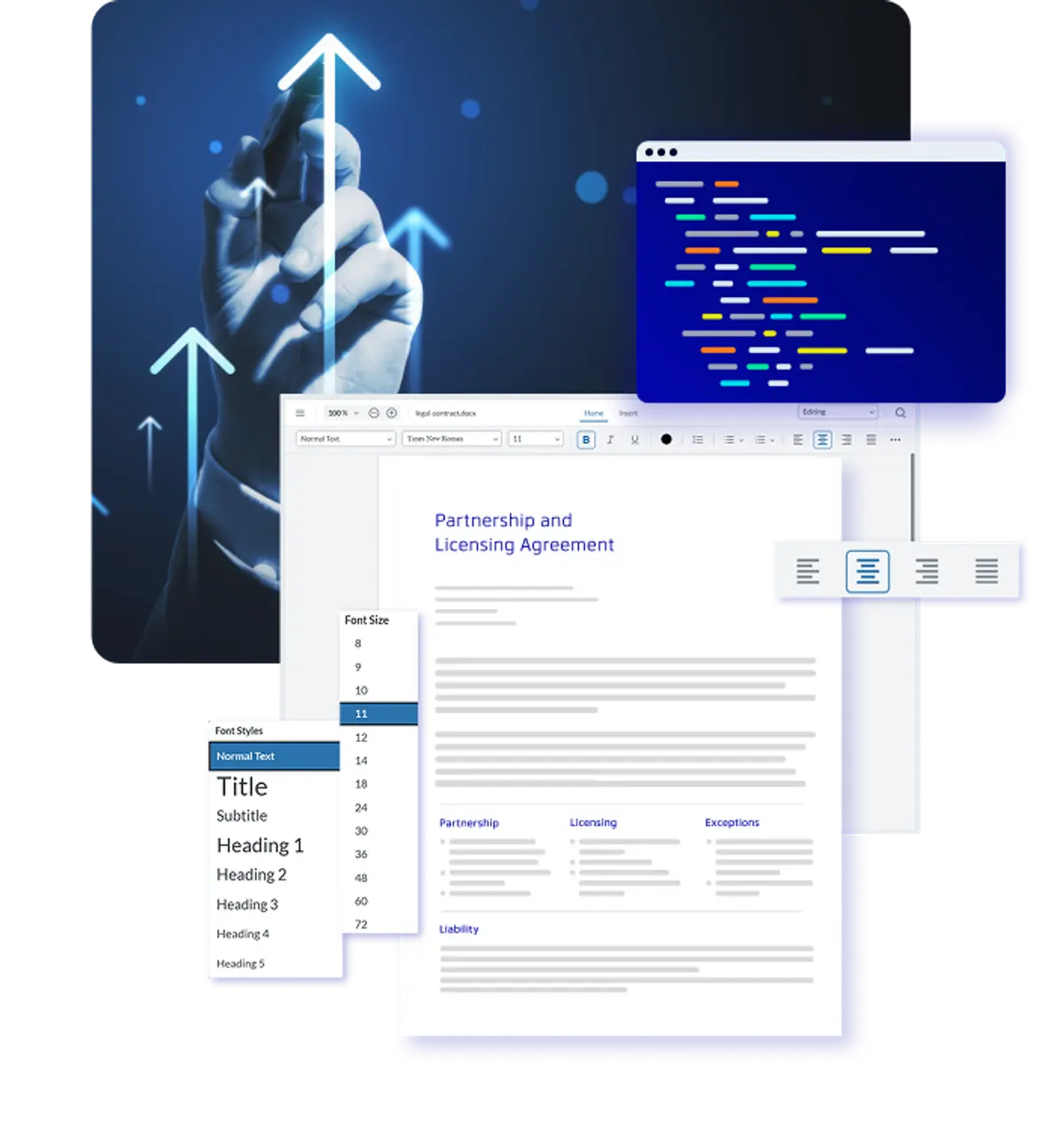
- Edit fonts, colors, text alignment, and line spacing.
- Manage advanced layouts: headers, footers, columns, margins.
- Work with bullets, numbered lists, tables, and images.
- View non-printing characters.
- WCAG 2.2 AA compliant interface.
In short: Apryse gives users the Word-like experience they expect, directly inside your web app.
Apryse centralizes editing, reviewing, and collaboration in your app.
- Track changes with accept/reject workflows.
- Add inline comments and annotations.
- Access version history for audit and review.
- Keep all collaboration secure — no need for Google Docs or Microsoft 365.
In short: teams can collaborate securely inside your platform, without switching tools.
Yes. Apryse was built with enterprise-grade scalability and security in mind.
- Client-side rendering and processing — documents never leave your environment.
- Compatible with low-code platforms like Salesforce, Appian, and Mendix.
- Load/save documents from local storage or cloud sources (e.g., AWS S3).
- Save updates back to storage, or export to DOCX or PDF.
- Designed for compliance: SOC2, ISO 27001, WCAG 2.2, HIPAA, GDPR.
In short: Apryse keeps sensitive data private and compliant while scaling to enterprise demands.
CORE CAPABILITIES
What Apryse DOCX Editor Can Do
The right SDK should deliver more than basic text editing. It must fulfill the core needs expected by Microsoft Word users without leaving your app, scale to enterprise needs, and provide the APIs developers need to integrate smoothly across platforms.
NATIVE DOCX EDITING
Create new Word files or edit existing DOCX files directly in your web application, with no HTML conversion.
TRUE WYSIWYG RENDERING
Save changes with confidence; formatting, styles, and layouts remain identical to Microsoft Word.
RICH TEXT FORMATTING
Control fonts, colors, alignment, line spacing, headers/footers, margins, columns, bullets, numbered lists, and tables.
IMAGE SUPPORT
Insert and resize images as part of the document.
ADVANCED LAYOUT CONTROL
Adjust section margins, column widths, and spacing with precision.
COLLABORATION FEATURES
Track changes, accept/reject workflows, comments, annotations, and version history.
ACCESSIBILITY COMPLIANCE
WCAG 2.2 AA compliant user interface.
SECURE, CLIENT-SIDE PROCESSING
All rendering and editing happens in the user’s environment; documents never leave your app.
SCALABILITY
Built to handle enterprise workloads and integrate into low-code platforms like Salesforce, Appian, or Mendix.
REVIEW & PRODUCTIVITY TOOLS
Undo/redo edits and view non-printing characters for precise document control.
How can developers get started with DOCX editing in their apps?
The Apryse DOCX Editor is delivered as an add-on to Apryse WebViewer, our powerful JavaScript SDK for embedding document viewing and editing in the browser. If you’re already using WebViewer, enabling DOCX editing is simple — you extend its capabilities with the DOCX Editor module. Follow the steps below to get started fast.
Step 1: Understand the WebViewer SDK
WebViewer is Apryse’s JavaScript SDK that allows developers to view, annotate, and edit documents directly in the browser. It’s lightweight, fully client-side, and highly customizable. Why it Matters: Since DOCX editing builds on WebViewer, developers can leverage existing APIs, UI customization options, and integration pathways already supported by the core SDK.
Step 2: Explore the DOCX Editor Demo
To see the DOCX Editor in action, Apryse provides a complete hands-on showcase. Use this demo to walk through: Loading DOCX files into WebViewer. Editing and saving with full-fidelity. Adding review tools like track changes and comments. Exporting documents back to DOCX or PDF.
Integrate into Your Application
- Sign up for our developer portal and get your trial license key.
- Install and configure Apryse WebViewer.
- Enable the DOCX Editor add-on module.
- Use the WebViewer APIs to load documents, customize the UI, and connect storage options (local, AWS S3, etc.)
- Contact our Sales Team or Discord with any questions.