Apryse x Creatio
Apryse extends Creatio with enterprise-grade document processing capabilities that help organizations streamline customer onboarding, contract management, case handling, compliance reviews, and other document-intensive workflows, all without leaving the platform.
Together, Apryse and Creatio help organizations automate document-driven processes while keeping documents connected to the workflows, data, and business context where work gets done.
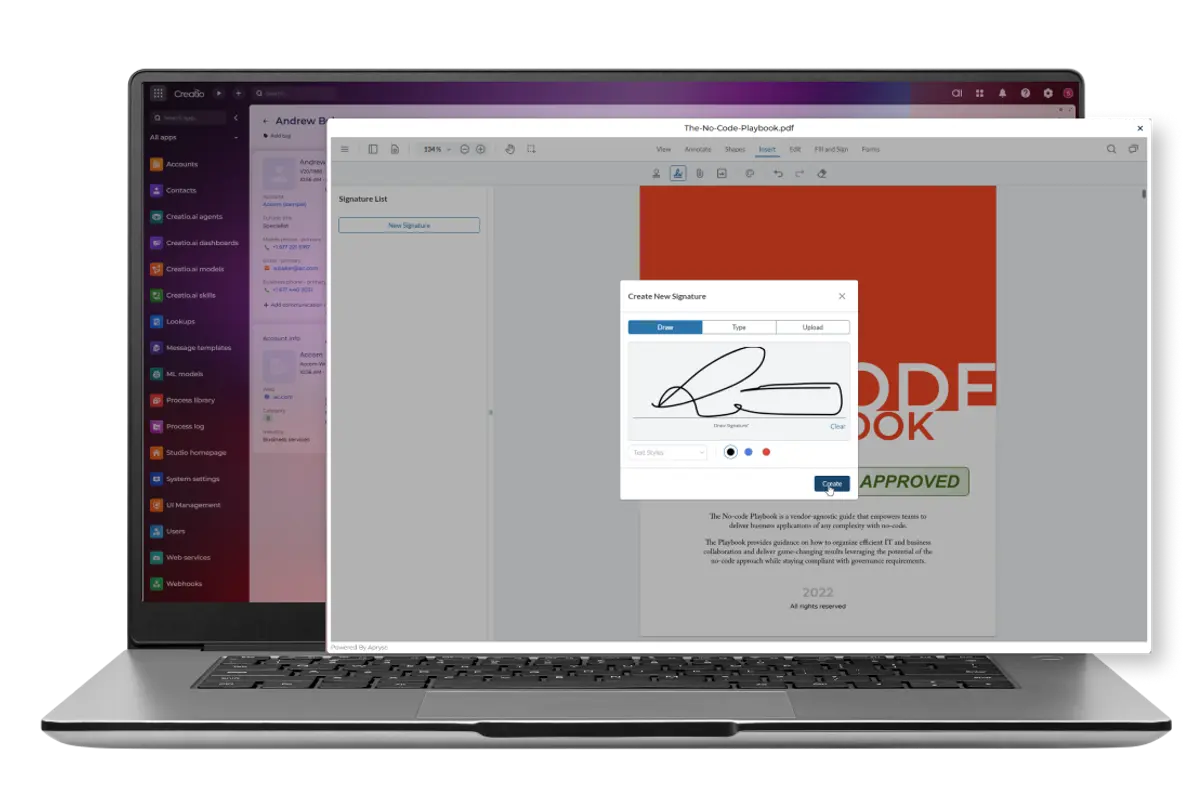
Keep Work Moving Without Leaving Creatio
Documents are often central to business processes, but disconnected tools can create delays, manual work, and a fragmented user experience.
Apryse brings advanced document capabilities directly into Creatio so teams can review, edit, process, and approve documents while staying connected to the workflow, customer record, and business context. For implementation teams and solution providers, Apryse makes it easier to deliver document-centric solutions without integrating and managing multiple document vendors.
Key capabilities include:
- Document viewing and annotation
- OCR and intelligent document processing
- Office document editing
- PDF page management
- Document comparison
- Form creation and completion
- Redaction
- Electronic signatures
Common Creatio Use Cases

Customer Onboarding
• Process application documents • Extract data with OCR • Route approvals through workflows

Contract Management
• Generate and review agreements • Compare revisions • Collect signatures
Service & Case Management
• Review supporting documents • Collaborate on case files • Maintain document history
Compliance & Legal
• Redact sensitive information • Manage approvals • Support governance requirements
Why Apryse?
Instead of stitching together separate solutions for viewing, OCR, editing, redaction, comparison, and signing, Apryse provides a unified document processing platform embedded directly within Creatio. Organizations can simplify their technology stack, while implementation teams can reduce integration complexity and accelerate delivery of document-driven solutions.
Apryse + Creatio FAQs
Creatio includes native document viewing powered by Apryse WebViewer. To add advanced capabilities such as annotations, document editing, collaboration, OCR, redaction, document comparison, forms, and digital signatures, organizations can extend Creatio with Apryse Document Processing.
Apryse helps automate document-intensive workflows such as customer onboarding, contract management, case handling, compliance reviews, approvals, and document processing. Teams can generate documents, extract data from scanned files, route documents through workflows, collect signatures, and manage document lifecycles directly within Creatio.
Yes. Apryse supports document generation using templates populated with data from Creatio records, helping organizations automate the creation of contracts, agreements, onboarding documents, applications, and other business documents while reducing manual effort.
Yes. Apryse supports a broad range of file formats, including PDF, DOCX, XLSX, PPTX, JPG, PNG, TIFF, HTML, CAD, BIM, and DICOM files. It also supports document conversion between common business formats as part of document workflows in Creatio.
Apryse enables organizations to redact sensitive information, apply digital signatures, maintain document audit trails, and keep document interactions connected to the associated Creatio record. This helps support security, governance, and compliance requirements while reducing reliance on external document tools.
By installing Apryse Document Processing from the Creatio Marketplace, organizations can add OCR, document editing, redaction, document comparison, forms, digital signatures, document generation, and document conversion capabilities to Creatio. These features can be integrated into existing Creatio workflows by a system integrator, Creatio Professional Services, or an internal development team.
