Garry Klooesterman
Senior Technical Content Creator
Published January 29, 2026
Updated May 18, 2026

4 min


How to Convert PDF to TIFF
Garry Klooesterman
Senior Technical Content Creator
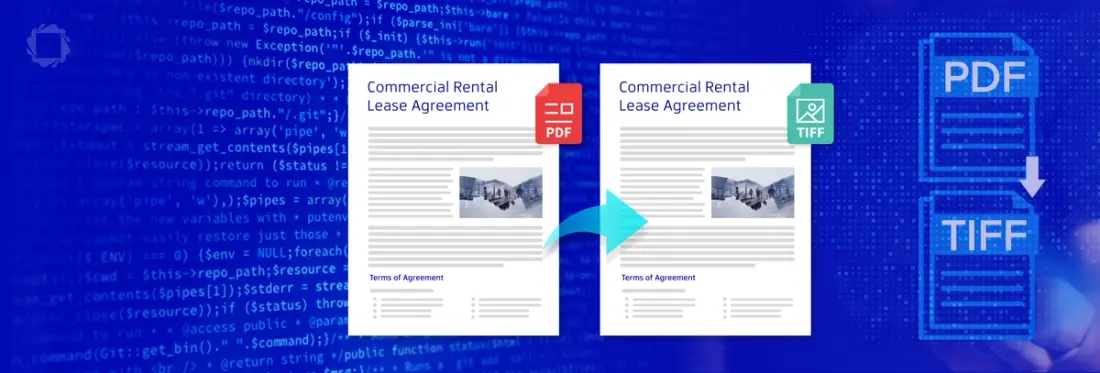
Summary: PDFs are great for most things, but they aren't always the right tool for the job. If you’re dealing with high-end print, legacy archives, or specialized imaging software, you’re probably looking for a raster format like TIFF. This blog walks through why you’d make the switch and how to automate the conversion on your server using the Apryse Server SDK and PDFDraw.
The Problem with Vectors
We usually think of PDFs as static files, but they’re actually a complex set of instructions that tell the viewer how to draw lines, where to place fonts, and how to layer vectors. Usually, that flexibility is a win.
In professional imaging, such as for medical records, legal archives, or massive print jobs, that flexibility is a risk. In this situation, you want the document to be pixels.
Converting a PDF to a TIFF (Tagged Image File Format) basically freezes the document, moving from a vector-based set of instructions to a pixel-based raster image. This ensures that what you see on your screen is the same as what you’ll get when it’s printed or placed into an archive, regardless of what software is opening it.
In this blog, we’ll look at using the Apryse Server SDK and PDFDraw to convert PDF to TIFF, the benefits, and considerations of TIFF images, plus some common questions.
Why Use TIFF Images?
There are a few reasons why you'd want to use TIFF instead of another image format like JPEG:
Pixel-Level Control: Once it's a TIFF, you can open it in a program like Photoshop and edit it at the pixel level.
Lossless is the Key: Unlike JPEGs, TIFFs support LZW compression. It’s lossless, so you keep every bit of detail while still saving disk space.
Print-Ready: TIFF is the standard for the print industry. If you’re sending a file to be turned into a magazine or a billboard, the printer is going to ask for a high-res raster file to avoid font or transparency issues.
Archiving: A PDF might rely on an external font that doesn't exist in 20 years, whereas a TIFF has that text built in as pixels.
To learn more about image and document conversion, see our Ultimate Guide to File Conversion SDKs for Developers.
Where do developers use this?
Here are a few of the use cases for using TIFF images instead of a PDF.
Legal Bates Stamping: Flattening a document so the page numbers and watermarks are unchangeable.
Fax Servers: Most digital fax systems still require bitonal (black and white) TIFFs.
Medical Systems: Specialized software for X-rays or patient charts often requires raw raster data.
How to Convert PDF to TIFF
We’ll use the PDFDraw class in the Apryse SDK. It essentially paints the PDF onto a blank raster canvas.
In this example, we’ll use JavaScript, but the logic is the same in Python, C#, Java, and other languages.
- Download and install the Apryse Server SDK. Then get your license key ready.
- Now use the following code to convert a PDF to a TIFF.
Note: You’ll want to set the DPI (dots per inch) for your use case. If you set this too low, it’ll look blurry. For print, you usually want 300.
This example is for the basic conversion of PDF to TIFF. For the full code sample, see our documentation.
Why TIFF May Not Be the Best Option
When you move to TIFF, you do have some challenges to consider.
File Size: Because you're storing data for every single pixel, a TIFF can easily be 10x the size of the original PDF.
Text Search: Your text isn't text anymore since it's just a bunch of colored dots. If you need to search it later, you’ll have to run OCR (Optical Character Recognition) on the image.
The Command Line Method
If you are just looking to batch convert a folder of files, you can use PDF2Image instead. It’s a standalone CLI tool that handles batch conversion without you having to write any code.
FAQ
Which compression should I use?
Use LZW for color. It's lossless. If you're doing black-and-white archiving (like old scans), use CCITT Group 4. It’s incredibly efficient for bitonal images.
How do I handle multi-page PDFs?
You just loop through the pages in the document. The SDK saves each page as a separate TIFF file.
Can you also convert TIFF to PDF?
Yes. The Apryse SDKs allow for conversion from many image formats, including TIFF, to PDF. See our blog for more information on converting TIFFs, including multi-page TIFFs, to PDF.
Conclusion
We’ve just looked at converting PDF to TIFF. As you can see, it’s relatively easy and can be done with minimal code using the Apryse Server SDK. If you need to convert PDF files to TIFF images, Apryse has you covered with a versatile SDK that can handle that plus much more.
Try the Apryse Server SDK and PDFDraw with a free trial or check out the documentation.
You can also contact our sales team for any questions and support.
Learn how to convert JPEG to PDF in C#.