Isaac Maw
Technical Content Creator
Published March 11, 2026
Updated September 29, 2026

4 min


How to Embed a PDF Viewer in a C++ Application
Isaac Maw
Technical Content Creator
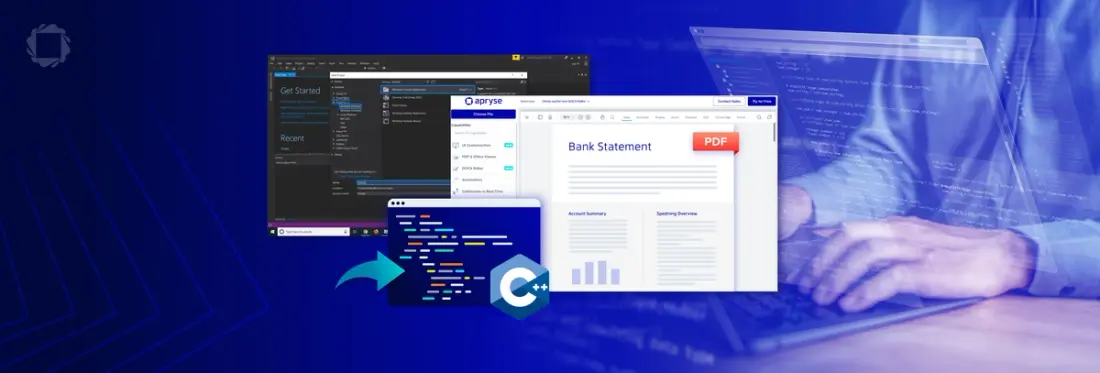
Summary: With the Apryse Server SDK, you can build powerful PDF viewing capabilities directly into your C++ Windows application with no external dependencies. In this article, we explore key considerations, important features and how to get started, including C++ sample code.
Building PDF viewing capability directly into your C++ application with an SDK allows full control over your data, with no external dependencies. In addition, Apryse SDK offers full UI customizability, allowing the PDF viewer experience to fit seamlessly into your brand and application styling.
Compared to API services, SDKs offer greater data security and privacy, more consistent performance and more licensing options to fit your needs.
The Apryse SDK comes with a powerful high-level class called PDFViewCtrl that allows users to easily display PDF documents in their application. This class wraps around all the document processing lower-level details that are required when displaying a PDF document.
Interested in other approaches? Check out WebViewer, WebViewer Server, and PDFViewCtrl – What’s the Difference?
How PDF viewer controls work in C++
Unlike a text file which contains machine-readable text data (such as ASCII, for example) a PDF document is designed for display and to be readable by humans, not machines. Under the hood, a PDF contains cos objects.
In many ways, cos is to PDF what XML is to SVG (Scalable Vector Graphics). The cos object system provides the low-level object types and file structure used in PDF files. PDF documents are graphs of cos objects. Cos objects can represent document components such as bookmarks, pages, fonts, and annotations, etc.
To display a PDF document, PDFviewCtrl handles a number of viewing operations including rendering, caching, high level zoom rendering and layout modes.
Viewing represents reading a document and displaying it as the author intended. Through the process of rasterization, it can take document data and convert it into pixels that come together to be rendered on a display.
To find out more about how developers can control rendering, caching and layout modes, visit the PDFViewCtrl Methods page in the Apryse API documentation. If you have any questions, you can chat with us on Discord.
Key Features for Built-in PDF Viewing
For PDF Viewing, Apryse SDK offers the following benefits:
- Interactive PDF Viewing or Rasterization
- Full transparency support (Transparency Groups, Soft Masks, including all supported Blend Modes)
- Core viewing operations (scrolling, panning, zooming, jumping to pages)
- Standard & custom page viewing modes (e.g. single, facing, cover, scrolling, fit-page, fit-width, etc.)
- Extensive support for PDF forms & digital signatures
- Extensive annotation & real-time collaboration support
- Regex text search across a page or an entire document
- Manipulate pages (rotate, crop, move, copy/export, delete, merge documents)
- View PDF separations
- Easy navigation (with thumbnails, bookmarks, links, and history)
- Selective viewing and hiding of contents in different layers (OCGs)
- Security settings (custom encryption & DRM controls, dynamic watermarks)
- PDF/A viewing mode
- Support for R2L (Right to Left) languages (e.g. Arabic, Hebrew, etc)
- Keyboard shortcuts
In addition to these included features, you can extend your document capabilities with other features of the Server SDK, such as PDF editing, conversion, annotations and redaction. Remember, your trial key includes access to all SDK add-ons. Visit the capabilities page to learn more.
Performance Optimization for Large Documents
Handling large files can be a laggy, buggy mess unless your PDF viewer solution has the features to handle them. Apryse SDK uses streaming, memory-sensible techniques, structural parsing, and infrastructure tuning for optimal performance. The Server SDK also includes display-list caching, speeding up viewing of complex documents
- Streaming: Processing PDF data incrementally as it arrives so pages or objects can be parsed and rendered without waiting for the full file to download.
- Structural parsing: Analyzing the internal PDF object hierarchy (pages, fonts, resources, XObjects) to build a usable representation for rendering or manipulation.
- Infrastructure tuning: Optimizing server resources such as CPU, memory, thread pools, I/O settings to maximize PDF processing throughput and reliability.
- Display‑list caching: Storing precomputed render instructions for a PDF page so repeat renders can be served quickly without re-parsing or re-interpreting the PDF content.
Check out our Showcase to see how Apryse SDK handles large files.
Security Considerations
With sensitive documents in play, security compliance is an important consideration when choosing a PDF viewer SDK. Apryse provides document security features such as permissions, encryption, and secure digital signatures. In addition, Apryse is SOC2 Type II certified, so you can trust that Apryse continually safeguards our SDKs against cybersecurity vulnerabilities, meeting global standards.
Document Security Features of Apryse SDK
- Encryption | Create or remove any document security settings with your own custom encryption algorithm that supports industry standard PDF security with RC4 and AES. Try the encryption demo here.
- Permissions and Access Control | Implement multi-level password protection and secure document access to prevent users from making unauthorized changes.
- Digital Signatures | Seamlessly embedded best-in-class PDF signing capabilities or automate signatures across web, mobile, desktop, and server platforms.Try the digital signatures demo
Getting started with Apryse PDFViewCtrl in C++
To get started with Apryse SDK for PDF viewing, you’ll need to install the Apryse Server SDK. Follow the instructions in our documentation to get your trial key, download the package for Windows, and initialize the SDK in your application.
PDFViewCtrl is included in the core Server SDK, and doesn’t require additional modules.
A more detailed, full sample code for PDFViewCTRL is available here: https://docs.apryse.com/core/samples/pdfviewsimpletest
What’s Next?
Apryse Server SDK offers the robust, powerful tools you need to enable not only PDF viewing, but even more document processing capabilities to scale your application, including PDF editing, Office viewing and editing, conversion, document generation and more. Visit our capabilities page to learn what else the Server SDK can do, and contact us or join our discord channel if you have any questions.
FAQ
Q: What's the best PDF Viewer for confidential and sensitive data?
A: Because an SDK adds functionality to your application with no external dependencies, it's preferable from a security and privacy perspective, especially compared to API services where your documents go to a third-party server. In addition, Apryse SDK offers document security capabilities such as encryption, password protection and permissions control.
Q: Does Apryse SDK support viewing other file types besides PDF?
A: Yes, Apryse SDK supports viewing of DOCX, Spreadsheets, and over 100+ file formats. Visit the documentation for the latest list.
Q: What about PDF Viewing for web apps?
A: For web applications, check out WebViewer, the JavaScript document SDK that runs inside all major browsers.