Garry Klooesterman
Senior Technical Content Creator
Published February 12, 2026
Updated September 14, 2026

5 min


How to Merge and Organize PDFs with a PDF SDK
Garry Klooesterman
Senior Technical Content Creator
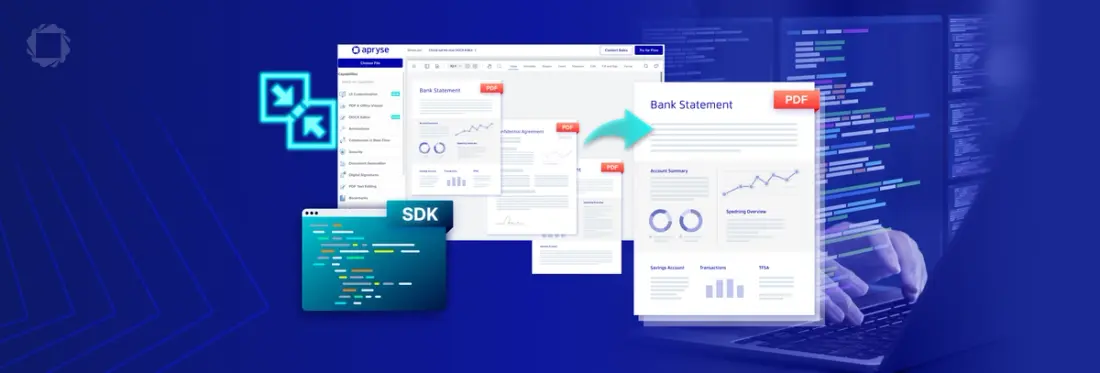
Summary: Merging multiple PDF documents using a PDF SDK is one of the most common tasks in document-heavy applications. Whether you’re combining monthly reports, attaching receipts to an invoice, or rearranging pages for a legal filing, you need a reliable way to handle the page tree. In this blog, we’ll look at how to use the Apryse Server SDK to merge PDF pages programmatically.
Introduction
At its most basic level, merging sounds simple, right? Just stick Document B at the end of Document A and you’re done. However, for developers, it’s rarely that easy. Sometimes you only need a specific page range from the middle of a document, or you need to insert a cover page at the beginning of an existing file.
PDFs are complex objects and merging them properly requires an engine that understands the underlying page tree and can safely import resources like fonts and images from one document to another.
In this guide, we’ll explore the page manipulation with the Apryse Server SDK and look at how to merge PDFs in C# and Java. We’ll also look at some other manipulation tasks and answer some frequently asked questions.
Why Use an SDK for Merging?
If you’re building a professional-grade application, using an SDK is the way to go. Let’s look at a few of the reasons why using a server-side SDK is a better method:
Granular Control: Professional SDKs, like the Apryse Server SDK, give you full control to do more than just merge files. They allow you to manage pages for tasks such as inserting, deleting, rearranging, and more.
Resource Efficiency: A good SDK ensures that if two documents use the same font, it isn’t duplicated in the final file, keeping the output size small.
Integrity: Digital signatures, bookmarks, and links need to be handled carefully during a merge to ensure the final document remains functional.
Workflow Automation: You can integrate these actions directly into your API routes or server-side logic, allowing your users to generate custom document bundles easily and efficiently.
Apryse SDK supports PDF manipulations such as merging, splitting, and reorganizing in a variety of programming languages, helping developers to design more robust apps.
How to Get Started in C#
First, we’ll need to get started with the Apryse Server SDK. Follow these steps to download and install the SDK and then get a trial license key if you don’t already have one.
- Download the Apryse Server SDK. In this case, we’ll want to choose the .NET Framework (C#, VB).
- Follow these steps to extract the folder from the .zip file and set up .NET.
- Get a free trial key.
Now that we’re set up, let’s look at the code for merging PDFs.
How to Merge PDFs in C#
The most efficient way to handle this in the Apryse Server SDK is using ‘InsertPages()’. This method gives you total control over where the new content goes.
I’m going to show the code sample in C#. I’ll add the Java method below as it requires a different setup.

Note: The process is available in other languages as well, such as PHP, Python, C++, and more.
How to Get Started in Java
Setting up in Java is almost the same as in C#. Follow these steps to download and install the SDK and then get a trial license key if you don’t already have one.
- Download the Apryse Server SDK. In this case, we’ll want to choose Java.
- Follow these steps to extract the folder from the .zip file and set up the Java PDF library.
- Get a free trial key.
How to Merge PDFs in Java
And now we'll use this code for merging PDFs.
More Than Merging
Now that we’ve looked at merging PDFs using ‘InsertPages’, you can explore other document manipulation tasks such as:
Rearranging: You can move pages within the same document by inserting them into a new position and then deleting the old ones.
Deleting: Use ‘doc.PageRemove()’ to remove pages that aren’t needed after a merge.
Importing: Use ‘doc.ImportPages()’ for lower-level control when you need to move pages between documents without immediately inserting them into the page tree.
For these and other examples, see the documentation.
FAQ
Can I merge documents with different page sizes?
Yes. The SDK handles documents with varying dimensions, for example, merging an A4 page into a Letter-sized document, without clipping the content.
Is there a limit to how many PDFs I can merge at once?
There is no hard limit in the SDK. The only constraints are the memory and CPU of your server. For very large merges with hundreds of files, we recommend saving the document incrementally.
Does this work on mobile?
Yes. The Apryse SDK is cross-platform, meaning the same merging logic you write for your backend can be used in your iOS or Android apps.
Conclusion
Merging PDFs with a PDF SDK is about organizing data effectively rather than just sticking files together. By using the ‘InsertPages’ method, you get a robust, predictable way to build custom documents, whether you are appending a single page or building a 500-page report from dozens of sources.
As we’ve seen, the Apryse Server SDK goes much further than just merging files. It’s a robust SDK that allows you to handle many page manipulation tasks such as merging, splitting, and rearranging PDFs. It also allows you to incorporate other document processing features such as digital signatures, annotations, redaction, and much more.
Try the Apryse Server SDK with a free trial or check out the documentation.
You can also contact our sales team for any questions.
Suggested Reads