On-Premises and Air-Gapped PDF Redaction
Apryse redaction runs entirely inside your own environment. The Apryse Server SDK is installed on infrastructure you control, on-premises, in private cloud or fully air-gapped, and processing a document needs no network call. Documents do not leave the network to be redacted.
What Leaves Your Network, and What Does Not
Document content stays where it is. Apryse delivers redaction as a PDF redaction library your application calls directly, so your code loads, redacts and saves each file on infrastructure you control. Documents never reach Apryse infrastructure.
By default, Apryse collects limited usage metadata: API call names and counts, page counts, SDK version and SDK language. It never includes document content. A no-tracking license key is available on request.
A cloud API service or hosted redaction tool works the other way: each document goes to a third party's servers. Apryse is not an API service that requires calling a third-party cloud.
If a model sits downstream, redact first. PII removal before AI processing runs on your servers, and your app sends the model only the redacted file.
On-Premises, Private Cloud, and Air-Gapped
On-Premises
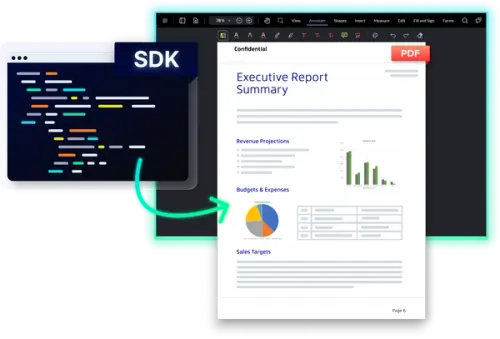
On-premises means the software runs on server hardware you own. You install the Apryse Server SDK there and call it from your application. Start with server-side redaction in C# or server-side redaction in Java.
Private Cloud
In a private cloud, you deploy the SDK on virtual machines or containers you control, and you manage any container orchestration. Processing stays local.
Air-Gapped
Air-gapped means no network connectivity at all. The Server SDK operates there, and processing a document needs no network call. Licensing has its own section below.
Get Started in C# or Java



Licensing in an Air-Gapped Environment
Redaction is included in the base Server SDK binary but requires a separate Redaction add-on license. See the capabilities page for licensing. There is no module to download. The Redaction Package must be on the production license key you pass to PDFNet.initialize() at startup, before any other call.
Scope: Java on Windows, Linux or macOS. The initialization pattern holds across language bindings.
For air-gapped environments, Apryse issues a license key that does not call home, so the SDK runs fully offline. Your Apryse sales contact arranges it. Trial keys include every package, Redaction included.
What You Take On by Self-Hosting
Self-hosting does not change what redaction does. It moves operational work to your team.
Your team runs the servers, VMs or containers and deploys the SDK. The Apryse Server SDK provides no work queue, job scheduler or batch orchestration, so at volume your code owns the loop. See redacting documents in bulk for that pattern. In return, no document content leaves your environment.
For Your Security Reviewer
Deployment model: Self-hosted library on infrastructure you control. Not a cloud API or SaaS service.
Licensing: Redaction Package on the production key. Air-gapped keys do not call home.
Data flow: No document content is transmitted. Usage metadata is collected by default, and a no-tracking license key is available on request.
Certifications: Apryse's ISO/IEC 27001 certification and SOC 2 Type II attestation cover Apryse as a company, not your deployment.
Ownership: Your team owns infrastructure, orchestration and the review workflow. Apryse supplies the SDK.
Where the Browser-Side Review Step Fits
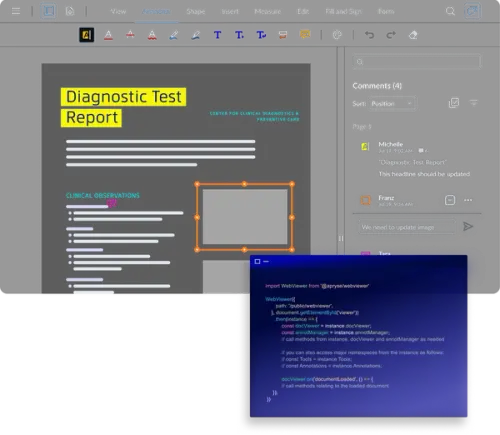
Redaction is permanent and irreversible once applied, so review comes first. Redact annotations mark the content to remove, and reviewers can see, move and redefine them. Then Redactor.Redact() destroys the text, image and vector content inside the marked regions.
Your app decides who approves each redaction. WebViewer supplies the interface for reviewer approval in the browser, with manual redaction and search and redact by string or pattern. It needs its own Redaction add-on license.
WebViewer runs client-side, so review in the browser sends no document content to Apryse.
Regulated-Industry Deployment Patterns
Banking
Search by text string or pattern, then redact account numbers, SSNs and other PII before litigation and data-sharing disclosures. The unredacted file stays inside your network. See enterprise-grade redaction for the full capability.
Government
Release public records without sending the unredacted set to a third party. Run the Server SDK in an environment your agency controls, including an air-gapped one. See redaction use cases by industry for more patterns.
