Combine multiple PDF files into a single document
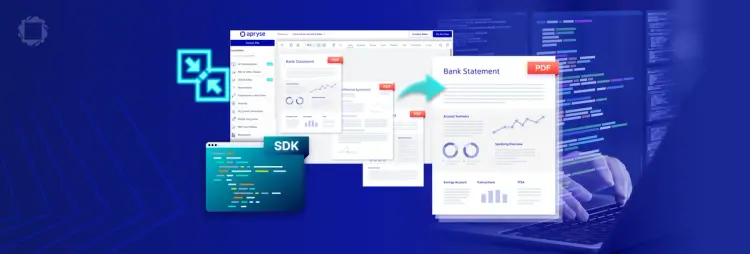
With the Apryse Server or Web SDK, merge runs client-side in the browser or headless on your server. No plugins, no cloud dependency. Merge combines two or more PDF files, or a subset of pages from each, into a single document. The Page Manipulation capability includes merge alongside reorder, insert, delete, rotate, crop, split, thumbnail generation, and bookmark editing. A document assembly workflow can call several of these in sequence, satisfying a complete manipulation workflow with a single library.
Merge Documents - at a Glance
Merge combines pages from multiple PDF documents into a single output, in the order you set. It's one of the operations in the Page Manipulation add-on, available on both the Web SDK and the Server SDK, so the same merge logic runs in the browser or inside your own backend.
Merge shows up most in workflows that assemble a final document from parts submitted separately: case management, insurance claims, and legal discovery are common examples. It also covers report generation, document archival, and batch jobs that combine large volumes of files on a schedule.
Merge Document Use Cases

Case Management
Intake converts scans, email attachments, and Office files to PDF. Merge, reorder, and split then assemble an exhibit-ready case bundle. Add a generated table of contents for navigation.

E-Discovery & Disclosure
After paginating and redacting a production set, merge and split bundle the reviewed files into the final production, archived as PDF/A.

Insurance Claims Processing
After a customer submits a claim, forms and supporting documents are converted to PDF, redacted for PII, and merged into a single claim packet for the reviewing team.

Government records requests (FOIA, public disclosure)
Merge records from multiple agencies into a single release packet, then hand off to redaction before the file goes out.
FAQ
Yes, through the Server SDK's Java binding. It requires the Page Manipulation add-on license, the same as on the Web SDK.
Yes, the Web SDK merges files client-side in the browser. The file runs through WebAssembly and never leaves the visitor's device.
No. Wait for it once per document; every page operation after that runs without waiting again. This applies to every page operation, not just merge.
No. The SDK merges the files you hand it; queuing, retries, and concurrency limits are your application's responsibility.
Yes. Convert Office files or images to PDF first using the Apryse conversion capability, then merge the resulting PDFs. Both operations run under the same SDK. See apryse.com/capabilities/conversion for supported input formats.