True Redaction vs. Visual Masking
Drawing a black rectangle over text does not remove the text. The characters remain in the content stream underneath and can be copied, extracted or found by search. True redaction destroys the text, image and vector content inside the marked region rather than covering it, and the operation is irreversible once applied.
Why a Black Box Is Not a Redaction
Open a PDF where a black rectangle covers a Social Security Number. Select the page text, copy it, and paste it into a text editor. The number is there. Search for its first three digits and the page matches.
That is the failure. A rectangle is a drawing instruction added to the page, and the text instruction underneath it is untouched. Every viewer, parser and search index still reads that text. Most teams start with a drawing call from a library or a homegrown overlay and find the gap during a review, or after release. For a browser-side walkthrough, see how to redact PDFs in JavaScript.
What True Redaction Removes
True redaction removes the content inside each marked region from the file. On both the Apryse Web SDK and the Apryse Server SDK, that covers text, images and vector graphics. If part of an image or path falls inside a region, that part is destroyed. It is not hidden behind a clipping path or an image mask.
Redaction is an add-on on both SDKs, and trial keys include all add-ons. For the capability overview, see the PDF redaction library page. For implementation detail, read the secure PDF redaction developer guide.
Redact Annotations: Marking Is Not Removing
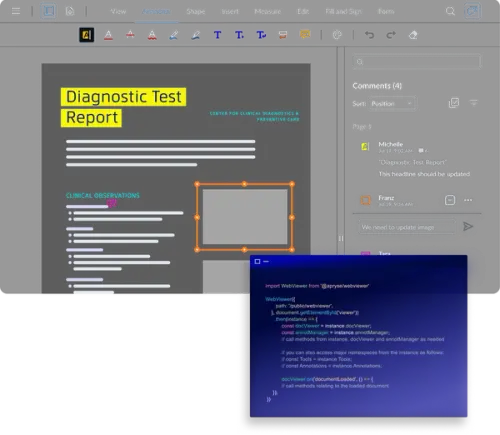
A redact annotation marks what will be removed. It does not remove anything. You create annotations interactively in the viewer, or programmatically through text search or text extraction. Until the apply step runs, reviewers can see each annotation, move it and redefine it.
The apply step is the only operation that destroys content. Before it runs, the text under an annotation is still in the file, even when the annotation hides it on screen. After it runs, nothing brings it back.
That split gives your app a place for review. Your app routes the document and records the approval. Reviewers act on the annotations before anything is destroyed. Reviewer approval before the apply step is how enterprise-grade redaction works in financial services, healthcare, government and legal work.
The Overlay Is Cosmetic, and Configurable
The overlay does not remove content. It marks the region so a reader sees that content was removed, and it can say why.
You configure it: colour, overlay text, font, border and transparency. A solid black box, a coloured fill labelled "Redacted" and a bordered region carrying a case reference all remove the same content. Appearance is a presentation choice for your users. The removal does not depend on it.
Why Redacted Text Still Appears in Search
Redacted text still appears in search for one of two reasons. The redaction was a visual mask, so the text was never removed. Or the redact annotations exist but the apply step never ran, which leaves the content in the file while the page looks redacted.
Search and extraction tools read the text in the content stream, not the rendered pixels. Anything the stream still holds gets indexed, copied and extracted. True redaction removes the content from the page, so a search for a redacted string returns nothing.
To fix it in code, confirm your pipeline runs the apply step and saves the output. Then check the saved file with the steps below.
How to Verify the Content Is Actually Gone
Verify the saved output file, not the document in memory. Three checks cover it:
Select and copy: Select across a redacted region in a viewer and paste into a text editor. Nothing from the region pastes.
Search: Search the output for strings you redacted, including partial values such as the last four digits of an account number. No match returns.
Extract: Run text extraction over the output. On the Web SDK, the full API handles extraction. On the Server SDK, the base Extraction and Search capabilities handle it. The redacted text does not appear.
Build these checks into a test that fails your pipeline when a redacted string turns up. Keep reviewer approval ahead of the apply step, as described in the compliance redaction process. For the apply step itself in your language, see server-side redaction in C# and redact PDFs in Python.
What Redaction Does Not Remove
Redaction removes visible page content inside the regions you mark: text, images and vector graphics. It does not remove hidden content. Metadata, embedded scripts, form data and hidden layers stay in the file unless you remove them separately.
That separate operation is PDF sanitization, a base package capability on the Server SDK only. It is not part of the Web SDK. For the comparison of the two operations, read redaction versus sanitization.
Redaction also does not decide what to remove. Your app or your reviewers choose the regions or search patterns, such as SSNs and credit card numbers. Redaction changes the file you save, and your app decides whether the unredacted original is kept or overwritten. If your app sends documents to a model, run PII removal before AI processing so the model never receives the redacted values.
Support Matrix
Get Started in Your Language