Garry Klooesterman
Senior Technical Content Creator
Published July 21, 2026
Updated July 21, 2026

5 min


PDF/A Compliance: Best Practices for Long-Term Document Retention
Garry Klooesterman
Senior Technical Content Creator
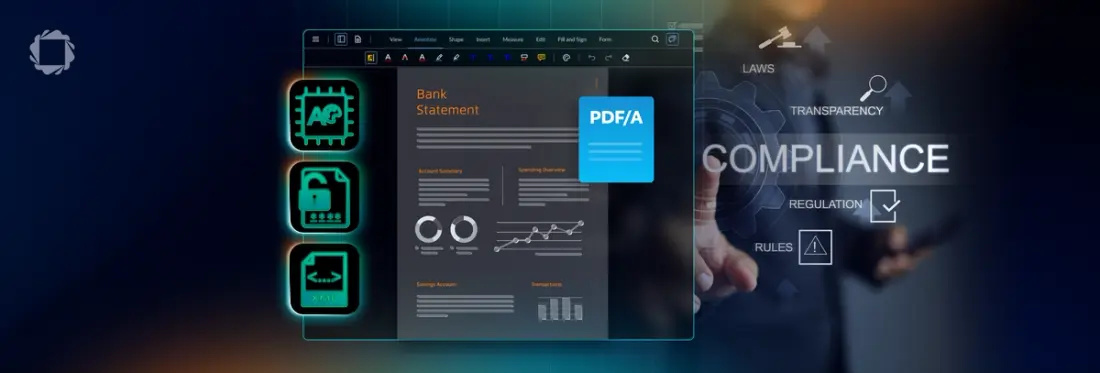
Summary: Digital archives frequently break as software, fonts, and operating systems evolve. This blog outlines the core mechanics of PDF/A compliance, explores the structural differences between PDF vs. PDF/A, and details a technical roadmap for building an archival workflow with automated conversion tools.
Introduction
Every day, software teams add thousands of new digital files to their storage systems. If you’re working on a modern application, you are probably dealing with a non-stop stream of invoices, tax forms, agreements, and customer records. But there is a problem with digital archives that most engineering teams ignore until something breaks: software changes incredibly fast. Operating systems get updated, old formats lose support, and the tools we use to render files today will look totally different in ten years. If a critical file becomes unreadable down the road, your company faces some really heavy legal and financial liabilities.
This is where PDF/A comes in. It is a specific ISO standard built to solve the digital preservation problem. It ensures that a file will render and look exactly the same decades from now, no matter what system or software is used to open it.
Below, we will go over how PDF/A works, why regulatory bodies demand it, and how to build a reliable archival pipeline that handles files properly for the long haul.
PDF/A Fundamentals: What is the difference between PDF and PDF/A?
To master PDF/A compliance, you must understand how a standard PDF operates compared to an enterprise-grade PDF/A archival file. The core difference comes down to dynamic flexibility versus long-term visual reliability.
A standard PDF is designed for daily, active business collaboration across all industries, from marketing agencies sharing design briefs to HR departments sending onboarding forms. Because it is optimized for current workflows, it can link to external system fonts, execute background JavaScript, pull dynamic images from web servers, or use password encryption.
Why Standard PDFs Fail in Long-Term Archives
If you open a standard PDF fifteen years from now, missing local fonts will force your operating system to substitute them with generic placeholders. This shifts columns, breaks table alignments, and scrambles layout data. If an externally linked image server goes offline, that graphic vanishes from the file forever.
PDF/A (PDF for Archiving) solves this by enforcing a strict, self-contained rule under the ISO 19005 specification, an international standard adopted by archiving bodies worldwide. It strips out dynamic dependencies to ensure that any file rendered decades from now looks exactly as it did the day it was created, regardless of the operating system or software used.
What is PDF/A Compliance?
For a file to be PDF/A compliant, a file must be entirely self-contained. This means that absolutely everything required to render the document must live permanently inside the file itself. No external dependencies are permitted.
How to Create PDF/A Compliant Documents
Creating a PDF/A compliant document requires meeting these four requirements:
- Embed Fonts and Color Spaces: Unlike standard PDFs that link out to local system files, a PDF/A file requires all fonts, character sets, and device-independent color profiles to be embedded directly into the document package.
- Restrict Dynamic Actions: Standard PDFs allow JavaScript and interactive macros. To maintain stability, PDF/A completely bans active scripts, executable file actions, and external multimedia dependencies.
- Remove Password Encryption: Standard PDFs use passwords to restrict access. PDF/A strictly prohibits encryption because lost credentials or expired security keys over a 10-to-20-year archival period present a permanent data lockout risk.
- Include Standardized XML Metadata: The document must feature standardized XML metadata via Extensible Metadata Platform (XMP) standards. This allows external indexing systems, database scrapers, and search engines to easily parse, catalog, and locate the archived files.
If you want to see how to generate these files programmatically, check out our step-by-step guide to converting PDF to PDF/A to learn how to build these automated pipelines.
Understanding the Standards: PDF/A-1, PDF/A-2, and PDF/A-3
The PDF/A standard has evolved over the years to support modern layout features. When setting up your system, you will mostly choose between three versions:
PDF/A-1: Released back in 2005 and based on PDF 1.4. This is the oldest and most restrictive version. It does not support transparency, document layers, or nested attachments.
PDF/A-2: Released in 2011 and based on PDF 1.7. This is usually the best option for modern business documents because it handles transparent elements, layer compression, and newer image compression formats.
PDF/A-3: Released in 2012. The main change here is that it allows you to embed any other file type, like an Excel spreadsheet or raw XML data, directly as an attachment inside the secure PDF/A file envelope.
Version | Released | Based On | Key Capability |
|---|---|---|---|
PDF/A-1 | 2005 | PDF 1.4 | Most restrictive; no transparency, layers, or nested attachments |
PDF/A-2 | 2011 | PDF 1.7 | Best fit for most modern business documents; supports transparency, layer compression, newer image formats |
PDF/A-3 | 2012 | PDF 1.7 | Adds support for embedding any file type (e.g., XML or spreadsheet data) as an attachment |
For most financial services applications, PDF/A-2b (basic conformance) offers the best balance of layout fidelity and archival safety.
Retention Requirements and Regulatory Demands
If you build software for regulated spaces, archiving files correctly is a legal necessity. For a broader look at how this plays out across verticals, see our buyer’s guide to document compliance for regulated industries.
Financial institutions, for example, operate under incredibly tight document retention compliance rules. Under SEC Rule 17a-4, broker-dealers must preserve transaction records, communication logs, and customer agreements in a non-rewriteable, non-erasable format for six years, with the first two years kept in an easily accessible location. FINRA Rule 4511 aligns member firms to the same standard.
If an institution gets audited and cannot pull up a clean, readable record of a transaction from five years ago, the fallout is devastating. You could be looking at major compliance fines, suspended business licenses, and a permanent loss of customer trust. Implementing document retention best practices for regulated industries means converting these records into PDF/A right at the start of their lifecycle, so they are always ready for an auditor.
Retention often intersects with digital signatures, too — PDF/A and a properly implemented signing workflow work together to meet financial record-keeping requirements without sacrificing long-term readability. For the underlying legal frameworks, see how eIDAS and the U.S. ESIGN Act govern electronic signature validity.
Compliance considerations: PDF/A Retention vs. Data Privacy Laws
When architecting a long-term document archive, software teams face a conflicting compliance issue. Strict data privacy regulations like the EU’s GDPR and the California Consumer Privacy Act (CCPA/CPRA) grant users the "Right to Be Forgotten," requiring organizations to delete personal data upon request.
However, regulatory compliance mandates like SEC Rule 17a-4 or HIPAA legally require you to keep financial and medical records intact for a specified period of time. To resolve this conflict, teams can:
- Anonymize at Ingestion: Strip out non-essential Personally Identifiable Information (PII) before converting the final document to a permanent PDF/A format. This is where the distinction between true redaction and visual redaction matters most. A visual overlay leaves the underlying PII intact and recoverable, which defeats the purpose of anonymizing before archival.
- Segregate Metadata: Store user identities in a separate relational database that can be modified or deleted, while keeping the unalterable, anonymized transaction data locked inside the PDF/A file.
Archival Best Practices for Long-Term Preservation
Setting up a reliable, automated archive takes deliberate planning. Here are the main PDF/A compliance best practices you should follow:
Pick the right conformance level: PDF/A uses specific conformance tiers like Level B (Basic) and Level A (Accessible). While Level B focuses purely on preserving the visual output, Level A adds structural layout tags and reading-order metadata. You need Level A if you want to comply with digital accessibility laws like WCAG and Section 508, so screen readers can process the files.
Automate your ingestion pipelines: Relying on employees to manually convert files introduces risk. Build an automated pipeline directly into your platform. The second a document is finalized, your backend should convert it to PDF/A for preservation. And where sensitive records can’t leave your infrastructure, self-hosted, on-premise processing keeps that pipeline fully under your control.
Validate compliance programmatically: Run automated validation tools to check files for missing fonts, hidden JavaScript, or unapproved macros before they hit your long-term storage.
Use standardized metadata: Stick to Extensible Metadata Platform (XMP) standards to write details like authors, creation dates, and destruction timelines directly into the file. That way, even if your central database fails, the documents remain easy to search and index on their own.
For a deeper look into setting up these workflows, read through our comprehensive guide on how to build a JavaScript PDF viewer.
How does PDF/A support regulatory document retention?
While financial records are a clear example of files governed by highly regulated storage requirements, retention compliance issues exist across almost every major software category:
Healthcare: Under HIPAA rules, clinics and medical software must preserve patient records, test results, and consent forms in a readable, unalterable state for decades.
Legal and Courts: Modern court systems frequently mandate that electronic filings use the PDF/A format to make sure legal briefs and exhibits cannot be manipulated after they are filed.
Government and Public Sector: Government registries and public archives rely on PDF/A to safeguard land deeds, census details, and historical records for future generations.
Implementation Guidance: How to Transition to PDF/A
If you want to transition your platform to a compliant PDF/A architecture, here is a quick roadmap to follow:
- Step 1: Map your document lifecycle. Sort your files to find which documents need long-term preservation (like contracts, tax receipts, and asset records) versus temporary files you can safely purge after a few months.
- Step 2: Pick your PDF/A standard. For the majority of modern apps, standardizing on PDF/A-2b (Basic) or PDF/A-2a (Accessible) gives you the best mix of layout support and archival safety.
- Step 3: Deploy a professional SDK. Integrate a commercial-grade document tool that can process high-volume conversions smoothly on the client or server side. To see how these tools fit into your application, check out the Apryse WebViewer developer guide to get started. If you’re comparing vendors first, this PDF SDK evaluation guide walks through the criteria that matter most, and our PDF-to-PDF/A conversion walkthrough shows the implementation itself.
- Step 4: Secure your storage. Once files are converted, send them to a Write-Once-Read-Many (WORM) storage setup. This ensures files are easily searchable for audits but cannot be altered or deleted before their legal retention period expires.
For more technical execution details, you can refer to the core developer getting started guide.
Frequently Asked Questions
Q: What is PDF/A?
A: PDF/A is an ISO standard version of the PDF format created specifically for long-term archiving. It strips out dynamic features like active scripts, external font links, and passwords, guaranteeing the file remains self-contained and renders exactly the same way on any operating system in the future.
Q: Why is PDF/A important for compliance?
A: Regulated businesses are legally required to keep records readable and uncorrupted for years. Standard PDFs can easily break or lose formatting when system software or fonts change. PDF/A solves this risk by locking down the document structure, ensuring it always passes audits.
Q: What document formats are best for long-term retention?
A: PDF/A is widely recognized as the best format for archiving documents. Unlike flat image formats like TIFF, PDF/A keeps the text fully searchable, preserves clean vector graphics, and uses highly compressed file sizes to keep storage costs low.
Q: How do organizations maintain document retention compliance?
A: Organizations do this by setting clear retention schedules, automatically converting permanent files to PDF/A at the point of ingestion, validating files with programmatic tools, and keeping finished archives in read-only WORM storage setups.
Q: What is the difference between PDF/A-1, PDF/A-2, and PDF/A-3?
A: PDF/A-1 (2005) is the most restrictive version and doesn’t support transparency or layers. PDF/A-2 (2011) added support for transparency, layer compression, and newer image formats, making it the best fit for most modern business documents. PDF/A-3 (2012) builds on PDF/A-2 but additionally allows any file type — like a spreadsheet or raw XML — to be embedded as an attachment inside the archival file.
Q: What is WORM storage, and why does it matter for PDF/A archives?
A: WORM (Write-Once-Read-Many) storage is a data retention model where files can be written once but never altered or deleted before a set retention period expires. Pairing PDF/A’s self-contained, tamper-resistant format with WORM storage gives regulated organizations a complete answer to “prove this record hasn’t been changed” during an audit.
Q: Can a PDF/A file be edited after conversion?
A: Technically yes, but doing so risks breaking compliance if the edit reintroduces a disallowed element, such as an unembedded font or encryption. Best practice is to treat PDF/A files as the final, locked-down archival copy and make edits to a working PDF version before re-converting.
Q: Does PDF/A support AI-ready data extraction?
A: Yes — because PDF/A requires embedded, standardized XMP metadata and consistent structure, archived files are easier to index and parse programmatically than loosely structured standard PDFs. That consistency is also what makes archives usable as a source for downstream AI and automation pipelines; see how intelligent document processing turns archived records into AI-ready structured data for more on that connection.
Conclusion
Converting documents to the ISO-standardized PDF/A format guarantees that your files remain visually identical and searchable for decades across any device. Backing that format up with a configured WORM storage infrastructure ensures your application meets strict regulatory mandates across finance, legal, and healthcare sectors while actively defending your historical archives against accidental deletion or unauthorized tampering.
Ready to Automate Your Archival Pipeline?
Don't wait for a compliance audit or a broken file layout to fix your retention strategy. Seamlessly integrate high-volume, compliant PDF/A conversion directly into your application backend. Explore the Apryse PDF/A Conversion Library options today or for a more hands on experience, start a free trial or check out our demo.
Feel free to contact us for help or any questions you have.