Kristen Warner
Director of Brand and Communications
Published August 05, 2026
Updated August 05, 2026

3 min


Is Apryse WebViewer Accessible? Understanding WCAG 2.2 AA Support
Kristen Warner
Director of Brand and Communications
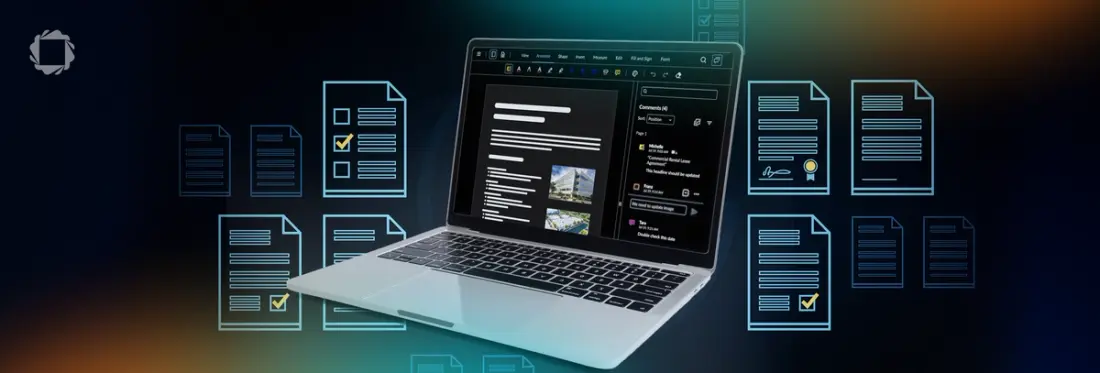
If you're building document software for government, healthcare, education, or any regulated industry, accessibility is a requirement, and a viewer that gets it wrong can undermine everything else you've built. This post answers the question directly: yes, Apryse WebViewer supports WCAG 2.2 AA out of the box, no add-on required. But it also tackles a misconception worth understanding, that an accessible viewer alone makes your PDFs accessible, and explains what actually needs to be true on both the document and viewer side to get this right.
Accessibility is an essential consideration when building document-centric applications. Whether you're developing software for government, education, healthcare, or enterprise users, ensuring people can successfully interact with documents is just as important as supporting the documents themselves.
The short answer is yes. Apryse WebViewer includes a user interface designed to support WCAG 2.2 Level AA accessibility requirements as part of the core product.
Accessibility support is built into WebViewer—it isn't an optional add-on or separate license.
What's Included
WebViewer's user interface includes features designed to improve accessibility, including:
- Keyboard navigation throughout the interface
- Screen reader support
- Accessible focus management
- Color contrast designed to meet WCAG 2.2 AA requirements
- Support for exposing tagged PDF content to assistive technologies
These capabilities are included in the standard WebViewer user interface and also extend to products such as the DOCX Editor and Spreadsheet Editor.
An Accessible Viewer Doesn't Automatically Mean an Accessible Document
One of the most common misconceptions about PDF accessibility is that using an accessible viewer automatically makes every PDF accessible.
It doesn't.
A viewer can provide excellent keyboard navigation and screen reader support while still displaying a document that lacks the information assistive technologies need.
For example, scanned PDFs or documents that haven't been properly tagged may not expose:
- Headings
- Reading order
- Alternative text for images
- Table structure
- Document landmarks
In these cases, the limitation isn't the viewer but the document itself.
How WebViewer Supports Accessible Documents
When a PDF includes the appropriate accessibility information, WebViewer can expose that structure to assistive technologies.
This includes content such as:
- Heading hierarchy
- Paragraphs
- Reading order
- Alternative text
- Tagged document structure
For organizations creating accessible document workflows, both the accessibility of the viewer and the accessibility of the documents should be considered together.
FAQ
Does WebViewer support screen readers?
Yes. Screen reader support is included as part of WebViewer's accessible user interface and does not require an additional license.
Is WCAG 2.2 AA support included?
Yes. The WebViewer user interface is designed to support WCAG 2.2 Level AA accessibility requirements as part of the core SDK.
Does WebViewer make every PDF accessible?
No. If a PDF isn't properly tagged or was created from scanned content without accessibility metadata, no viewer can automatically make that document fully accessible.
Creating accessible PDFs requires properly structured document content in addition to an accessible viewing experience.
Is accessibility support an additional feature or add-on?
No. Accessibility support is included in the standard WebViewer license and is not sold as a separate add-on.
Building Accessible Document Experiences
Accessibility involves more than selecting the right PDF viewer.
An accessible document experience combines an accessible user interface with properly structured, tagged documents that can be understood by assistive technologies.
By supporting WCAG 2.2 AA user interface requirements and exposing accessible PDF structure when it exists, Apryse WebViewer helps developers build document experiences that are more usable for everyone.