Andrey Safonov
Director of Product
Published January 12, 2021
Updated August 12, 2026

3 min


Protect Privacy with Video and Audio Track Redaction
Andrey Safonov
Director of Product
Related Products

The latest version of Apryse WebViewer Video brings full-featured and integrated audio-video redaction to the Apryse platform. Quickly redact an entire frame or many frames and parts of the audio track!
If your users need to remove parts of a video for legal, privacy, security, or compliance reasons, Apryse WebViewer Video version 4.23.5 now offers complete redaction capabilities to remove sensitive imagery or audio via JavaScript. And it’s the only solution to provide video and audio redaction in a web application client.
Even better, the Apryse SDK lets you embed video redaction directly into an enterprise digital workflow or commercial product – without relying on a server to redact videos. As a result, developers can release secure features faster and leverage other benefits of client-side processing, including improved reliability and performance from on-demand processing.
This article examines the modern redaction workflow and how we designed WebViewer Video to make video/audio redaction seamless and easy.
Find steps to embed it in your application at the end, or try these redaction features in our demo.
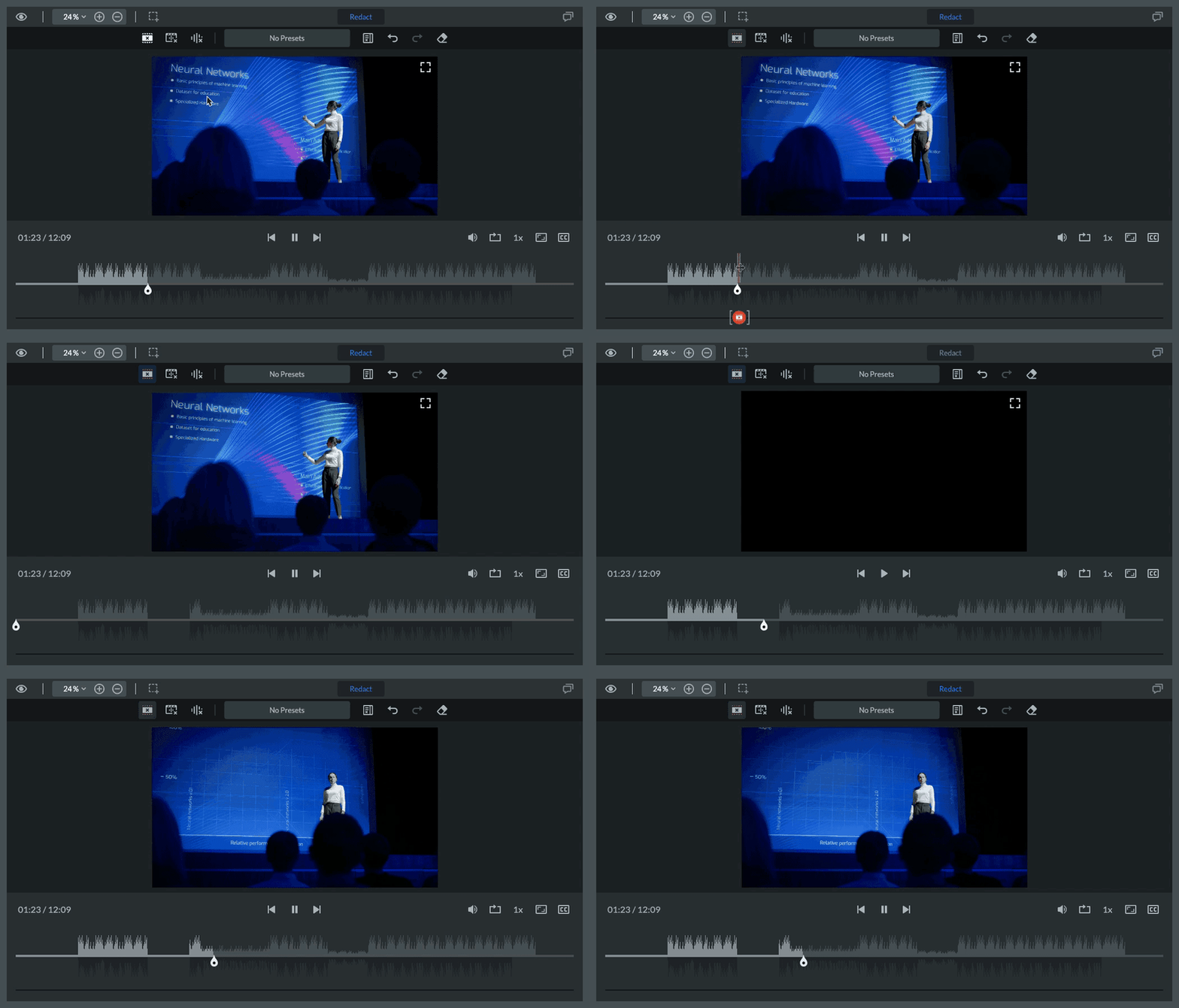
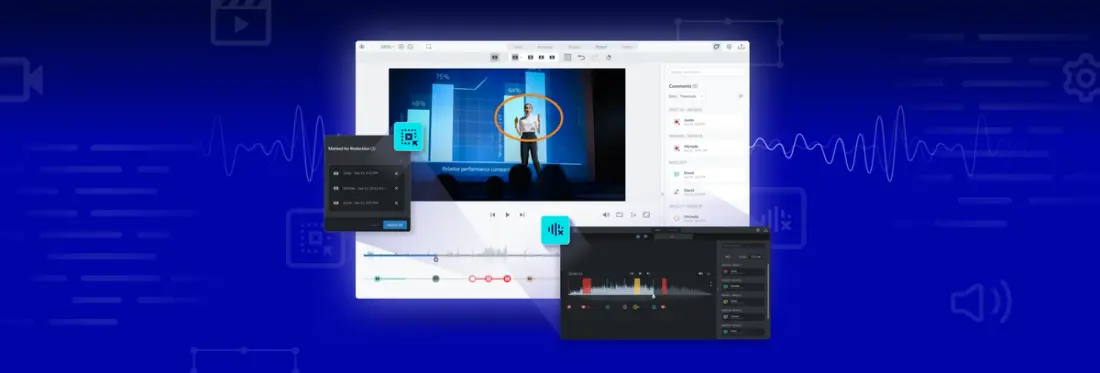
New video redaction lets you redact video frames, audio, or both in the same UI.
What Is Redaction? And Why Redact Video?
Redaction permanently removes sensitive information in a video or document, such as personally identifiable material, including emails and credit card numbers, by deleting or completely obscuring underlying content.
Redaction was once performed manually, with scissors, black marker, redaction tape, photocopiers, and OCR scanning technology. Today, redaction can be done electronically and even automatically, on all types of digital content.
For example, videos might need to be redacted to adhere to compliance and privacy of information laws. While it may seem easier to destroy an entire record or video rather than selectively redact it, some materials must be legally preserved or may contain other data that needs to be retained.
Redact Whatever You Need to – Video or Audio, or Both
Apryse’s WebViewer Video allows users to review and collaborate on multiple video formats via JavaScript in any web application. And it comes with key features to get your users started on video redaction right away. Flexible view modes are designed to make video redaction both precise and fast.
Users can redact a video in many ways – they can target an entire frame, the entire video, parts of the audio track, or the entire audio track. View modes let you review frame by frame if you want, and help you focus on specific areas as you review: video only, the audio track only, or both video and the audio track at the same time.
We also give you complete control over each person's view based on their role, personal preference, or workflow, within a developer-friendly component fully customizable to your unique industry or regional requirements.
To view the new redaction features, check out our video redaction showcase. You can get started right away with WebViewer Video, without a trial key. Just follow this guide.
Let’s look at how users can apply redactions to videos and audio tracks using WebViewer Video.
Views and Modes for Efficient Review and Redaction
Different views and modes help you review videos efficiently, so you don’t miss any sensitive content. As a developer, you can connect viewing modes to user permissions or roles to control the experience.
Frame-by-Frame View
WebViewer Video lets you toggle the frame-by-frame view, so you can review a video the way it suits you, one frame at a time or via multiple frames.
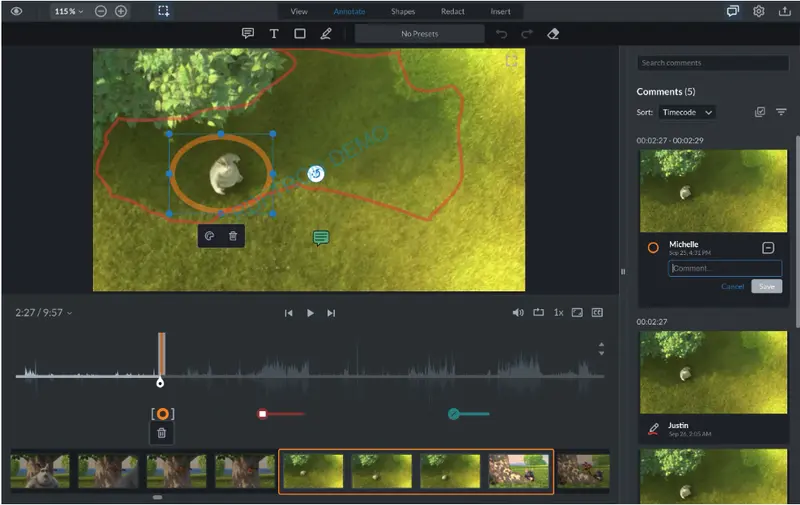
Frame-by-frame view shows videos a frame at a time so you can review each frame.
Video Only or Video + Audio Modes
With viewing modes, you can choose to review video content only or video along with the audio track at the same time.
Redacting Frames in Videos
Users can redact an entire frame (the default approach), as well as control the duration of the redaction.
To redact a video frame using WebViewer Video:
- Go to the frame you want to redact.
- Select the video redaction tool.
- Using the keyboard arrow keys, adjust the duration of the redaction.
- Apply the redaction.
Redacting Audio Tracks in Videos
The audio redaction tool lets you redact a video audio track or part of a track. Like frame redactions, you can control the duration of the redaction.
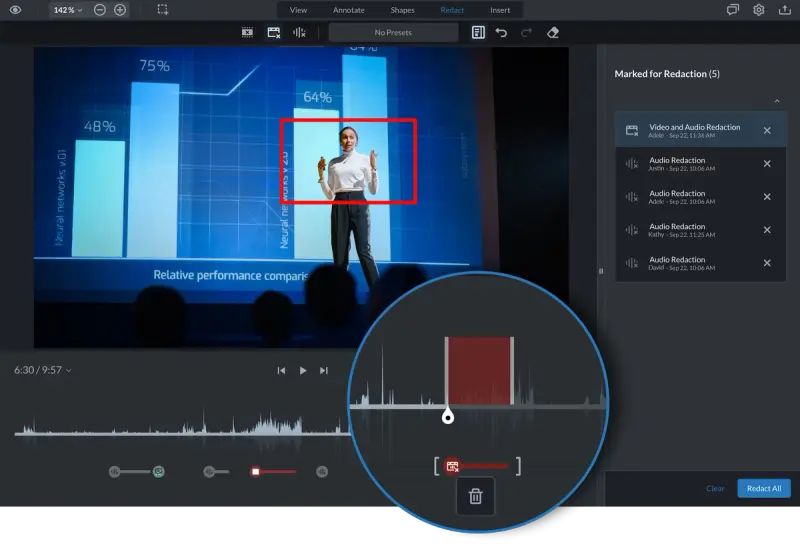
A magnified view of the audio track, where part of the audio is redacted
You can see the audio form visualized along the annotation timeline. Users can easily select a region of the audio track and remove or redact areas of the track directly in the browser.
This feature makes it easy to spot and redact sensitive audio content that shouldn’t be disclosed, shared, or stored.
To redact an audio track:
- Go to the part of the audio track you want to redact.
- Select the audio redaction tool.
- Specify the duration of the redaction.
- Apply the redaction.
Next Steps
Try out redaction features in our demo to experience WebViewer’s new audio and video redaction yourself, and review the documentation for in-depth feature and implementation details. If you have any questions or features you would like to see next, do not hesitate to reach out to us directly.