
Garry Klooesterman
Senior Technical Content Creator
Published July 16, 2026
Updated July 23, 2026

4 min


Choosing a React PDF SDK: Security, Speed, and No SaaS
Garry Klooesterman
Senior Technical Content Creator
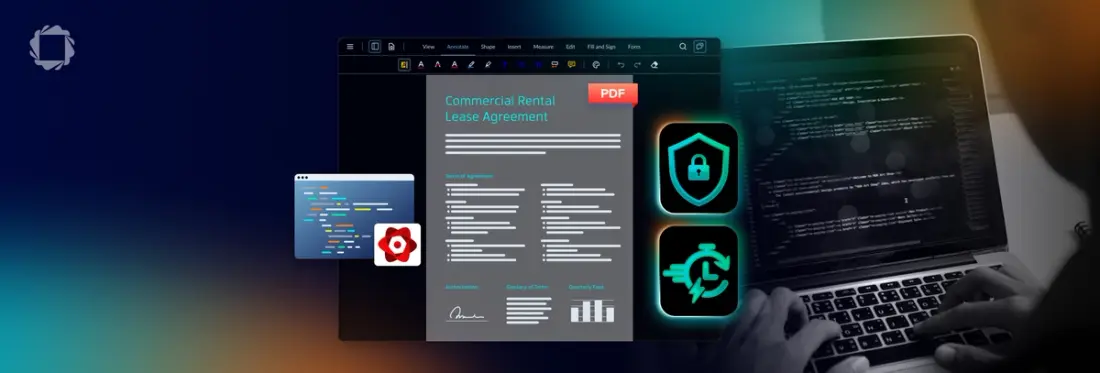
Summary: Selecting a React PDF SDK for professional applications requires a client-side, "no SaaS" architecture to ensure data security in regulated fields. Processing files via WebAssembly in the browser guarantees data residency, high performance, and protection against cloud-based data leaks.
Introduction
When you are building a modern web application in React, there is a very high chance you’ll eventually need to deal with documents. Whether it is rendering invoices, loading contracts for signing, or displaying medical records, integrating document processing is an incredibly common but critical requirement.
But for developers, this is where the real headache begins. You are instantly faced with a classic engineering dilemma: do you patch together free, open-source libraries that seem easy to use at first glance but carry hidden complexities under the hood? Or do you invest in a commercial Software Development Kit (SDK) to handle the heavy lifting?
To make the right choice for a professional, production-grade application, you have to look past the surface level. The ideal solution needs to balance three critical pillars: ironclad data security, fast rendering speed, and a deployment model that completely avoids third-party Software-as-a-Service (SaaS) dependencies. Let's break down exactly how to evaluate your options and why a client-side, "no SaaS" architecture is the safest bet for your React stack.
The Challenge with Open Source: Why Look for PDF.js Alternatives?
For many React developers, the journey begins with Mozilla's open-source library, PDF.js, or its popular React component wrapper, react-pdf. For simple, low-stakes projects like displaying a single-page static receipt or a public-facing brochure, these tools are perfectly fine. They are free, easy to install via npm, and backed by large developer communities.
However, the moment you transition from a basic proof-of-concept to a complex production environment, these open-source tools start to show their limitations. If you are currently evaluating your options, you will quickly find several reasons to search for PDF.js alternatives for React and asking yourself, “which JavaScript PDF SDK should I use?”
Rendering Issues: PDF.js renders documents by drawing elements onto HTML5 Canvas grids. When dealing with complex graphics, layered vector files, custom embedded fonts, or highly structured blueprints, browser engines often skip elements, drop text, or render blurred lines.
Performance Bottlenecks: Standard open-source libraries process files on the browser's main UI thread. If a user attempts to load a corporate manual with hundreds of pages or a large, image-heavy document, the browser tab will often stutter, lag, or crash entirely. If you look through the react-pdf GitHub discussions, you will find page after page of developers troubleshooting memory leaks and slow rendering loops.
Limited Functionality: Open-source libraries are designed for viewing, not interacting. If your product roadmap calls for advanced tools like text editing, interactive form-field validation, collaborative annotations, digital signatures, or secure data masking, you are entirely on your own. Your team will have to spend months of expensive engineering cycles writing this complex logic from scratch.
Security Overhead: With open-source tools, security is entirely your responsibility. Because the core rendering logic is completely exposed and unmanaged, your development team must continuously monitor, patch, and sanitize incoming files to protect against cross-site scripting (XSS) and malicious script injections.
If you are trying to understand how these free packages compare to commercial offerings, reading through a comprehensive breakdown of the Top JavaScript PDF Viewer SDKs can help put the architectural differences into perspective.
The "No SaaS" Advantage: Why Client-Side Processing Matters
To protect sensitive corporate and personal data, you must carefully evaluate the deployment model of your document tools. Many commercial viewers operate on a SaaS-based model, which means every time a user opens a file, the document is silently sent to an external, third-party server or a vendor-controlled Cloud Delivery Network (CDN) to be converted and processed.
For modern software platforms, especially those in highly regulated industries, this SaaS-dependent model is an absolute dealbreaker. The solution is true client-side processing.
What is Client-Side Processing?
In a client-side architecture, all document rendering, manipulation, and processing happen directly inside the end-user's local browser window. By leveraging high-performance technologies like WebAssembly (WASM), the application's core engine runs entirely on the client side. There is zero server-side middleware and absolutely no external cloud processing, meaning, no data ever leaves the user's platform.
Unmatched Security and Data Residency
Processing files strictly within the browser, without data ever leaving the platform, ensures total privacy. This provides a bulletproof security foundation that is absolutely essential for software companies building in healthcare, finance, legal, and compliance-heavy spaces. It allows your software to effortlessly satisfy strict global data residency laws (like GDPR and CCPA) and meet the exact security standards required by enterprise IT departments.
Superior Performance and Offline Capability
Eliminating the middleman does wonders for your application's speed. Because there are no network round-trips to upload and download files from a conversion server, documents load and render faster.
This "no SaaS" approach means your document viewer works flawlessly in offline, air-gapped, or highly restricted network environments. Whether your users are on a remote construction site, a secure military network, or an offline mobile clinic, they have full access to their files.
To see how this architecture is constructed without external cloud dependencies, check out the Apryse PDF SDK to explore its on-premises execution capabilities. See our Considerations Before Buying guide for more details.
Comparing Top React PDF SDKs: A Side-by-Side Look
Choosing the right tool for your React application requires a direct comparison of the three primary paths available to modern development teams:
Open Source: PDF.js & react-pdf
Strengths: Completely free to use; massive online community; simple installation footprint; ideal for basic document display.
Weaknesses: Serious performance lag with large files; zero out-of-the-box support for advanced collaboration, editing, or signing; team is completely responsible for security patches and custom UI development.
Best For: Non-commercial side projects, simple internal tools, or early-stage startups with zero budget and plenty of development hours to build features manually.
Commercial Alternative: Nutrient (formerly PSPDFKit)
Strengths: A mature commercial alternative that offers unified APIs across multiple framework environments; includes tools beyond basic viewing.
Weaknesses: While capable, it lacks the raw client-side file diversity and deep WebAssembly parsing maturity of more established enterprise engines, particularly when rendering non-PDF files.
Best For: Teams looking for a commercial option above basic open-source libraries who need standard PDF features across multiple web frameworks.
The Complete Solution: Apryse WebViewer
Strengths: Powered by an industry-leading, proprietary WebAssembly engine for elite client-side rendering speed and accuracy; it’s the only SDK that supports over 30 file formats (including PDF, Word, Excel, and CAD) completely in-browser without server dependencies; includes over 35 annotation tools, true programmatic redaction, and standard-compliant e-signatures, with a "no SaaS" client-side model, meaning data never leaves the user's infrastructure.
Weaknesses: Requires a commercial license investment.
Best For: Professional, enterprise-grade React applications that demand ironclad security, elite processing performance, and a rich, out-of-the-box feature set that works on day one.
For more information, check out Apryse WebViewer and our Comparison Guide for JavaScript PDF Viewers.
To help visualize how these platforms compare across key technical requirements, here is a structured feature matrix:
Evaluation Points | PDF.js / react-pdf | Nutrient (PSPDFKit) | Apryse WebViewer |
|---|---|---|---|
Rendering Engine | PDF.js (Canvas-based) | Hybrid Engine | Proprietary WASM Core |
Client-Side Processing | Yes (Basic browser engine) | Optional Cloud / Local | None (100% Client-Side) |
Advanced Annotations | None (Must build from scratch) | Moderate (Standard tools) | Comprehensive (35+ out-of-the-box tools) |
Office/CAD Support | No | Limited (Requires server conversion) | Native client-side support (30+ formats) |
Security Model | DIY (Exposed browser logic) | Commercial Secure | Ironclad "No SaaS" (In-browser silo) |
Licensing | Free (Apache 2.0 / MIT) | Commercial Subscription | Commercial Enterprise |
Key Evaluation Criteria for Your React PDF SDK
To make an objective decision for your project, use this structural checklist to evaluate any potential JavaScript PDF SDK against your actual business requirements:
Rendering Fidelity and Performance
Never choose an SDK based on how it renders a simple two-page test file. Upload your largest, most complex documents, especially those with massive vector layers, complex CAD shapes, or dense multi-page layouts. Zoom in to 500% and scroll rapidly. If you notice pixelation, dropped text, or sluggish UI response, the engine is not ready for a production environment.
Apryse's proprietary, browser-based engine is designed to handle complex CAD and high-density documents without performance degradation, preventing the pixelation and sluggishness. This high-fidelity rendering ensures secure, fast processing within the browser, suitable for compliance-heavy industries.
Feature Set: Beyond Just Viewing
Take a close look at your long-term product roadmap. If your users will eventually need to mark up files, sign contracts, fill out forms, or delete sensitive information, calculate the true cost of ownership (TCO). Building these interactive features on top of a basic viewer takes months of design, testing, and QA. Buying an SDK with these features built-in lets your developers focus on your core product value.
Security and Compliance
Ask yourself: where is your user data being processed? If your application handles personally identifiable info (PII), patient health charts, or private financial ledgers, can you guarantee that files never touch a third-party server? If your application must meet strict compliance standards (like HIPAA or SOC 2), a client-side, "no SaaS" engine is the most secure architectural path.
Developer Experience and Support
Check the quality of the documentation, look for copy-pasteable code samples, and verify if the platform supports modern building tools like Vite, Next.js, and TypeScript. Also consider what happens when a critical production bug emerges. Having direct access to a dedicated, professional engineering support team is worth its weight in gold.
For a deeper dive into these criteria, take a look at the comprehensive guide on how to evaluate a PDF SDK using a structural 10-point evaluation checklist.
Getting Started with Apryse in Your React App
Deploying a professional-grade document engine in your React application is incredibly simple. Apryse WebViewer fits naturally into any modern React setup and is fully compatible with popular ecosystem tools like Next.js, Vite, and Create React App.
Step 1: Install the Core Package
Add the official WebViewer package to your project dependencies:
npm i @pdftron/webviewer WebViewer runs its highly optimized WASM rendering engine inside a separate browser worker thread. To support this, copy the static asset folders from node_modules/@pdftron/webviewer/public into your local project's static /public folder.
Step 2: Copy Assets
WebViewer needs access to its static assets at runtime, including WebAssembly modules, HTML, and CSS files. In a React project, you must copy these assets into the public directory so they can be served correctly. For more, see Copying WebViewer static assets.
First, from your project root, create the public/lib/webviewer directory if it doesn't already exist:
npx --yes shx mkdir -p public/lib/webviewerNext, copy all WebViewer static assets from node_modules/@pdftron/webviewer/public into the new public/lib/webviewer directory:
npx --yes cpy-cli "node_modules/@pdftron/webviewer/public/**/*" public/lib/webviewerStep 3: Instantiate the React Component
Create a src/App.jsx file with the following code:
Now create a src/main.jsx file with the following code:
Conclusion
While open-source packages like PDF.js and react-pdf are excellent starting points for simple personal projects or basic mockups, professional production applications demand a more resilient foundation. When dealing with sensitive user files, security, speed, and reliability cannot be compromised. Production React applications simply need more.
By choosing Apryse's true client-side, "no SaaS" document SDK, you excel across all three critical pillars:
- Bulletproof Security: Eliminate the risk of third-party cloud data leaks by processing everything within the browser, without data ever leaving the platform.
- Maximized Speed: Deliver lightning-fast, hardware-accelerated WebAssembly performance that renders massive CAD shapes and complex layouts instantly.
- Enterprise Feature-Richness: Provide a seamless, comprehensive in-app document experience your users can rely on for editing, annotation, and redaction.
Don't let inferior rendering or security vulnerabilities hold your application back. Start a free trial today to experience the performance firsthand, explore our interactive demo, or book a call with our team to discuss your specific compliance requirements.
Ready to get started?
Sign up for a free trial to begin implementing the Apryse SDK in your application!
