Isaac Maw
Technical Content Creator
Published August 12, 2026
Updated August 12, 2026

8 min


Document SDK vs. Basic PDF Library: What Growing Teams Should Know
Isaac Maw
Technical Content Creator
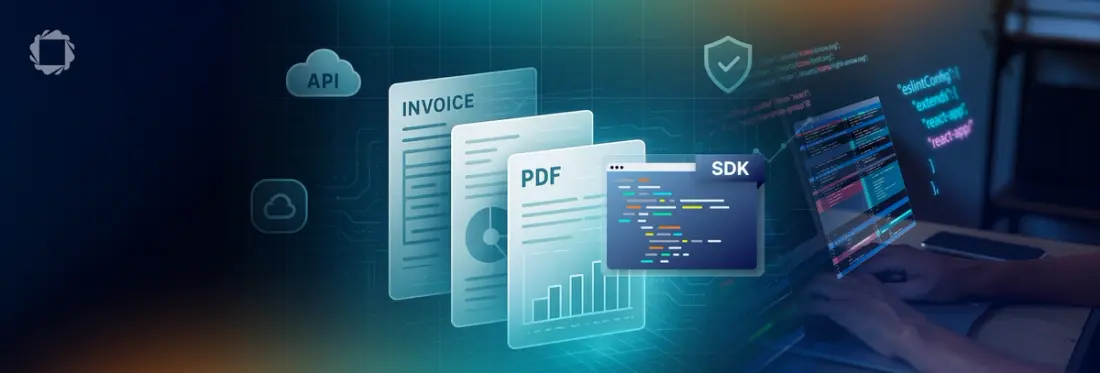
Summary: While a basic PDF library handles simple, single-purpose tasks like viewing or merging PDFs, growing applications typically need broader capabilities, performance at scale, security, and support that open-source libraries and single-purpose APIs do not provide. A full document SDK is built for teams that need embedded, scalable document workflows on one foundation, so you don't have to replatform once your requirements grow past the first release.
When you’re standing up a web app, developers are trying to build required functionality quickly and at a low cost: budgets are still tight, teams are small, and resources are thin. These teams often turn to open-source tools to add PDF viewing functionality, and these libraries work: they give you the basics with simple integration and zero cost.
However, whether you’re a scrappy startup or an established organization building new functionality in a platform with a large existing user base, open-source libraries can become a bit of a monkey’s paw: they’ve granted your wish, but the pain comes later. In the case of document processing functionality, this pain comes in the form of integration hell as you need to add more document capabilities one after another, and the capabilities and dependencies of all the open-source libraries you’ve integrated start to show some cracks. Maintenance grows, user experience suffers, and developers are gently resting their foreheads on the desk.
Basic PDF Library vs. Document SDK: What to Choose?
The best PDF library for your app depends on how far your document requirements are going to grow, not on how they start. While a basic library renders a document and handles one or two operations well, a document SDK covers the full range a growing application eventually needs: viewing, annotation, editing, redaction, security, and accessibility, from a single license.
The table below breaks down the three tiers teams typically move through as document requirements expand.
The Three Tiers of PDF and Document Tooling
Document tooling generally falls into three tiers and knowing which one you are in is the first step toward the right decision.
Tier | Option | Best for | Limitation |
|---|---|---|---|
1 | Basic PDF library (open-source, for example, PDF.js, PDFBox, MuPDF) | Simple, single-purpose PDF manipulation: view, merge, split | Limited scale, support, and feature breadth. Your team owns maintenance and vulnerability patching. |
2 | Point API / cloud document API (for example, Adobe PDF Services, AWS Textract, Azure Document Intelligence, Google Document AI) | One specific task like conversion or OCR, fast to prototype | Documents leave your environment. Per-page costs compound at scale. Adding a second task means fragmented workflows across vendors. |
3 | Full document SDK (for example, Apryse) | Embedded, scalable document workflows across web, server, and mobile | Requires more upfront integration planning than dropping in a single-purpose library. |
Basic PDF Library (Open-Source)
PDF.js, PDFBox, and MuPDF are free, source-available, and fine for a basic viewer. PDF.js is the default free web viewer, built into Firefox, and wins the zero-cost use case outright. MuPDF is a proven rendering engine with decades of use behind it.
The limitation shows up once the requirement grows. PDF.js loses fidelity on complex documents, redaction, signatures, and compliance formats like PDF/A and PDF/UA. MuPDF ships as a C-level API with no viewer UI, annotation layer, or forms support, which raises integration cost for anything beyond rendering. All three are single-purpose by design, so a non-trivial workflow means stitching several libraries together and maintaining the glue code between them, with no vendor accountable when something breaks.
For a closer look at the tradeoffs between the two models, check out the article open-source vs. proprietary PDF SDKs.
Cloud Document API
Adobe PDF Services, AWS Textract, Azure Document Intelligence, and Google Document AI get you to a working prototype fast. You call an endpoint, get a converted file or extracted text back, and the vendor manages the scaling behind it. For low or unpredictable volume, pay-as-you-go pricing can make sense.
The tradeoff is what happens once you need more than one capability. Each task, conversion, OCR, extraction, tends to live behind a different vendor endpoint, and every one of those endpoints is a place your documents leave your environment before the workflow finishes. Per-page or per-call pricing compounds at production volume, and none of these four hyperscalers offer an air-gapped or offline option if your compliance posture requires it.
Full Document SDK
A full document SDK puts extraction, redaction, conversion, and signing behind one engine, instead of several vendors glued together with different conditional code paths. The Apryse PDF SDK runs inside your own environment, whether that is your VPC, on-premises, or fully air-gapped. Document content does not route through a third party to get processed.
While Apryse offers a full suite of document processing capabilities, different tools are licensed as separate add-ons, so you’re not paying for a capability such as digital signatures or secure redaction unless you actually need it.
For example, Docaposte moved its document conversion pipeline to Apryse and saw conversions run 16 times faster than its prior setup. Apryse also runs production document workflows for Dropbox, at more than 700 million users, and Egnyte, across 17,000 businesses.
How to Tell When You've Outgrown a Basic PDF Library
For developers, it may be time to recognize that your basic PDF library is no longer enough when one or more of these shows up in your backlog:
- Rendering breaks or slows down on complex or large files your library was not built to handle.
- Your team is maintaining two or more separate libraries stitched together for one workflow.
- The roadmap now asks for annotations, redaction, or e-signatures your current library does not support.
- A compliance requirement shows up, such as SOC 2, ISO 27001, or a data residency rule your current stack cannot meet.
- Your product needs to render and edit documents consistently across web and mobile, not just one platform.
- Engineers are spending sprint time patching an open-source dependency instead of building product features.
Any one of these on its own might be manageable, but dealing with more usually means the maintenance cost of the current setup has started to exceed the cost of moving to a document SDK.
Best PDF Library for Enterprise Apps: What to Evaluate
Enterprise-grade performance isn’t just for large organizations. When it’s time to migrate from free libraries to a document SDK, evaluate these criteria to get an enterprise-grade solution:
- Performance at scale: How does the solution handle concurrency and large, complex files?
- Feature breadth across the document lifecycle: Does the solution provide viewing, annotation, editing, redaction, and signing from one vendor instead of a different license for each?
- Security and compliance posture: Look for true content redaction , which permanently removes underlying text and image content rather than masking it visually, plus other document security features such as encryption. On the vendor side, look for independent certifications like SOC 2 and ISO 27001.
- Support and SLAs: Does the vendor offer a dedicated point of contact for open issues?
- Deployment control: Can the SDK run on-premises, in your VPC, or fully air-gapped, or does it require routing documents through a vendor's cloud?
- Licensing model: Does the vendor license cover the full feature set, instead of a separate product and a separate contract for each platform or capability?
PDF SDK vs. API: Avoiding Fragmented Workflows
An API service solves one task well, but problems can start when the second task arrives. Conversion from Adobe, OCR from AWS Textract, and extraction from Azure Document Intelligence means your application accumulates a different conditional code path for every provider, plus potentially a whole new data residency questionnaire to answer during procurement processes.
Check out the article, A Developer’s Guide to Reducing Dependencies to learn more about vendor consolidation.
Apryse consolidates that surface area into a single solution. Office-to-PDF conversion, full-text search across a searchable PDF, redaction, and signing all come from the same engine and the same license, so adding a capability is a configuration change rather than a new vendor integration. That consolidation is also what keeps document content inside your own infrastructure instead of routing it through several third parties to complete one workflow.
Migrating From a Library To an SDK: What It Actually Costs
The concern teams raise most often is the cost of moving later, after the app has grown around the library's limitations. That cost is real, but so is the cost of staying on a basic library past the point it fits: slower rendering, an inconsistent user experience, and engineering time spent on patching instead of product work.
Let’s look at a real example: Blue Voice built its first version on an open-source React PDF viewer. As the product scaled across police departments, maintaining that PDF functionality started consuming engineering time that the team wanted to spend on its core product instead. After moving to Apryse, according to CTO and co-founder Amit Patankar, "the product felt more polished, our users immediately noticed the difference, and our team could focus on building Blue Voice instead of maintaining a PDF viewer."
For a closer look at what the maintenance side of that decision costs over time, read the article The Hidden Costs of Choosing the Wrong PDF Library. If you are ready to compare specific SDKs against your requirements, the Document SDK Buying Guide walks through how to evaluate and buy one.
What’s Next for Your Team?
Whether you use an open-source document processing library today, or are still planning your project, you can try all Apryse capabilities in a test environment instantly (without needing to talk to sales) by starting your trial. When it’s time to use Apryse in production, contact sales to get licensing that fits your needs.
FAQ
What is the best PDF library for an enterprise app?
The best PDF library for an enterprise app is usually not a basic library at all. Enterprise apps typically need viewing, editing, redaction, and security together, which points toward a full document SDK, like Apryse, rather than a single-purpose library.
When do I need adocument SDK instead of a basic library?
You need a document SDK once your app requires more than one document capability, needs those capabilities to share state, or needs document content to stay inside your own environment for compliance reasons. Apryse offers viewing, editing, redaction, and security together, along with premise-based deployment options.
What is the difference between a PDF SDK and a PDF API?
A PDF SDK is embedded directly in your application and runs in your own environment. A PDF API is typically a cloud endpoint you call for a single task, which means documents leave your environment, and multiple tasks mean multiple vendor integrations.
Is an open-source PDF library good enough for production?
An open-source PDF library works well for simple, single-purpose tasks like viewing or merging. It becomes harder to justify once you need broader features, vendor accountability for security patches, or support beyond a community forum.
How much does it cost to migrate from a library to an SDK later?
The migration cost depends on how much the application has grown around the library's limitations. Teams that wait until rendering issues, maintenance load, or compliance gaps are already affecting users typically face a larger migration than teams that move earlier.