Isaac Maw
Technical Content Creator
Published May 20, 2026
Updated May 26, 2026

5 min


Open-Source vs Proprietary PDF SDKs: How to Choose for Your Project
Isaac Maw
Technical Content Creator
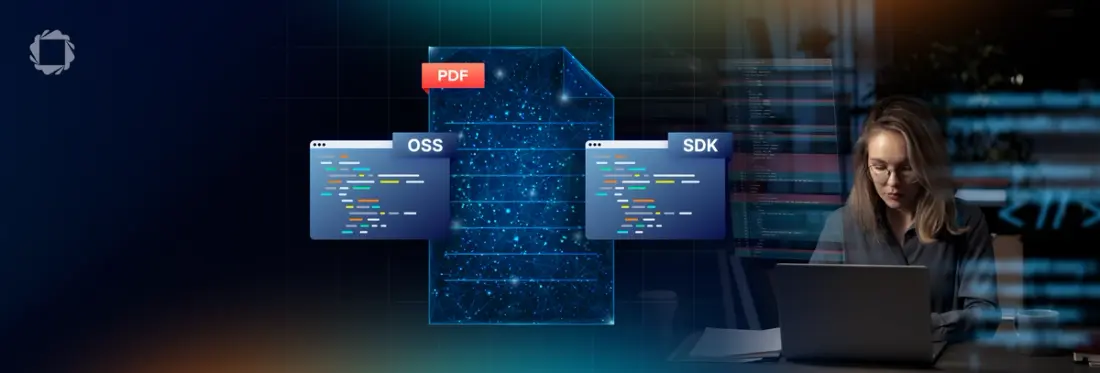
Summary: While Apryse offers a full-featured proprietary SDK to handle end-to-end document processing workflows, the world of open-source libraries support a variety of PDF tasks, from viewing to conversion. In this article, we unpack situations where open-source may be the right choice, and where licensed technology offers best results.
Should your engineering team choose an open-source library or a commercial SDK (like Apryse, for example) to meet the document processing requirements of your application?
While commercial SDKs offer benefits such as:
- More polished, better UX
- Proven reliability and security
- Simplified integration
- Extensive suite of capabilities
However, these benefits come at a cost—namely, a license cost. For smaller startups, single-dev projects and other limited budgets, commercial SDKs may not be in the cards. But even with an unlimited budget, it may not make sense to purchase a product when free, open-source code is available that meets the same specific need.
For example, PDF.js Express is based on PDF.js, an open-source JavaScript PDF library. Customers can get viewing capability for free, but additional features like annotations and digital signatures are available in paid pricing tiers. If all a project needs is a basic viewer, the free tier is perfect. When it’s time to expand, the cost of managing and maintaining multiple open-source libraries often leads procurement teams to consider commercial solutions.
For developers procuring an SDK, what’s the best way to decide between open-source and commercial SDKs based on use case? Let’s find out.
The Open-Source Document Processing SDK Landscape
Project | Primary Language / Ecosystem | Best At | Weaknesses / Tradeoffs | Maintainer Health |
|---|---|---|---|---|
PDF.js | JavaScript / Browser | Browser-native PDF viewing and rendering; embedded web viewers; annotation rendering; Firefox integration | Not ideal for heavy server-side PDF generation/editing; complex internals for advanced manipulation | Excellent — Mozilla-backed, very active releases and contributors, integrated into Firefox ecosystem |
Apache PDFBox | Java | Open-source Java PDF manipulation; text extraction; document splitting/merging; accessible Apache licensing | Rendering fidelity can struggle on advanced layouts and complex generation workflows | Healthy — Apache Foundation governance gives strong sustainability and consistent releases |
PyPDF (pypdf) | Python | Simple PDF merging, splitting, metadata edits, lightweight extraction in Python workflows | Limited rendering/layout intelligence; slower for large-scale processing; not ideal for pixel-perfect generation | Healthy community OSS — active GitHub maintenance and broad Python adoption, though smaller core team |
pdf-lib | Node.js / TypeScript | Lightweight PDF editing/generation directly in browser or Node; filling forms client-side; no native dependencies | Limited advanced PDF compliance/rendering features; not enterprise-oriented | At risk— original repo has been dormant since November 2022, but still widely adopted in modern JS stacks. Most development has shifted to community forks |
QuestPDF | C# / .NET | Modern fluent API for generating beautiful reports/invoices in .NET; developer ergonomics; layout-first document generation | Focused on generation rather than full PDF editing/parsing; not ideal for low-level PDF internals | Very healthy for its size — highly active development cadence and strong .NET community engagement |
The Commercial Document Processing SDK Landscape
Vendor | Core Capabilities | Licensing Model | Weaknesses / Tradeoffs |
|---|---|---|---|
Apryse | Highest fidelity rendering and document manipulation from proprietary engine that serves end-to-end document processing: viewing, editing, annotation, conversion, OCR, forms, redaction, Office conversion, low-level PDF APIs, with Web, Server, Desktop, and mobile support from a unified SDK | Commercial licensing with optional add-ons, allowing customers to license only what they need. Free trial available. | Can be an expensive entry point for small teams or use cases; while customers license what they need, base packages could license unneeded surface area; heavier package than lightweight OSS libraries |
Nutrient | PDF viewing/editing, annotations, signatures, OCR, AI/document workflows, modern Web, Server, Mobile SDKs | Commercial subscription licensing with platform-specific SDK licenses and enterprise contracts | Separate engines for each platform; PDFium based web rendering has fidelity ceiling on complex documents; UI is only customizable via APIs, can’t be forked like OSS or other commercial solutions |
Foxit | PDF SDKs for viewing, editing, rendering, forms, signatures, conversion, desktop/server/mobile APIs | Commercial licensing with per-platform, subscription, OEM, and enterprise deployment options | Low level of support compared to their end-user products; documentation depth and developer-facing examples are a recurring pain point for SDK customers; less UI/cusotmization flexibility than others; infrequent updates |
Aspose | Broad document-processing APIs beyond PDF: Word, Excel, PowerPoint, CAD, email, OCR, imaging, conversions | Commercial per-developer and metered licensing; product-family bundles available | Less polished interactive viewing/editing UX; developer experience varies between product lines; large API surface can feel fragmented |
Syncfusion | UI component suite plus PDF library, Office document processing, reporting, conversion, forms, digital signatures | Commercial licensing with inexpensive “Essential Studio” bundles and community/free tiers for small companies | PDF stack is capable but generally not considered top-tier for rendering fidelity or advanced enterprise PDF edge cases; strongest mainly in Microsoft ecosystem |
Understand Open-Source vs Commercial Document Processing SDK Trade-offs
While Apryse offers SDKs that support the end-to-end document lifecycle, our solutions are modular, with certain features offered in core SDKs with additional functionality available as add-ons. However, simple or minimal use cases may be fully served by a single open-source library.
Open-source SDKs deliver the best results for teams that prioritize low costs (including free) and the open-source ownership philosophy, in addition to nuts-and-bolts customization.
Commercial SDKs are strongest when teams prioritize delivery speed, fidelity and performance, compliance, support, and operational stability.
To determine the best approach for your project, consider:
- License cost vs developer time: While commercial licenses include ongoing costs, these must be evaluated vs the engineering cycles needed to integrate free libraries.
- Feature breadth out-of-the-box: To support a document workflow that includes multiple document processing steps, such as PDF creation, viewing, conversion and annotations, multiple disparate libraries may be needed, leading to dependency struggles and extensive integration projects. With Apryse SDK, all these features are available under one umbrella, plug-and-play.
- Rendering fidelity: commercial SDKs are designed to meet edge cases and provide polished results, while open-source libraries don’t always measure up.
- Security cadence: With a commercial vendor rolling out regular patches, vulnerabilities and CVEs are addressed. Open-source libraries often have excellent community support, but this may not be sufficient for your needs.
- Support: Similar to the above point on security, the community support of some open-source libraries is sometimes highly detailed and useful, but others fall short, especially with smaller communities and as tools age. Commercial SDKs like Apryse offer human technical support, in addition to published documentation and sample code.
- Vendor Lock-In: Vendor lock-in can be a concern when entering long-term vendor partnerships, but in the realm of document processing, the standard formats used (PDF, DOCX, JSON for example) limit the risks of vendor lock in. This includes Apryse and other commercial PDF SDK vendors.
Real-World Use Cases
Let’s illustrate a few use cases in which developers choose between open-source and commercial PDF SDK options:
A team is building a SaaS tool that occasionally needs to display PDF previews. No additional document functionality is planned on the roadmap.
In this case, because the requirements are easily met by simple open-source tools like PDF.js, and no additional PDF functionality is planned on the roadmap, a commercial SDK may be overkill.
I’m building a web platform that helps paralegals manage documents, and I am building a redaction tool in the platform.
In this case, the stakes are high, considering the legal compliance requirements and risks surrounding secure redaction. With a commercial SDK, this developer can build secure redaction and leverage other built-in SDK features to improve document viewing and more.
I’m adding PDF Generation to my CRM platform, so users can create invoices.
This case depends on the specific requirements. For simple documents, a library like PDF-Lib may be sufficient for programmatic generation. With Apryse, however, developers could support better looking PDFs, customizable templates, and an accessible UX for document creation.
FAQ
Q: What’s the difference between an open-source PDF library and a commercial PDF SDK?
A: Open-source PDF libraries are often ideal for basic use cases like viewing, splitting, or simple PDF generation, while commercial SDKs support advanced workflows such as annotations, OCR, redaction, Office conversion, and enterprise-grade rendering. Apryse SDK provides an end-to-end document processing platform with web, mobile, and server support for teams that need scalability, reliability, and long-term support.
Q: When should developers choose a commercial PDF SDK instead of open-source tools?
A: A commercial PDF SDK is typically the better choice when projects require advanced functionality, high rendering fidelity, compliance features, security updates, or dedicated technical support. Apryse SDK helps reduce integration complexity by offering PDF viewing, editing, conversion, annotations, and redaction within a single unified platform.
Q: Can Apryse SDK replace multiple open-source PDF libraries?
A: Yes. Many development teams use multiple open-source libraries to handle separate tasks like PDF viewing, generation, annotations, and conversion, which can increase maintenance overhead and compatibility issues. Apryse SDK consolidates these capabilities into a single modular solution that supports the entire document lifecycle across web, mobile, and backend applications.