TL; DR
To get things done with documents, users need them in the right formats. From feeding your LLM training data to distributing CAD drawings across project stakeholders, to just trying to put content from a PDF into the body of an email, providing a robust set of file conversion capabilities makes your application more useful and supportive of your users, keeping them in the platform longer and boosting adoption.
Read this comprehensive guide to understand what Apryse offers when it comes to document conversion, why it matters, and how your team can get started, including:
Supported formats
PDF/A
Text Extraction and automation

Why is File Conversion Needed?
Document conversion is an essential capability for a wide range of workflows and use cases. Different file types are useful for different purposes, and conversion allows users to work with documents in the format that best fits their needs. However, without file conversion capability built into your software solution, users are left seeking conversion capabilities elsewhere. This leads to document security and compliance issues, version control problems, inefficient workarounds and poor adoption of your platform. Build robust, accurate conversion into your platform with Apryse SDK.
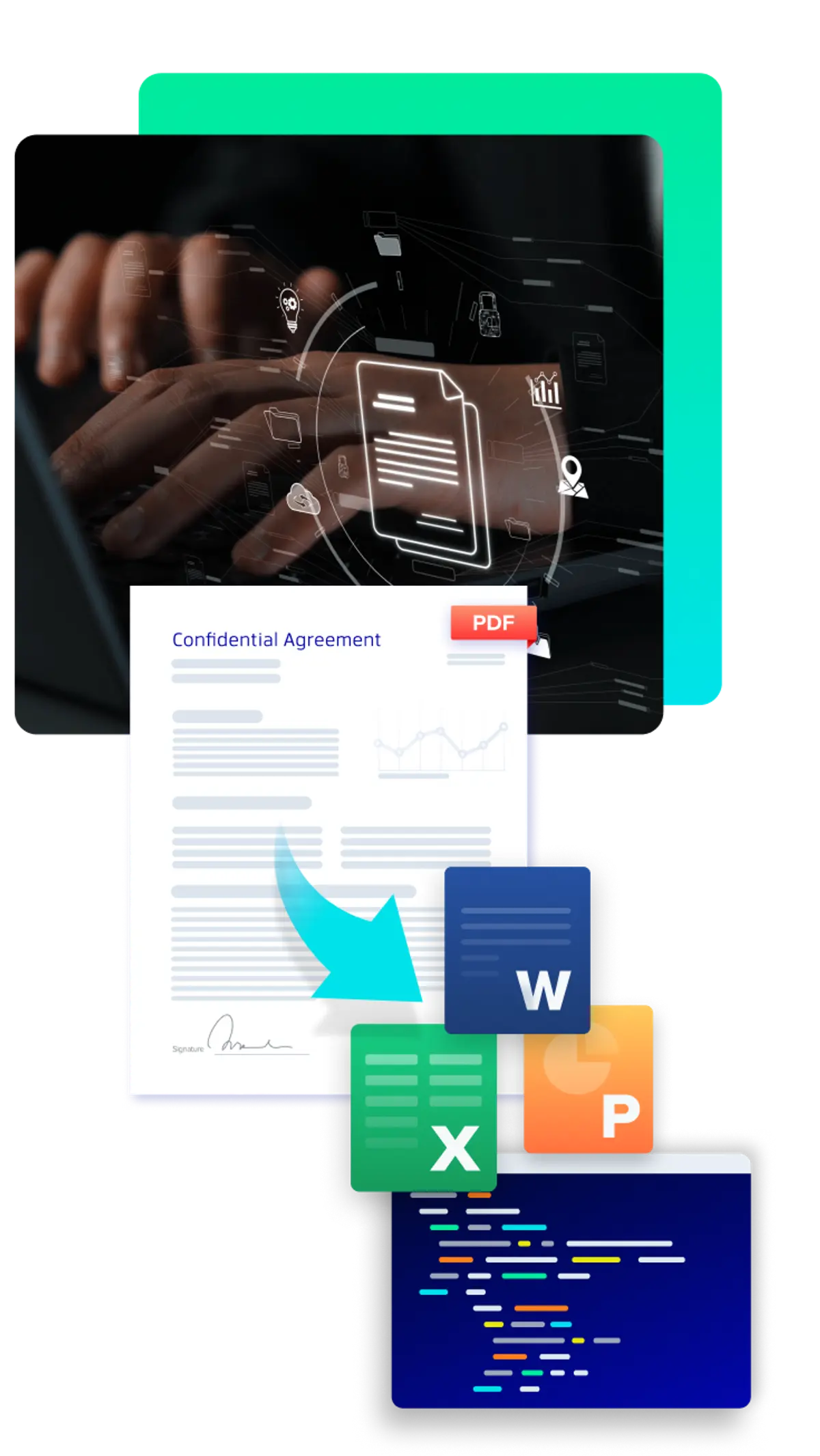
Built-in Conversion Enables:
Streamlining automation and document processing such as for redaction, data extraction, and archiving workflows
When documents need to be securely signed, redacted, published or archived, PDF is the format of choice. Whether these workflows are automated or done manually, PDF conversion is the first step.
Apryse supports PDF conversion from MS Office file types, images, CAD and more. Conversion can be done programmatically to support workflow automation.
Eliminate insecure and costly external tools
PDF stands for “Portable Document Format” and is designed to be universal, usable without any special software licenses. This is why it's especially relevant for the Architecture, Engineering and Construction industries, where technical drawings are converted to CAD to enable users without expensive and resource-intensive design software. Faithful, accurate rendering of detailed drawings through the conversion process is essential to make this workflow possible.
Enhance productivity for users
Lack of conversion capability can be a bottleneck when a non-editable document format needs to be edited, such revising a contract, updating a policy or changing the address on company letterhead. Conversion from PDF to DOCX, XLSX or PPTX makes these workflows fast and headache-free.
Secure documents with encryption, password protection, and permissions control of PDF format
In addition to polished presentation, PDF includes document security features such as encryption, password protection and permissions control. For example, an image file can’t be password protected, so conversion to a PDF can streamline and secure workflows for a wide range of use cases.
Why Offer Built in Conversion Capability?
Conversion capability is essential for numerous document workflows. When users can’t complete conversion processes inside an application, they must use another tool. This could include:
Desktop applications
requiring inefficient and time consuming downloading, saving locally and ad-hoc sharing workarounds such as via email
Free online tools
opening users up to security and data privacy breaches, noncompliance and cybersecurity risks, as well as poor results, such as broken formatting and data loss
Costly Saas subscriptions
reducing the value, efficiency, and adoption of your platform.

The Best Conversion SDK for AI Use Cases
LLM and AI training requires large sets of document data, but these systems may not be equipped to deal with a wide range of document formats. Programmatic conversion to a single format, such as PDF, preserves non-textual information such as layout, formatting and tables, and preps files for additional processing such as OCR and Smart Data Extraction.

Best CAD-PDF Conversion SDK for AEC Workflows
Architects, engineers, and construction teams work with CAD files every day, but sharing and reviewing those files can be a challenge when stakeholders use different tools. Converting CAD drawings to PDF makes them easy to view, share, and archive without losing important details like layers, dimensions, and annotations. Our SDK lets you automate CAD-to-PDF conversion at scale so you can keep projects moving with consistent, accessible files. Standardizing on PDF also makes it easier to add markups, manage versions, and apply digital signatures, which are key steps for collaboration and compliance in AEC projects.
Conversion Capabilities with Apryse
Our document conversion allows developers to convert the most popular formats using a simple API. With the highest quality output, we preserve the text, vector graphics, hyperlinks, colors and fonts with high fidelity. Universal file conversion powered with the next-generation XPS printer driver on Windows allows conversion from any printable document to PDF, PDF/A, SVG, and other formats. The Apryse conversion capabilities are detailed in this helpful guide.
PDF - Microsoft Office - PDF Conversion
Directly convert Word, Excel, PowerPoint, and Email documents to PDF and back to Office on any platform or browser securely, without external dependencies. With the addition of DocX Editor in WebViewer, users can edit PDF content, tables, text, or images as Word files.
Show Me
PDF - HTML - PDF Conversion
Directly convert PDF files into static web pages then reflow the content to adapt to the browser you choose. Then directly convert HTML to PDF from a file, string, or URL while controlling page size and formatting.
See Sample Project
PDF - Image - PDF Conversion
Directly convert PDF pages or elements into PNG, JPEG, TIFF, BMP, and RAW files. Support complex documents with overprint, transparency, blending, spot colors, and custom color profiles.
Batch Convert
PDF/A Conversion and Validation
Directly convert or validate any PDF into an ISO compliant PDF/A 1, 2 or 3. Information loss is minimized by applying necessary changes only, outputting a report for each change.
Learn More
CAD to PDF Conversion
Apryse SDK supports a wide range of CAD formats, including DWG, DXF, RVT and more, ensuring accurate conversion without the need for access to the original design software.
Read an AEC Case Study
PDF to Text Conversion
Directly extract text and tables from any PDF as Unicode or structured XML.
See How
PDF to JSON for Data Extraction
Automatically convert content elements and structure to JSON or XLSX with leading accuracy, and at scale, enabling AI or automation use cases.
Watch the Demo
PDF – XPS - PDF Conversion
Directly convert PDF files as visually identical XPS documents, to create smaller documents that print quickly and reliably, or preserve content accurately.
XPS Conversion Guide
PDF - SVG – PDF conversion
Transform a PDF into vector graphics for web or design purposes, preserving original formatting, layout, hyperlinks, colors, images, and fonts. SVG renders documents identically across browsers, devices and platforms.
Learn More
DICOM to PDF Conversion
Handle the requirements of Digital Imaging and Communications in Medicine (DICOM) files, converting to PDF while preserving all the detail from the original.
More about DICOM Conversion
Specific Apryse SDK Conversion Utilities
Low-Code Platform Integrations
Build secure document viewing, editing, signing, and collaboration capabilities directly into your Enterprise eco-system, without data ever leaving the platform.


Build Beyond Conversion with the Apryse SDK
Conversion is available as part of our Web SDK and Server/Desktop SDK, allowing developers to provide conversion capabilities client-side or server-side. Check out our documentation to learn what formats WebViewer supports, and what the Server SDK can do. The Apryse SDK does more than conversion. Complete the workflow with these Apryse SDK capabilities.
Choosing a Document Conversion SDK:
Developer Considerations
Ease of Use
Developers value SDKs that minimize complexity. Apryse SDK offers intuitive APIs and clear documentation, reducing the learning curve and enabling teams to integrate document conversion quickly without wrestling with unnecessary overhead.
Robust API
A strong API means flexibility and reliability. Apryse provides a comprehensive set of conversion features that handle edge cases and complex workflows, ensuring developers can build scalable, production-ready solutions without patchwork fixes.
Sample Code
Time is critical for developers. Apryse includes extensive sample projects and code snippets, allowing teams to jumpstart development, especially compared to custom-built solutions.
Frameworks and Languages
Compatibility matters. Apryse SDK supports a wide range of programming languages and frameworks, from Java and .NET to Python and Node.js, so developers can work in their preferred environment without sacrificing functionality.
Choosing a Conversion SDK Vendor:
Strategic Considerations
Security
Enterprise-grade security is non-negotiable. Apryse SDK ensures compliance with industry standards and offers on-premise deployment options, giving organizations full control over sensitive data and reducing risk exposure.
Extensibility with Other Apryse Capabilities
Future-proof your investment. Apryse’s modular platform allows seamless integration of additional capabilities—such as viewing, editing, and e-signatures—so you can expand functionality without switching vendors.
Low-Code Platform Integrations
Accelerate innovation without heavy development costs. Apryse integrates with popular low-code platforms, enabling teams to build document workflows quickly and efficiently, even with limited technical resources.
Faster Time to Market, Lower Developer Overhead
Speed matters for competitive advantage. Apryse’s intuitive SDK and robust documentation reduce development cycles and minimize engineering overhead, helping you launch products faster while controlling costs. And because Apryse supports our products with quarterly releases, you're supported into the future.