Case Study: See how Formable built DOCX redlining with Apryse in two months

PDF to HTML Conversion

Convert HTML to PDF and PDF to HTML

The Apryse Server SDK converts HTML to PDF, from a URL or an HTML string. It also converts PDF to HTML, either as an exact page match or as reflowed text. Both run on your own servers in the language of your choice.

Convert in Either Direction

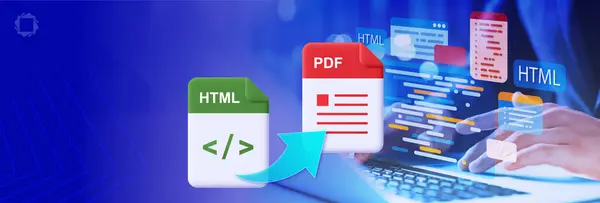
The Server SDK converts HTML to PDF and PDF to HTML in your backend. Use HTML to PDF to turn web content your app already builds into documents. Use PDF to HTML to publish existing PDFs on the web.

Sanity Image
Sanity Image

HTML to PDF: Render Web Content as Pages

The HTML2PDF module loads HTML from a URL or a string and renders it to PDF with a headless Chromium engine that supports modern CSS and JavaScript. You set the page size, margins, headers, and footers. Each conversion runs in its own isolated process, with no stored cookies, site data, or cache.

Sanity Image

PDF to HTML: Match the Page

Each element keeps its original position, so the HTML looks like the PDF. Links can carry over. The docs call this output fixed position.

Sanity Image

PDF to HTML: Fit the Screen

The content becomes flowing text that adapts to any screen width, with images embedded. The docs call this output full reflow.

HTML to PDF is One Step in a Larger Document Pipeline

Generating the PDF is usually the first step. In the same Server SDK process, you can convert the output to PDF/A for archiving, encrypt it, or apply a digital signature before your app stores or sends it. That’s one SDK to initialize, deploy, and patch, not several libraries.

Sanity Image

Common Uses for PDF/HTML/PDF Conversion

Show PDFs as Web Pages

Serve statements, reports, and manuals in your portal as HTML that matches the original layout.

Make PDFs Readable on Phones

Convert long documents to text your users can scroll, without pinching and zooming.

Send PDF Content to Search and Parsing

Give your search index or parsing code HTML text instead of positioned page fragments.

Generate PDFs from HTML Templates

Render invoices, statements, and reports from the HTML your app already produces.

Getting Started

Copied to clipboard

All three conversions run under a Basic Conversion add-on license, and trial keys include add-on modules during evaluation. HTML to PDF needs the HTML2PDF module in your SDK directory, and full reflow needs the Structured Output module. Fixed-position PDF to HTML needs nothing else. On Linux, install the HTML2PDF shared library dependencies before your first conversion. See the PDF to HTML guide and the PDF2HtmlTest sample for the call in each language.

Apryse Server SDK
HTML to PDF: platforms
Windows, Linux x64, Linux ARM64, macOS. On Azure App Service: Linux only
Where it runs
Your infrastructure: on-premise servers, cloud VMs, Docker and Kubernetes, AWS Lambda, air-gapped environments
Fixed Width: Platforms
Windows, Linux, macOS
Full reflow: platforms
Windows, Linux x64, Linux ARM64, macOS
Not supported
In-browser conversion, Windows on ARM, ARM 32-bit
Languages
Works in C++, C#, Java, Python, Node.js, PHP, Ruby, and Go.

HTML Conversion FAQs

Point the HTML2PDF module at a URL or pass it an HTML string, then convert into a PDF document. The module is an add-on download. The HTML to PDF guide shows the call in C++, C#, Java, Python, Node.js, PHP, Ruby, and Go.

Yes. The HTML2PDF module uses a headless Chromium engine, so it renders modern CSS and runs JavaScript before conversion. You also control page size, margins, headers, and footers.

Each conversion runs in its own isolated process and stores no cookies, site data, or cache. On Windows and macOS, the Chromium sandbox is on by default, so leave the sandbox and compatibility options at their defaults. Local files opened through file:// can reach anything the process has permission to read. To restrict that, serve your source HTML from a local static web server instead.

Call the Apryse Server SDK conversion API with an input PDF and an output path. Fixed position is the default engine. Set the content reflow option to full reflow to switch engines. The PDF to HTML guide shows the call in C++, C#, Java, Python, Node.js, PHP, Ruby, and Go.

Fixed position keeps each element at its original page coordinates, so the output looks like the PDF. Full reflow rebuilds the content as flowing text that adapts to screen width. Pick fixed position for visual fidelity and full reflow for responsive reading or content parsing.

Yes. Both engines require a Basic Conversion add-on license. Full reflow also needs the Structured Output module installed. Trial keys include add-on modules during evaluation.

No. PDF to HTML runs on the Apryse Server SDK only. To display PDFs in a web app without converting them, use the Apryse Web SDK. WebViewer renders PDFs client-side.

Yes, with your own orchestration. Each conversion is independent, so you can process files one after another, one per thread, or across processes. The SDK provides no work queue or scheduler. Initialize PDFNet once per worker process and reuse it.

No. The Server SDK runs inside your infrastructure, and document content is never sent to Apryse or any third party. By default, Apryse collects limited usage metadata, such as API call names and page counts. You can request a no-tracking trial key.

HTML Conversion Resources

Sanity Image

Convert HTML to PDF in C# and Java

Sanity Image

Comparing HTML to PDF Conversion Methods

Sanity Image

PDF to HTML in Exact Mode: Why the Little Things Matter

Sanity Image

Convert HTML to PDF in C# and Java

Sanity Image

Comparing HTML to PDF Conversion Methods

Sanity Image

PDF to HTML in Exact Mode: Why the Little Things Matter

Sanity Image

Convert HTML to PDF in C# and Java

Sanity Image

Comparing HTML to PDF Conversion Methods

Sanity Image

PDF to HTML in Exact Mode: Why the Little Things Matter