Isaac Maw
Technical Content Creator
Published January 09, 2025
Updated November 18, 2026

6 min


The Best Barcode SDKs in 2026, by What You Need to Read
Isaac Maw
Technical Content Creator
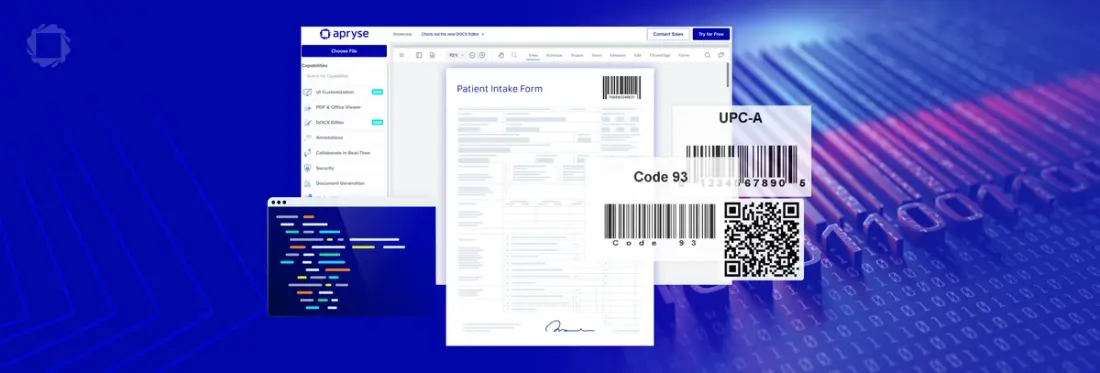
The right barcode SDK depends on what you are reading. For barcodes seen through a camera, on mobile, in the browser, or on warehouse equipment, use a camera scanning SDK such as Scanbot SDK. For barcodes already inside PDFs on a server, compare the Apryse Barcode Extraction Module, Dynamsoft Barcode Reader, IronBarcode, and Aspose.BarCode. ZXing and ZBar are free options when your inputs are clean images.
Barcode SDKs for Camera Scanning: Scanbot SDK
Camera scanning means decoding barcodes from a live video feed or an image, and the Scanbot Barcode Scanner SDK, a barcode scanning SDK for developers, does it on iOS, Android, the web, cross-platform frameworks, Linux, and Windows. Picture a warehouse worker aiming a phone at a pallet label: the decode runs on the device, even when the dock has no signal. Scanbot SDK, part of Apryse, is a separate product from the Apryse Barcode Extraction Module, with separate licensing. Try it on Scanbot SDK.
Barcode SDKs for Reading Barcodes in PDFs on a Server, Compared
Barcode SDKs for reading barcodes in PDFs on a server split on four decisions: how the SDK takes a PDF, where it runs, which languages it supports, and how you pay for it. Say a supplier emails a packing slip at 4:58 p.m., and the barcode on page three has to reach your system by morning. That file lands on a server, not in a camera frame, so the choice runs through the table below. The Apryse Barcode Extraction Module leads it, followed by three commercial SDKs and two free decoders.
SDK | PDF Input | Platforms | Languages | Barcode Types | Licensing Model | Best Fit |
|---|---|---|---|---|---|---|
Apryse Barcode Extraction Module | Reads PDF pages directly and returns JSON per barcode. Image files convert to PDF first. | Windows and Linux x64. No macOS, ARM, or 32-bit. | C++, C#, Java, Python, Node.js, Go, PHP, Ruby, and VB. | Smart Data Extraction add-on license. Self-hosted. | PDF pipelines on Windows or Linux servers, including Java and PHP stacks. | |
Dynamsoft Barcode Reader | Reads PDFs in most editions, with no extra license. The JavaScript and mobile editions do not. | 1D, 2D, GS1 DataBar, and postal codes. | macOS, or one vendor across server PDFs and browser or mobile scanning. | |||
IronBarcode | .NET teams that want a one-time purchase or macOS support. | |||||
Aspose.BarCode | Java and PHP editions run on any OS where Java is installed. | Teams already licensed for Aspose.PDF. | ||||
ZXing | Clean images at low volume. | |||||
ZBar | C, C++, Python, and Perl bindings. Java widget. No PHP listed. | Clean images in C or Python pipelines. |
The tradeoffs in one pass: the Apryse Barcode Extraction Module has no macOS build and takes PDFs only, Dynamsoft Barcode Reader and IronBarcode run on macOS, IronBarcode targets .NET alone, and Aspose.BarCode routes PDFs through a second product.
Apryse Barcode Extraction Module, Dynamsoft Barcode Reader, IronBarcode, and Aspose.BarCode for PDF Barcode Extraction
The Apryse Extraction Barcode Extraction Module, Dynamsoft Barcode Reader, IronBarcode, and Aspose.BarCode each read barcodes from PDFs on a server, and each fits a different stack.
Apryse Barcode Extraction Module: PDF Reading in Nine Languages
The Apryse Barcode Extraction Module reads barcodes inside PDF pages and returns JSON for each one, with the symbology type, bounding rectangle, rotation angle, and payload. It reads 100+ barcode types. It runs self-hosted on Windows and Linux x64 through the Apryse Server SDK, with bindings for nine languages, including Java and PHP. Four extraction profiles tune a read for clean sources, poor scans, small barcodes, or natural pictures. Smart Data Extraction add-on licenses the module. It has no macOS or ARM build, and image files must become PDFs first. Follow the how-tos to extract barcodes from PDFs in Python or extract barcodes from PDFs in C#.
Dynamsoft Barcode Reader: PDFs Plus Camera Editions
Dynamsoft Barcode Reader reads barcodes from PDF files in most editions, and its FAQ states that no extra license is required. The JavaScript and mobile editions do not decode PDFs, so PDF reading stays on the server editions, which cover C++, C#, Java, and Python. Its Capture Vision platform list includes macOS, which the Apryse Barcode Extraction Module does not support. Dynamsoft sells an annual subscription with scan-based, device-based, and server-based license options. Dynamsoft fits better when you need macOS.
IronBarcode: A .NET Library with a One-Time License
IronBarcode is a .NET library whose ReadPdf method reads barcodes straight from PDF files, with no page-to-image step. It runs on Windows, Linux, macOS, Docker, Azure, and AWS, and its compatibility list names C#, VB.NET, and F#, not Java or PHP. It reads 30+ formats, including the major 1D and 2D types, and you limit a read to chosen pages and raise the DPI for low-quality barcodes. IronBarcode sells a perpetual license with no recurring fees, so you budget one purchase instead of renewals. IronBarcode fits better when your stack is .NET and you want a one-time purchase, or when you need macOS.
Aspose.BarCode: PDF Scanning Through Aspose.PDF
Aspose.BarCode reads barcodes from images, streams, and files, and its .NET documentation routes PDF scanning through Aspose.PDF, a separate Aspose product, so confirm the PDF path for your edition. The reader detects barcodes at any orientation, returns multiple barcodes from one image, and restricts recognition to image regions. The library supports 80+ symbologies and ships for .NET, Java, Python, Node.js, and PHP. Aspose licenses by developer and deployment location. Aspose.BarCode fits better when your team already licenses Aspose.PDF and wants barcode reading from the same vendor.
When ZXing or ZBar Is Enough for Reading Barcodes, and When It Isn’t
ZXing and ZBar are enough when your inputs are clean images and your volume is low. Both are free and both cover the common 1D and 2D formats: ZXing lists UPC/EAN, Code 39, Code 93, Code 128, Codabar, ITF, QR Code, Data Matrix, Aztec, PDF 417, and MaxiCode, while ZBar lists EAN-13, UPC-A, UPC-E, EAN-8, Code 128, Code 93, Code 39, Codabar, Interleaved 2 of 5, and QR Code.
Neither reads PDFs. ZXing calls itself a barcode image processing library, and ZBar reads image files, video streams, and raw sensors, so a PDF pipeline renders each page to an image first. Both are community-maintained: ZXing is in maintenance mode, with changes driven by contributed patches, and ZBar’s original development stopped in 2012 before a community fork picked it up.
Say you drop ZXing into a prototype, and it reads every sample image. Then a scanned packing slip arrives with a skewed, noisy barcode, and the prototype misses it. See fixing missed barcodes on scanned PDFs for the details.
A commercial SDK pays off when your PDFs are scanned or noisy, when volume is high, and when you want the SDK to take the PDF itself. Compared with an open-source decoder, the choice is a license cost against engineering and maintenance time. The Apryse Barcode Extraction Module, for example, takes the PDF itself, offers a low quality source profile for noisy scans, and returns JSON per barcode, so those pieces are not yours to build.
Frequently Asked Questions About Choosing a Barcode SDK
Which barcode SDK should I use to read barcodes inside PDFs on a server?
The right server SDK depends on your language, platform, and license model, so match those three to the table above. The Apryse Barcode Extraction Module covers nine languages, including Java and PHP, on Windows and Linux x64. Dynamsoft Barcode Reader adds macOS, IronBarcode targets .NET with a perpetual license, and Aspose.BarCode pairs with Aspose.PDF for PDF input.
Is ZXing good enough for extracting barcodes from PDFs in production?
ZXing is good enough when your PDFs render to clean page images and your volume is low, but it decodes images only, so your code renders every page first. ZXing is in maintenance mode, which leaves edge cases with your team. Scanned PDFs with noisy barcodes are where a commercial SDK starts to pay off.
Which barcode SDK should I use for camera scanning on mobile and the web?
Use Scanbot SDK, part of Apryse, for camera scanning on iOS, Android, and the web. The Scanbot Barcode Scanner SDK also covers React Native, Flutter, Capacitor, and .NET MAUI, and it runs on Linux and Windows for camera feeds and images. Setup guides live at docs.scanbot.io.
Get Started
The Barcode Extraction Module docs cover installation, extraction options, and samples for Windows and Linux.
Start a Free Trial to read barcodes from your own PDFs. If you have any questions, the Apryse Community is a great place to get answers.