Garry Klooesterman
Senior Technical Content Creator
Published January 02, 2025
Updated October 13, 2026
5 min
Case Management with Apryse WebViewer and Digital Signatures in Appian
Garry Klooesterman
Senior Technical Content Creator
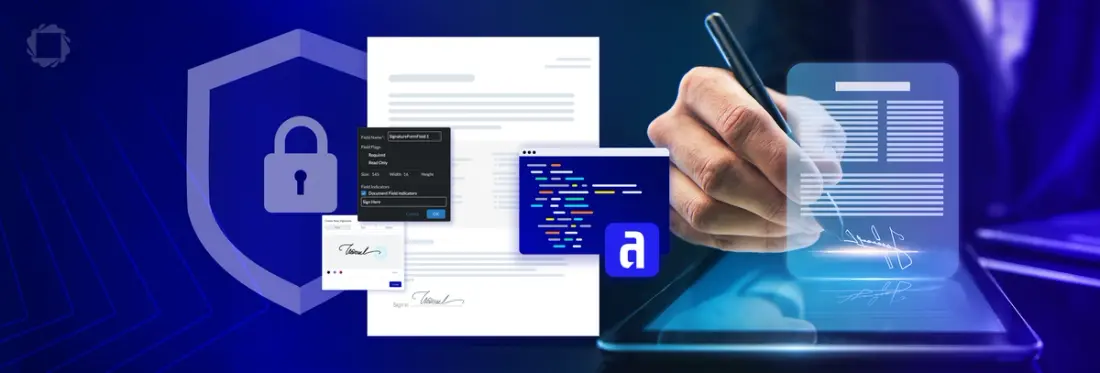
Summary: Appian offers a robust low-code platform for case management, featuring secure digital signature integration that enhances user experience and maintains compliance with industry standards. In this blog, we'll look at the advantages of integrating digital signature SDKs into Appian case management applications.
Introduction
Some case files need more than a name on a line. They need proof of who signed and whether anything changed afterward. A digital signature provides that by binding the signature to a certificate. WebViewer creates and validates digital signatures in the browser, with long-term validation (LTV) and trusted timestamps so a signature stays verifiable for as long as the case record exists.
This blog will explore the advantages of integrating a digital signature SDK into Appian case management applications. We will examine how this integration facilitates approvals, supports compliance, and enhances the user experience, transforming how businesses manage case management workflow with the addition of the Apryse WebViewer SDK.
Appian is a leading low-code platform renowned for its powerful case management capabilities. Appian’s dynamic case management solution enables businesses to build, deploy, and manage custom applications to be integrated into an existing case management workflow with Appian Appmarket plugins. WebViewer runs inside the application that your team builds, so case documents open, render, and get signed in the browser. No document content goes to Apryse servers. The modular UI lets you show only the tools each case type needs, and it supports WCAG 2.2 Level AA.
The Apryse WebViewer plugin for Appian lets your case applications open, annotate, and sign documents without leaving Appian. Digital signatures, redaction, and other Web SDK capabilities run in the same viewer when you need them. Appian still runs the case: routing, approvals, and automations stay in your process models.
Integrating a Digital Signature SDK with Appian Applications
Integrating a digital signature SDK with Appian applications is straightforward using Appian Appmarket plugins, such as Apryse WebViewer plugins for the Apryse WebViewer. To choose the right digital signature SDK, first identify the use case and types of signatures needed, then compare costs, compatibility, and features such as secure APIs and encryption. Once a decision is made, simply enable third-party integration using Appian plugins or REST APIs, connect, and deploy the integration.
Advantages of Integrating a Digital Signature SDK with Appian
Better Workflows: Increasing efficiency by eliminating the need for physical presence or documents, a case management workflow leads to quicker approval and resolution of cases.
Enhanced Security: Ensuring authenticity and document integrity helps your business be compliant with industry standards, such as eIDAS, the ESIGN Act, and HIPPA.
Improved User Experience: Convenience of use to sign from anywhere and ease of use with a user-friendly interface, improves accessibility and increased user satisfaction.
Scalability: Adapts to the businesses’ changing requirements and increasing complexity of case management processes, future-proofing case management workflow.
Wide-ranging Use Cases of Digital Signature Capabilities:
- Legal case management: Securely manage legally binding documents to ensure authenticity and integrity.
- Healthcare: Facilitate signing of documents such as patient consent forms, to improve data security and improve workflows.
- Finance: Ensure data accuracy, compliance, and accelerate approval.
- Government: Facilitate signing and submission, such as licensing, to enhance citizen services delivery.
Apryse WebViewer Plugin Integration into Appian Applications: Allows case managers to use customizable plugins to securely centralize the handling and validation of multiple documents in various file types within the Appian platform.
Appian’s Approach to Digital Signature SDK Integration Challenges
Strong Security and Compliance: Security features and compliance standards are incorporated into Appian’s platform to ensure the secure and compliant use of digital signatures within the application.
Low-code Platform:
- Rapidly Built Integrations: Visual tools and pre-built connectors for custom components and integrations with SDKs minimizing the need for extensive coding. To specifically facilitate the integration of digital signature SDKs, such as Apryse, Appian offers pre-built components and connectors to streamline digital signature integration tasks.
- Simplified Maintenance: Easily update and maintain components and integrations as the business evolves.
Robust Integration Capabilities:
- Smart Services: Reusable components can be interchanged and combined in countless ways, allowing developers to modify a specific component without affecting the entire application.
- Web Services: Allows seamless communication between Appian and the SDK by integrating REST APIs.
- Data Connectors: Connects supported databases to Appian via authentication and connection information.
Community and Support: Developers can find valuable information and support within the Appian Community and support resources to facilitate a successful integration.
Rising to the Challenge: Apryse WebViewer SDK Integration into Appian Applications
While Appian applications offer a solid foundation, Apryse WebViewer is an innovative document processing SDK that integrates with Appian, providing users with customizable, and secure capabilities. By following the instructions for the Apryse WebViewer component and connected system component plugins, users can access all functionalities without any additional steps or applications.
When the Appian WebViewer plugins for the Apryse WebViewer SDK are activated, it enables:
Effortless Integration with Appian: The Apryse WebViewer SDK is designed to seamlessly integrate with Appian’s low-code platform, leveraging Appian’s capabilities to facilitate a smooth interaction between the SDK and case management applications.
Robust Document Processing Capabilities: WebViewer’s customizable document plugins allow client-side viewing, editing, annotating, digital signing, and redacting of sensitive information in various file types within Appian.
End-user Collaboration: Integrating WebViewer ensures seamless teamwork with effective collaboration, such as real-time annotation and review across multiple formats.
Strong Security and Compliance: The Apryse WebViewer SDK incorporates security measures, such as audit trails, to provide secure, client-side processing to help Appian maintain compliance and data integrity to meet regulatory standards.
Customization and User Experience: Adapting to specific requirements across any industry, WebViewer provides a user-friendly and intuitive interface tailored to the case manager’s workflow needs, creating an optimal case management experience.
Conclusion
Appian runs the case. The Apryse WebViewer plugins handle the documents inside it. Install the WebViewer component and connected system plugins, and your case applications can view, annotate, edit, sign, and redact documents without sending users to another tool.
What the Plugins Add
- Document work inside Appian interfaces. Case managers view, annotate, and edit documents in the same interface where they work the case.
- Digital signatures. Sign documents with certificate-based digital signatures and validate existing ones, so reviewers can confirm who signed and whether the file changed.
- Redaction. Permanently remove sensitive text and images before a document leaves the case. Redaction can’t be undone, so build a review step into your process model.
- Client-side processing. WebViewer processes documents in the browser. No document content goes to Apryse servers.
- A UI scoped to the case. The modular UI shows only the tools each case type needs, and it supports WCAG 2.2 Level AA.
Appian still owns routing, approvals, automations, and case history. The plugins cover the document steps in between.
Get Started
Appian already holds your case. The plugins keep its documents there too. Start with the installation guide. Get a trial key at dev.apryse.com. Questions about your setup? Talk to an expert or ask on Discord.