Shirley Gong
Published October 31, 2018
Updated May 18, 2026

2 min


How to Add a Word, Excel, and PowerPoint Viewer to an Android App
Shirley Gong


Adding a seamless Word, Excel, and PowerPoint document viewer to Android apps is easy with the Apryse PDF SDK. No need for a server, Microsoft Office license, or other third-party software.
With Apryse's dependency-free Office-to-PDF conversion, Office files are converted directly to PDF in the client, and then displayed with a PDF viewer. Conversions are accurate and fast, and can be streamed so users see and interact with the document while it's being converted to provide a fast user experience. If you are interested in trying this out for yourself, download our free trial.
Although this tutorial explains how to display Office files in Android (Java and Kotlin), the capability is available on all major platforms through a single unified API, including iOS Office viewer and Xamarin Office viewer.
Stream Conversion for Quick Interactivity
For the best user experience, stream conversion so users see the first few pages almost instantly, and can interact with the viewer while the remaining document is converted.
Here's how to stream and display a local .doc, .docx, .pptx and .xlsx file:
And that's it! Read more about the DocumentActivity class in our documentation.
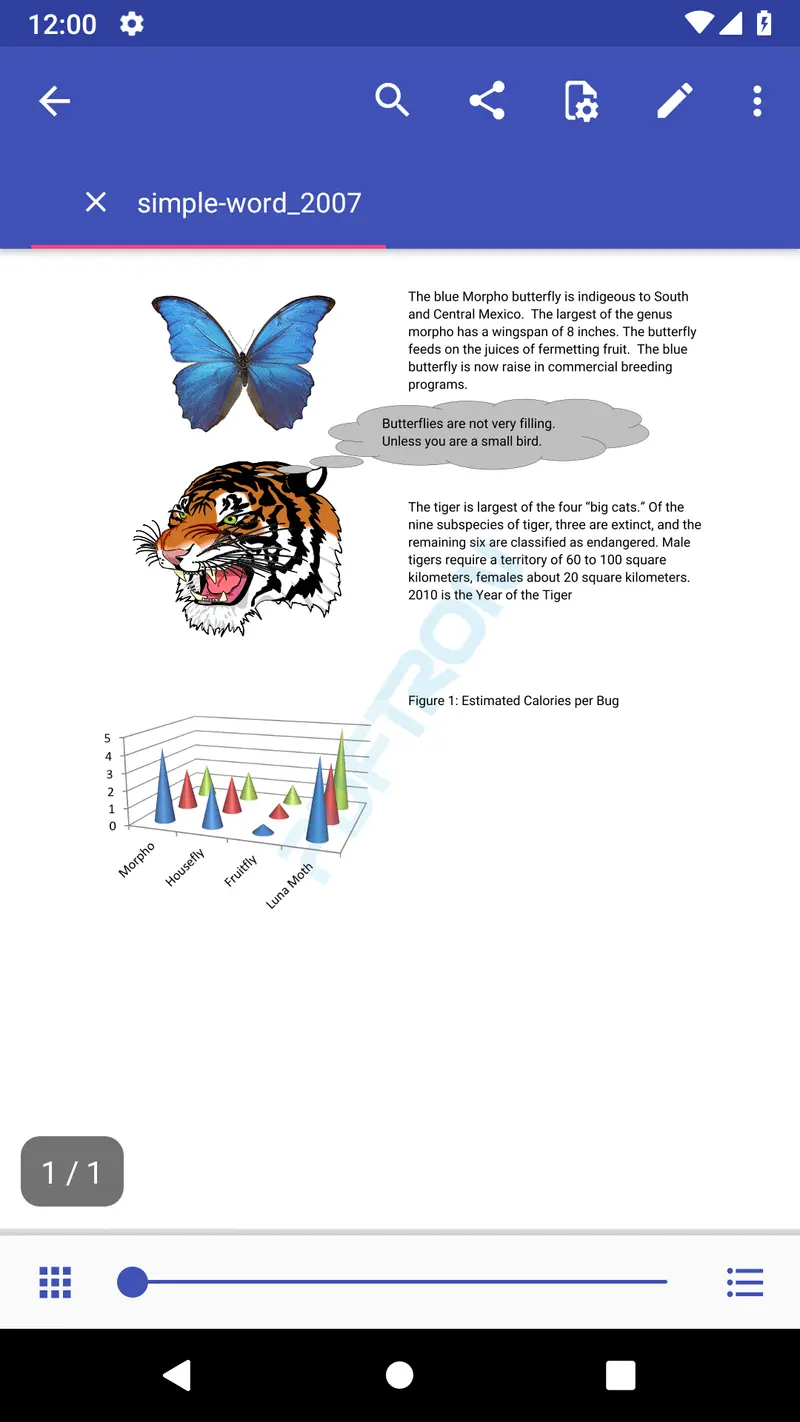
Here's what it looks like:
Convert to PDF Independently
You can also convert Office files directly to PDF separately from viewing, which is useful for batch conversions. Here's how to do that:
Then display the file saved in outPath like this:
Convert Various File Formats
Apryse SDK also converts various other file formats to PDF for viewing, like images (.jpeg, .jpg, .gif, .png, .bmp etc.), markdown (.md) or comic book archive (.cbz). Here's how:
View these converted files in the same way as the PDF.
Add Additional Functionality
For a richer document experience, Apryse’s Android PDF library makes it easy to add more functionality to the viewer:
- Annotation creation & editing
- Multi-tab viewing makes it easy to flip between documents
- A collection of different viewing modes such as one page horizontal swiping, two page horizontal swiping, one page vertical swiping, two page vertical swiping and magazine mode
- Form filling
- Text search
- Advanced navigation to find information quickly through a thumbnail slider, document outline, annotations list, and thumbnail grid
- Page manipulation, including page deletion and rearranging
- Night mode for a more enjoyable viewing experience in dark environments
- System file sharing (such as email or to another app)
- And much more...
Conclusion
Building an Office document viewer in Android is straightforward with the Apryse SDK. To give it a try, download a trial and check out our documentation. If you would like to learn more about implementing PDF viewing directly in Android apps, see our guide on building an Android PDF viewer using Java.
For further guidance, please feel free to check out our comprehensive SDK Buying Guide, or get in touch. The developers who helped build our SDK from the ground up would be happy to walk you through your options.