Isaac Maw
Technical Content Creator
Published June 24, 2026
Updated August 07, 2026


Apryse Answers: Building a PDF Editor/Annotator compatible with React and React Native
Isaac Maw
Technical Content Creator
Summary: Learn how to build PDF annotation and document review workflows in React, React Native, Svelte, and JavaScript with Apryse WebViewer. This edition of Apryse Answers explores real-time collaboration, comments, highlights, and annotation tools while answering common developer questions and demonstrating how to create collaborative document experiences directly within your application.
When users have to leave your platform to complete document workflows, adoption erodes and version control issues proliferate. When it comes to annotation and document review, users that don’t have the tools they need in your platform will turn to email and messages to communicate changes, or load documents into other applications, such as Office 365, to find features like comments or real-time collaboration.
In this final episode of Apryse Answers, we tackle three questions posted on software development Subreddits, and demo the anwers using a demo app custom-built for this video. This is the last episode of the series for now, but if you have any developer questions that you'd like to see answered, please reach out!
You can get the demo code on Github here. To check out the series from the beginning, here's the YouTube playlist.
Let’s get into it:
What Features Enable Document Review Workflows?
With Apryse WebViewer, the Annotations tool allows users to highlight text, add comments, create shapes, and annotate documents directly in the browser. Combined with Real-Time Collaboration, annotations and comments are synchronized across multiple users, making it easy for teams to review and discuss documents together.
Let’s look at the questions tackled in this episode:
Question 1: PDF Editor/Annotator compatible with React and React Native

I'm building an app that needs a feature that allows users to annotate pdf - highlight and comment, both on web version and mobile (React Native and Expo)
Are there existing solutions compatible with both frameworks? If I need to build my own integration with existing libraries, where do I start?
In this Reddit post, the developer is building an app that allows users to annotate, highlight and comment on PDF documents both on web and mobile, and is looking for an SDK that supports both frameworks.
WebViewer supports all mobile browsers, but also supports building mobile apps and web apps from one codebase. Check out the list of supported frameworks to learn more.
Question 2: Running a Highlighter/Annotation Library for Svelte or Vanilla JS

I'm trying to do the following:
- Load any PDF in my app;
- Select some text;
- Right click to open a context menu, then chose between sending the selected text to a store or highlight it and send to a store.
This poster is looking for a library or SDK that has similar functionality to a library called React-PDF-Highlighter. According to the text of the post, selecting text, highlighting it, and choosing from a menu are the requirements.
In WebViewer, highlights are annotations, and you can easily get up and running in Svelte using our documentation.
Question 3: Suggestions for Libraries to Build a Collaborative Whiteboard/Design Tool?

I’m considering creating a design tool similar to Canva or a collaborative whiteboard app where multiple users can work together in real-time, similar to Google Docs. My goal is to include features like team collaboration, chat, and group calls.
Could you recommend libraries or tools to handle things like real-time collaboration, drawing, text editing, and video calls? Any insights on how to tackle this type of project would be super helpful!
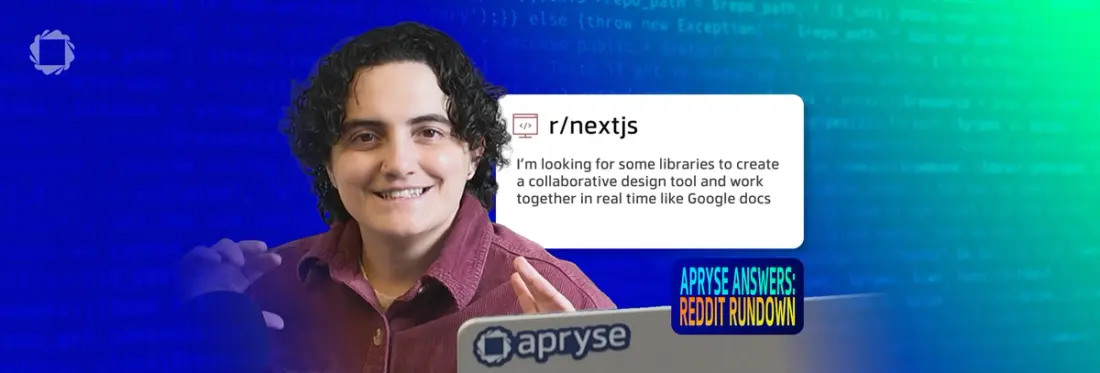
This poster asked in the r/nextjs Subreddit about creating a collaborative whiteboarding tool, where users can edit and design in real time.
Because WebViewer supports different types of annotations that update across users in real time, it can support image review and design notes such as shapes, pen tool annotations, and text comments.
Get Started with Webviewer and Annotations
To try April’s source code on Github, you will need an Apryse trial key.
Annotations are included in the WebViewer base package, but to use real-time collaboration, you’ll need the DOCX Editor add-on. Let’s quickly overview what you need to get started with WebViewer, then point you in the right direction for the add-on if required.
Once you have your trial key, you can choose your integration method from this page in the documentation, according to your required framework or language.
If you’re integrating via NPM, such as for vanilla JavaScript, set up your project by creating a folder and preparing a workspace for your WebViewer application.
In your terminal, go to the directory where you want to create the project.
Create a new project folder and move to it so you can start working with it:
mkdir webviewer-npm-integration
cd webviewer-npm-integration
Initialize your project and generate a default package.json file:
npm init –y Now you can install WebViewer using NPM. This command adds the WebViewer package to your project, allowing you to integrate the PDF viewer and editor into your application.
After navigating to your webviewer-npm-integration project directory, run the following command to install WebViewer:
npm i @pdftron/webviewer Install WebViewer Assets
WebViewer needs access to its static assets at runtime, including WebAssembly modules, HTML, and CSS files. You must copy these assets into the public directory so they can be served correctly. For more, see Copying WebViewer static assets.
1. From your project root, create the public/lib/webviewer directory if it doesn't already exist:
npx --yes shx mkdir -p public/lib/webviewer Copy all WebViewer static assets from node_modules/@pdftron/webviewer/public into the new public/lib/webviewer directory:
npx --yes cpy-cli "node_modules/@pdftron/webviewer/public/**/*" public/lib/webviewerCopy the webviewer.min.js library file from node_modules to the public directory:
npx --yes cpy-cli node_modules/@pdftron/webviewer/webviewer.min.js public/lib/webviewer --flat Your project should now include a similar structure:
Annotations
Annotations allow users to mark up and comment on PDFs without altering the original authors content.
Apryse SDK Benefits include:
- Infinite Undo/Redo
- Support for annotation flattening
- Support for annotation appearances
- XFDF Import
- Export annotations to FDF, XFDF, text, or PDF annotation summary
- Sticky (Note)
- Comments
- Text markup (highlight, squiggly, underline, strikeout)
- Add shapes (line, arrow, polyline, rectangle, ellipse, polygon, cloud)
- Cloud annotations
- Apply freehand ink annotations
- Signatures
- Save the annotations into the PDF file
- File attachments
- Sound, movie, and 3D annotations
- Support for custom annotations
- FreeText, Callout
- TextHighlight, TextUnderline, TextSquiggly, TextStrikeout
- Stamp
- Redaction
Annotation Manager
The main way to access and work with annotations is through the AnnotationManager. Like with the DocumentViewer when using the WebViewer UI, this is also available through the Core namespace and is one of the main objects you will likely interact with.
Fetching a list of annotations in the document can be done via the AnnotationManager. This is done through the getAnnotationsList API. This list is the complete list so it will include link annotations and widgets (form controls).
For more guides and sample code to help you set up annotations, including selecting, grouping, and showing/hiding annotations, visit the documentation.
Next Steps
That wraps up our Apryse Answers series! In the past 5 episodes, our team scoured reddit for questions asked by developers about document generation, DOCX editing, PDF data extraction, conversion, and collaboration. Check out the playlist on Youtube, and if you have any questions about using WebViewer in production, please contact sales. You can also visit the documentation for details on real-time collaboration in the DOCX Editor add-on.