Isaac Maw
Technical Content Creator
Published April 08, 2026
Updated September 29, 2026

5 min


Why use a PDF SDK vs. Puppeteer for Bulk PDF Creation?
Isaac Maw
Technical Content Creator
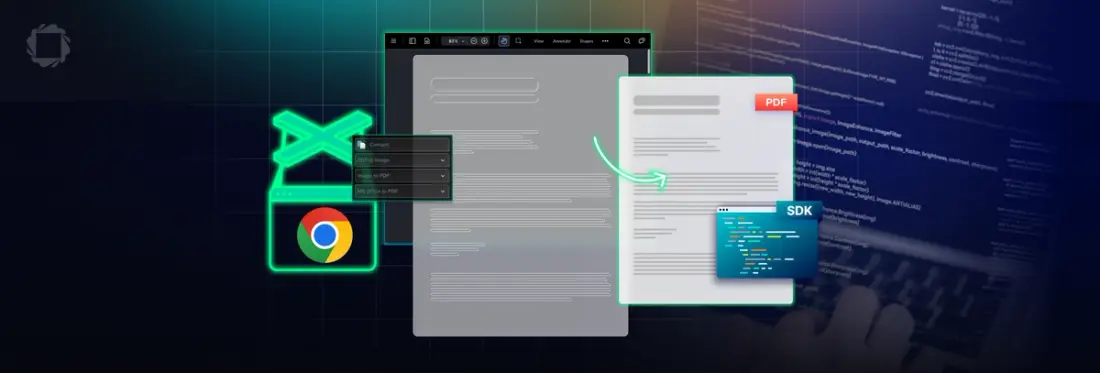
Summary: For developers looking for a document generation solution, using browser automation to 'print to PDF' a HTML document is one possible option. In this article, we explore the advantages and disadvantages of this approach compared to a dedicated PDF SDK.
Google Chrome is a powerful, popular web browser, and it provides an easy way for users to convert page content to PDF via the print tool. With browser automation libraries like Puppeteer or Selenium, it’s possible to automate the process of loading HTML pages, then downloading as PDF. In addition, Headless mode runs Chrome without the UI, allowing it to run in an unattended environment (such as for web scraping).
This workflow is free, relatively simple to implement, and uses familiar tools. But does it produce quality results? Is it reliable and stable? Let’s take a look. For simplicity, in this article we’ll focus on Puppeteer.
Learn more about How To Generate PDF Documents from Dynamic Data in Node.js
For generating dynamic PDF documents, Apryse SDK offers Template Generation, an add-on which uses an Office file (such as DOCX or PPT) as a template and JSON replacement data to generate PDF documents.
Advantages of Puppeteer for PDF Generation
- Easy to Set Up: the tools you need to get started are free, open-source, and familiar.
- Easy to Use: by relying on Chrome’s built-in rendering engine, the work is done for you.
How to Use Puppeteer and Headless Chrome to Generate PDF Documents
Here’s a basic guide to setting up this workflow.
- Generate your document as an HTML file with included CSS.
- Pass the HTML file to Headless Chrome.
- Use Puppeteer to generate the PDF, using the below sample code(replace the file path):
So, now that we understand the basic workflow of this popular, low-cost approach, let’s examine the drawbacks and risks.
Drawbacks and Disadvantages of Using Puppeteer and Chrome for PDF Generation
- Slow: Both Chrome and the Puppeteer library are more than what you need for PDF generation. This workflow starts Chrome, parses your HTML, renders the document and converts it to PDF. This takes much longer than a dedicated PDF generation library. Just launching Chromium can take anywhere from 300 to 800 milliseconds before it’s even ready to begin rendering the page.
- Memory usage: Chrome is notoriously memory hungry. While Headless mode uses less, it can still create problems. With large, multipage documents, these memory requirements may increase rendering times or trip log messages. If your page includes large images, multiple fonts, or interactivity, memory usage can easily surpass 500 MB.
- Unpredictable results: an update or change to Chromium or HTML can break your workflow or produce unpredictable results, sending you back to debugging.
Check out the great article, Puppeteer Isn’t Meant for PDFs — Here’s Why by Anup Singh on Medium for a comprehensive look at drawbacks of this Puppeteer approach.
Why Apryse SDK Delivers Better Results for PDF Generation
For PDF generation, Apryse SDK provides the most stable, scalable and low-maintenance solution. It’s extensible for advanced features such as digital signatures, annotations, and all the other features of the Apryse Server SDK.
| Apryse Template Generation SDK | Headless Chrome (Puppeteer + HTML) |
|---|---|---|
Core Model | Structured, data-driven templates rendered directly to PDF | HTML/CSS rendered in a headless browser and printed to PDF |
Runtime & Setup | Lightweight SDK, no browser dependency | Requires Chromium/Chrome and Puppeteer |
Layout Reliability | Deterministic, print-optimized layout | Can vary based on CSS, fonts, and browser behavior |
Performance & Scale | Faster and more predictable at high volume | Slower, higher memory/CPU overhead |
PDF Features | Native support for forms, tagging, accessibility, PDF/A, security | Limited to Chrome’s print-to-PDF capabilities |
Apryse SDK allows developers to create a professional, polished document template in an Office document format, such as DOCX. This allows creation of documents from dynamic data using simple text replacement from JSON.
Apryse Document Generation: Getting Started
To get started, you’ll first need to set up Apryse Server SDK using the Node.js integration. Instructions for getting started can be found in our documentation. You can also watch the tutorial video for step-by-step instructions for using Apryse SDK in Node.js:
Using Template Generation
Apryse's office template generation framework enables the dynamic generation of PDFs:
- You provide a template in the form of an Office document (such as .docx)
- You provide replacement data in JSON form
- Apryse SDK will efficiently generate a PDF by merging the data with the template
- Fully featured, with support for loops, conditionals, images, table generation, etc.
The generation framework requires minimal code to get up and running. Simply initiate a normal Office conversion, but with the optional TemplateParamsJson parameter set:
- Use your preferred office editor to design attractive templates, and Apryse will take care of the rest
- All logic is entirely contained within the SDK, with no external dependencies
In closing, while Puppeteer is a powerful, innovative JavaScript library for browser automation, it’s not ideal for bulk PDF generation at scale due to memory issues, low speed, and reliability issues. Choose a dedicated document generation SDK for better results.
You can also try the browser-based demo of our template generation SDK in our Showcase. For more information about licensing, please contact sales.
FAQ
Q: Is Puppeteer suitable for large scale PDF generation?
A: Puppeteer can handle PDF generation, but it may slow down with large or complex documents due to browser resource usage, which can lead to performance issues. Apryse offers faster and more predictable performance for high volume generation.
Q: Why does Puppeteer sometimes crash when generating long PDFs?
A: Puppeteer may produce a “Page crashed!” error when generating long or heavy PDFs because Chromium requires significant memory for rendering. Apryse avoids browser dependencies and provides a more stable workflow.
Q: Can Apryse SDK generate documents with dynamic images and table rows?
A: Yes, you can dynamically generate documents with unique images and tables. Check out the documentation for details.