
Defining Document Management in Salesforce
You’ll read the term a lot throughout this guide, so what exactly are we referring to when we say document management in Salesforce? Document management in Salesforce involves automating the creation, management, and handling of documents within the Salesforce platform. This means generating reports, contracts, invoices, and other documents using your Salesforce data. The goal is to streamline your business processes, reduce manual effort, and improve accuracy and efficiency. Here are some common actions and tasks that fall under the umbrella of document processing in Salesforce:
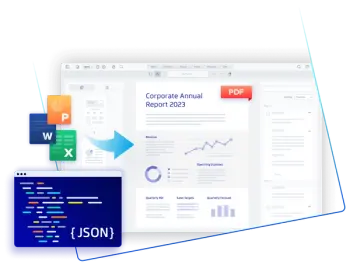
Document Generation
Automatically creating documents like quotes, contracts, proposals, and invoices using Salesforce data.
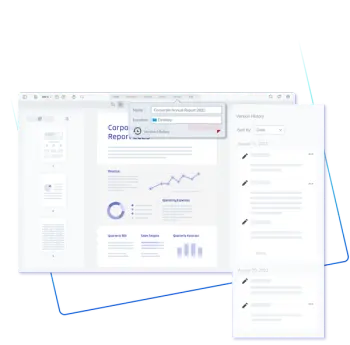
Document Management
Store, organize, and access documents within Salesforce. This includes linking to relevant Salesforce records, version control, and ensuring documents are easily retrievable.
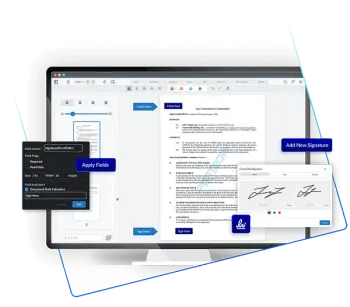
E-Signatures
Integrating electronic signature solutions to streamline the signing process and enable users to send, sign, and manage electronic agreements.
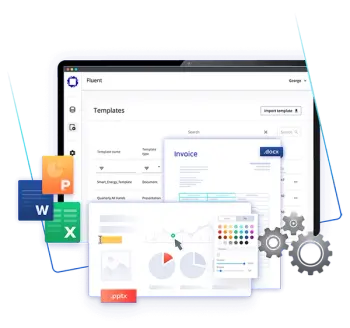
Document Automation
Automating workflows related to document handling. This can involve triggers and process automation to generate documents at specific stages in a sales cycle or business process, send notifications, and update records based on document status.

Data Extraction and Analysis
Extracting data from documents and storing it in Salesforce. This can be particularly useful for processing forms, surveys, or any incoming documents that need data to be captured and analyzed.

Compliance and Security
Ensuring that documents are stored securely and in compliance with industry regulations. Salesforce offers features to manage access control, encryption, and audit trails to ensure document security and compliance
Essential Salesforce Document Processing Tasks
Here are some common actions and tasks that fall under the umbrella of document processing in Salesforce:
Document Generation
Automatically creating documents like quotes, contracts, proposals, and invoices using Salesforce data.
Document Management
Storing, organizing, and accessing documents within Salesforce. This can include linking documents to relevant Salesforce records (like accounts, contacts, opportunities), version control, and ensuring documents are easily retrievable.
E-Signatures
Integrating electronic signature solutions to streamline the signing process and enable users to send, sign, and manage electronic agreements.
Document Automation
Automating workflows related to document handling. This can involve triggers and process automation to generate documents at specific stages in a sales cycle or business process, send notifications, and update records based on document status.
Data Extraction and Analysis
Extracting data from documents and storing it in Salesforce. This can be particularly useful for processing forms, surveys, or any incoming documents that need data to be captured and analyzed.
Compliance and Security
Ensuring that documents are stored securely and in compliance with industry regulations. Salesforce offers features to manage access control, encryption, and audit trails to ensure document security and compliance.

Why is document management in Salesforce so important?
Companies rely heavily on documents to drive their operations. From contracts and invoices to reports and proposals, documents are the backbone of business communication and record-keeping. With the shift towards digital transformation, the emphasis on digital documents has grown significantly. Digital documents not only enhance accessibility and storage but also streamline workflows and improve collaboration. This reliance on digital documents underscores the importance of efficient document processing within business systems like Salesforce.
Here are a few reasons why strong document management in Salesforce is crucial for business operations:
Efficiency and Productivity:
Automating document creation and management saves time and reduces manual effort. This allows your team to focus on more strategic tasks rather than getting bogged down by repetitive administrative work.
Accuracy and Consistency:
Automated document processing ensures that documents are generated with consistent formatting and accurate data. This reduces the risk of errors that can occur with manual data entry, improving the overall quality of your documents.
Streamlined Workflows:
Integrating document processing into your Salesforce workflows ensures that documents are created, distributed, and stored seamlessly as part of your existing processes. This helps in maintaining a smooth and uninterrupted flow of operations.
Improved Customer Experience:
Timely and accurate document handling can enhance the customer experience. Whether it's sending out invoices, contracts, or personalized reports, efficient document processing ensures that your customers receive the right information at the right time.
Compliance and Security:
Salesforce provides robust security and compliance features, ensuring that sensitive documents are handled securely. Automated document processing helps maintain compliance with industry regulations by ensuring proper document tracking, storage, and access controls.
Cost Savings:
Reducing the need for manual intervention in document processing can lead to significant cost savings. This includes savings on labor costs and reducing the need for physical storage space for paper documents.
Application Consolidation:
By integrating document management capabilities directly into your Salesforce instance, you reduce the number of separate applications you need to manage and pay for. This streamlines your operations, lowers costs, and simplifies your technology stack
Better Data Management:
Automated document processing allows for better organization and management of documents. Documents can be easily linked to relevant Salesforce records, making it simple to retrieve and reference them when needed.
Enhanced Collaboration:
With documents stored and managed within Salesforce, team members can easily collaborate and share information. This leads to better communication and coordination across departments.
Optimize Business Operations with Salesforce
By leveraging document processing in Salesforce, businesses can achieve greater operational efficiency, accuracy, and security, ultimately driving better business outcomes.
What is preventing better document management in Salesforce?
Salesforce's document management features are powerful, but businesses often encounter challenges in fully utilizing them, which can impact operational efficiency; such as:
Limited Marketplace Offerings
Current document management solutions often fall short, lacking seamless Salesforce integration, advanced features, and user-friendly experiences. This results in inefficiencies, higher costs, and user frustration.
Data Security and Compliance
Ensuring that document management practices comply with data security regulations and industry standards can be challenging, especially when handling sensitive information.
Scalability
As organizations grow, the volume of documents increases, which can strain the document management system if it's not designed to scale effectively.
User Adoption
Encouraging users to adopt and consistently use new document management features or tools within Salesforce can be difficult, especially if the new system significantly changes existing workflows.
Search and Retrieval
Efficiently searching and retrieving documents from a large repository can be challenging, particularly if metadata and tagging are not consistently applied.
Version Control
Managing multiple versions of documents and ensuring users are working with the most up-to-date version can be a significant challenge.
Storage Limitations
Salesforce has storage limits that can be quickly reached with large volumes of documents, necessitating additional costs for extra storage or external storage solutions.
Automation Limitations
While Salesforce offers automation capabilities, there may be limitations in customizing these to meet specific document management needs without additional tools or development.
Cost
Implementing and maintaining robust document management solutions can be expensive, particularly when adding third-party integrations or additional storage.
User Training
Ensuring that all users are adequately trained on new document management systems and features can be resource-intensive and time-consuming.
Better Document Management in Salesforce with the Apryse SDK
As businesses seek effective solutions to overcome the challenges of document management in Salesforce, WebViewer by Apryse stands out as a powerful tool designed to enable organizations to streamline and enhance this critical aspect of business operations.
WebViewer is a client-side JavaScript document viewer and editor that integrates seamlessly with Salesforce. It enables users to view, annotate, and edit documents directly within the Salesforce platform without the need for external applications. This tool supports a wide range of document formats, including PDFs, Microsoft Office files, and images, making it a comprehensive solution for all your document management needs.
With WebViewer, users experience:

Seamless Integration:
WebViewer integrates effortlessly with Salesforce, allowing users to manage documents within the familiar Salesforce environment, thereby reducing the complexity of using multiple tools.

Instant Document Rendering:
WebViewer by Apryse provides instant document rendering, allowing users to quickly view, highlight, search, and zoom in on documents. This improves user experience, boosts productivity, and reduces server strain compared to traditional, slower methods.

Avoid File Size Limitations:
Apryse WebViewer supports external file storage up to 2 GB from providers such as AWS, GCP, Azure, Dropbox and others.

Enhanced Collaboration:
With WebViewer, users can easily collaborate on documents in real-time. Features like annotations and comments enable effective communication and collaboration among team members.

Improved Efficiency:
By enabling document viewing, editing, and annotation directly within Salesforce, WebViewer eliminates the need to switch between applications, streamlining workflows and boosting productivity.

Robust Security:
WebViewer ensures that document handling is secure and compliant with industry standards, protecting sensitive information and maintaining data integrity.

Scalability:
Designed to handle large volumes of documents, WebViewer scales effortlessly with your business, ensuring that your document management processes remain efficient as your organization grows.

Cost-Savings:
By consolidating document management capabilities within Salesforce, WebViewer reduces the need for additional software solutions, leading to cost savings.
1. Case Management
Transforming Document Management with Apryse WebViewer: Solutions for Every Use Case


Legal Document Management
Legal professionals require efficient document management to access information promptly and stay compliant. WebViewer enhances this process by enabling viewing, annotating, and editing directly in Salesforce. It offers features like redaction, digital signatures, and secure sharing, ensuring data protection and legal compliance, while collaboration tools improve teamwork and case outcomes.






2. FOIA Requests
Freedom of Information Act (FOIA) requests require government agencies to provide access to public records promptly. Efficient document management is essential for handling these requests accurately and within legal timeframes.


3. Contract Management
Managing contracts involves creating, reviewing, negotiating, and finalizing agreements. Efficient document management ensures that contract workflows are streamlined and compliance is maintained. WebViewer enhances contract management by allowing users to view, annotate, and edit contracts directly in Salesforce. Features like digital signatures, version control, and secure sharing streamline the contract approval process. Automated workflows and notifications ensure that contract milestones are met, reducing delays and improving overall efficiency.
4. Onboarding
Employee onboarding involves managing various documents, including employment contracts, tax forms, and training materials. Efficient document management ensures a smooth onboarding experience for new hires. WebViewer simplifies the onboarding process by enabling HR teams to view, annotate, and edit onboarding documents within Salesforce. Features like form recognition and automated data extraction reduce manual data entry, speeding up the onboarding process. Secure sharing and collaboration tools ensure that new hires have access to the necessary documents and resources, enhancing their onboarding experience.
Getting Started with WebViewer in Salesforce
WebViewer by Apryse revolutionizes document management in Salesforce by offering seamless integration, instant document rendering, and robust features for viewing, annotating, and editing documents. This powerful tool enhances collaboration, boosts productivity, and ensures secure handling of documents, addressing the limitations of traditional solutions. By consolidating document management within Salesforce, WebViewer simplifies operations, reduces costs, and delivers an exceptional user experience.