Garry Klooesterman
Senior Technical Content Creator
Published July 28, 2026
Updated August 13, 2026

8 min


The Ultimate React PDF Viewer SDK: View, Annotate, Fill & Sign
Garry Klooesterman
Senior Technical Content Creator
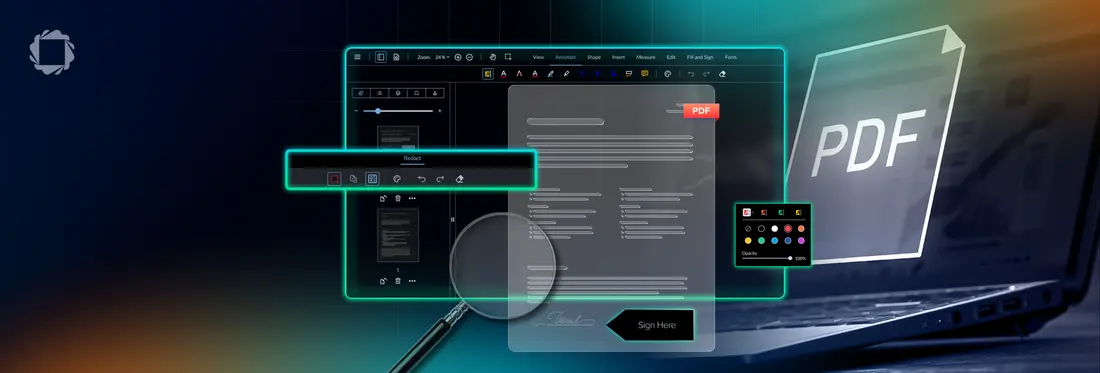
Summary: Apryse WebViewer is an enterprise-grade React SDK that enables developers to embed secure, high-performance document viewing, annotation, form filling, and digital signing directly into applications. It provides a production-ready solution to handle complex PDF processing, offering 100% client-side security and the ability to render large, complex files seamlessly.
Introduction
Building a reliable, high-performance web app often means dealing with documents. If your application handles critical document workflows like loan applications, legal contracts, medical charts, or corporate audits, you cannot afford a clunky, broken user experience. For modern engineering teams, embedding a secure, feature-rich document workspace directly within your web app is a baseline requirement.
That is where the Apryse WebViewer comes in. As a leading, high-performance React PDF Viewer SDK built for the enterprises, it provides a complete document processing layer that your team owns and controls. Instead of stitching together separate, third-party tools, developers can embed pixel-perfect document viewing, real-time collaboration, interactive form filling, and digital signing directly into their React workspace.
Trusted by global Fortune 500 organizations and top-tier product teams, Apryse balances advanced capabilities with industry-certified reliability. Ready to see it in action?
Why Choose Apryse as Your PDF Viewer for React?
Many development teams start out by trying to build their own document rendering layer or by using a basic, open-source wrapper library. However, handling raw PDF binary data quickly turns into a massive engineering headache. Managing canvas rendering states, tracking zoom coordinates, fixing broken font files, and optimizing memory usage for large files requires thousands of hours of specialized engineering cycles.
Apryse solves these complex architectural challenges out-of-the-box. Choosing a production-grade commercial SDK over a fragmented, homegrown setup dramatically accelerates your time-to-market, eliminates long-term maintenance overhead, and ensures an elite user experience.
Rather than looking at a static, unchangeable file, your users can interact with documents in real time. The platform provides native tools to highlight text, annotate PDFs in React, fill PDF forms, and add digital signatures online without ever leaving your application framework.
To see how easily it integrates into your current environment, check out our guide on how to embed React PDF viewer setups.
Get Started in 3 Simple Steps
Integrating an enterprise PDF viewer into your React stack is direct and straightforward. Here is how to initialize the core engine in just a few minutes. The steps below use React 18+ with Vite and WebViewer SDK v11 or later.
1. Install the WebViewer Package
Pull the official npm module into your local project workspace:
Install the Apryse WebViewer package
npm install @pdftron/webviewer
2. Copy Static Assets
WebViewer requires copying static assets from node_modules/@pdftron/webviewer/public — specifically the core, ui, and sometimes webviewer.min.js files into a publicly served directory before the SDK will initialize. See the static assets guide for full instructions, including automation options for webpack and Parcel.
3. Initialize the PDF Viewer Component
Create a standard React component, using a useRef hook to bind the viewer engine to a target DOM container. Create a src/App.jsx file with the following code:
This example uses SDK v11+, which initializes via web component by default. If you're on v10.2 or earlier, use the iframe constructor pattern instead — see the web component vs. iframe guide for both patterns. Now create a src/main.jsx file with the following code:
For more information and code samples, see the Build a React PDF viewer with Apryse WebViewer SDK and Vite guide.
Enterprise-Grade PDF Functionality
When evaluating tools for commercial applications, the underlying architecture dictates how well your product scales. Apryse delivers deep, production-grade document infrastructure designed for teams that cannot afford errors.
High-Fidelity PDF Rendering and Viewing
The layout, embedded vector graphics, structural fonts, and color spaces must look identical across every browser, OS, and mobile device. The underlying rendering core processes complex document data with pixel-perfect accuracy, eliminating the rendering anomalies, dropped elements, and blurred lines common in basic browser canvas engines.
High-Performance Large PDF Viewer
Opening a simple text receipt is easy, but loading a dense, 800-page corporate manual or a massive CAD file can freeze a user's browser tab. Utilizing an advanced, on-demand page-tiling engine, this large PDF viewer streams pages instantly. Users can scroll smoothly through massive workloads while pages render seamlessly in the background without spiking local memory usage.
Uncompromising Security & Access Control
Data privacy is a core architectural requirement. By default, all file processing happens entirely on the client side, inside the user's browser. Sensitive corporate documentation never touches third-party servers or external CDNs, giving your team absolute data residency.
This secure PDF viewer provides granular API controls to manage user permissions (toggling printing, downloading, or text copying) and fully supports opening password-protected files, helping your organization satisfy strict global compliance frameworks like HIPAA and GDPR.
Advanced Navigation & Search
A great user experience depends on how easily end users can move through dense documentation. The Apryse PDF viewer SDK comes out-of-the-box with an intuitive navigation suite:
- Thumbnails: Visual, real-time sidebar previews for quick jumping across pages.
- Bookmarks: Immediate structural navigation through nested document outlines.
- Hyperlinks: Full native support for internal document targets and external web URLs.
- Text Search: Rapid, multi-term keyword search with visual target highlighting.
- Text Selection: Clean, accurate character bounding boxes for easy copying and pasting.
- Zooming: Responsive pinch-to-zoom and precision controls for ultra-clear viewing at any scale.
A Seamless PDF Editing & Collaboration Experience
Beyond simple viewing, modern web applications require deep interactive tools that allow users to get actual work done inside your platform workspace.
PDF Annotation and Review Tools
Empower your teams to collaborate directly inside the app. The SDK provides annotation and review markup elements, including text highlights, freehand drawing tools, custom status stamps, sticky notes, and geometric shapes. It serves as a comprehensive system to annotate PDFs in React, making document reviews fast and collaborative.
Interactive PDF Form Filling and Creation
Users can seamlessly fill PDF forms, including standard AcroForms and limited XFA support, directly inside the viewer chrome, filling out text fields, choosing dropdown values, and checking boxes. Developers can also use the API to programmatically generate form fields, read user input, or auto-populate text areas from an external database.
E-Signatures and Redaction
Allow users to securely sign PDFs online. They can type their name, upload an image, or draw a signature, all backed by advanced PKI digital security.
When dealing with highly sensitive files, cosmetic workarounds like drawing a black block over text leave data fully exposed in the document's underlying code layer. Apryse features true, programmatic redaction. It targets exact file coordinates to permanently delete the sensitive character strings and image bytes from the file, ensuring your data is completely sanitized. For more details on secure sanitization, read this guide on how to redact sensitive data in PDFs using React.
PDF Page Manipulation
Give users full control over the structure of their files. The user interface allows individuals to reorder pages via drag-and-drop, rotate misaligned sheets, delete unnecessary pages, or merge completely different files into a single document bundle.
Full UI Customization & Extensibility
The WebViewer UI is modular and built entirely in React, meaning your team can customize it to perfectly align with your brand's existing design system.
You can hide specific menu options, build unique action buttons, change layout panels, or completely redesign the theme using clean CSS variables. If your application demands a totally bespoke layout, you can bypass the default interface entirely and use the low-level Apryse WebViewer API Core to construct a custom reader layer from scratch.
Additionally, the engine connects directly to modern storage infrastructures like Amazon S3, Azure Blob Storage, or local database setups, fitting effortlessly into your existing data pipelines. For design ideas, explore our tutorial on how to build a customizable React PDF viewer.
Built for Accessibility and Global Audiences
Enterprise compliance requires tools that accommodate every user, regardless of location or ability.
WCAG 2.2 Level AA Compliance: Fully WCAG 2.2 Level AA compliant, providing robust keyboard navigation, ARIA-labels, and high-contrast accessibility options.
Screen Readers: Engineered to interface cleanly with leading desktop screen reading software.
Localization: The UI layer supports rapid localization into multiple global languages, including full Right-to-Left (RtL) layout rendering.
Industry-Specific Use Cases
The versatility of the Apryse framework makes it a core component for specialized software systems across multiple verticals:
Healthcare: Securely displaying sensitive medical files, diagnostic records, and consent forms entirely within the client-side browser to safeguard protected patient data.
Legal & Compliance: Streamlining intensive contract lifecycles, organizing evidence logs, and applying irreversible redactions before public court filings.
Education: Driving modern e-textbook interactions, enabling real-time research notes, and organizing student homework submissions.
Finance & Banking: Powering high-volume digital lending platforms, verifying complex financial disclosures, and collecting secure electronic signatures on loan documents.
Testimonials & Case Studies
Don’t just take our word for it, thousands of enterprise engineering groups rely on our document technology layer to power their core applications:

“Building comparable document capabilities internally would have been a time-consuming investment. Apryse let us skip that entire cycle and focus our engineering resources on what differentiates our platform."—Tyson Powell, Vice President of Solutions, Juume AI
Check out the case study: How Juume AI Cut 18 Months Off Its Go‑to‑Market Timeline with Apryse

“Before Apryse, our review cycles were slowed down by manual processes and constant back-and-forth over email. With everything now in one place, teams can review and annotate documents much faster, which has significantly improved turnaround times across projects.”—Vincent Vos, Head of Customer Success, Rhyton Solutions
Check out the case study: How PiNOR EDMS Cut Engineering Review Cycles by 40% with Apryse
React PDF Viewer FAQ
What is the best PDF viewer for React?
The best PDF viewer for React depends entirely on your application's requirements. For lightweight personal projects or basic static document displays, open-source libraries like the popular wojtekmaj/react-pdf repository work well. However, for commercial, high-performance, or enterprise use cases that demand complex features, like form filling, comments, real-time collaboration, and bulletproof rendering reliability, a dedicated solution like Apryse WebViewer is the clear choice.
What SDK should I use for PDF manipulation in React applications?
For deep document modification, including rendering massive files, inline text editing, digital sign-offs, and true data redaction, you should deploy a complete Enterprise PDF Viewer SDK like Apryse WebViewer. It provides a highly optimized, client-side High-Performance PDF Viewer SDK architecture, running via WebAssembly, which keeps your application fast, secure, and fully scalable.
Can I customize the toolbar and UI?
Yes, absolutely. The entire layout is open and modular. You can programmatically toggle toolbar options, insert custom branding elements, append custom action buttons, or strip down the player interface to match your app's exact aesthetic using simple configuration hooks.
Does the viewer support digital signatures?
Yes. The SDK differentiates between electronic signatures (handwritten, drawn, or typed names) and advanced, PKI-backed digital signatures. The platform contains full native capabilities to validate cryptographic digital certificates, show verification markers, and support complex corporate sign-off workflows out of the box.
Is the React PDF Viewer secure for sensitive documents?
Yes. Because the engine processes files directly inside the end-user's local browser environment via client-side code, your sensitive documents never touch an external cloud or a third-party server. Combined with granular download restrictions and true byte-level data redaction tools, it stands as an exceptionally secure PDF viewer option for highly regulated industries.