Home
All Blogs
Scanbot Barcode Scanner SDK and Document Scanner SDK Are Now Available for Kotlin Multiplatform

Candice Cheng
Product Manager
Published July 15, 2026
Updated July 15, 2026

3 min


Scanbot Barcode Scanner SDK and Document Scanner SDK Are Now Available for Kotlin Multiplatform
Candice Cheng
Product Manager
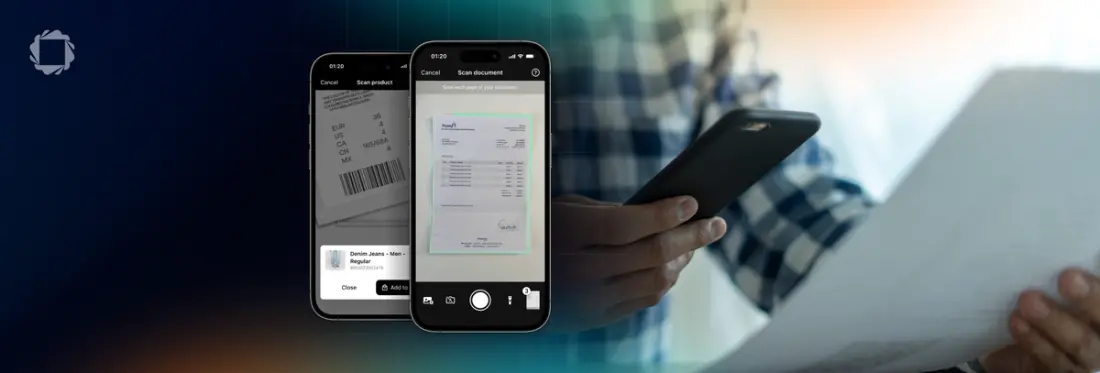
Summary: Scanbot has released its Barcode and Document Scanner SDKs for Kotlin Multiplatform, enabling developers to integrate enterprise-grade, offline data capture into shared iOS and Android codebases. These KMP libraries provide the same performance and features as native SDKs, including advanced barcode scanning and automatic document processing.
Kotlin Multiplatform (KMP) promises a simpler way to build mobile applications: share code across iOS and Android without giving up native performance. For many teams, that promise is already becoming reality. Business logic, networking, and even UI can now live in a shared codebase. As adoption grows, developers expect the surrounding ecosystem to grow with it. Data capture is one area where the ecosystem is still relatively young. Teams building applications that involve barcode scanning, document capture, or OCR often need to choose between creating and maintaining their in-house solution or integrating separate platform-specific SDKs.
Today, we're helping close that gap. Part of the Apryse Summer 2026 Release, the Scanbot Barcode Scanner SDK and Document Scanner SDK are now available for Kotlin Multiplatform, giving teams access to production-ready scanning capabilities within their shared mobile architecture across iOS and Android.
What's new
Barcode Scanner SDK for KMP
The Scanbot Barcode Scanner SDK for Kotlin Multiplatform includes:
- Single and multi-barcode scanning
- Find & Pick and Scan & Count modes
- Augmented Reality overlays
- Support for all major 1D, 2D, composite, and postal barcode formats, including EAN, UPC, Code 128, Code 39, QR Code, Data Matrix, PDF417, and Aztec Code
- Data parsers for standardized formats such as GS1 codes, AAMVA driver's licenses, and IATA BCBP boarding passes
Document Scanner SDK for KMP
The Scanbot Document Scanner SDK for Kotlin Multiplatform includes:
- Automatic document detection and auto-capture
- Automatic cropping and perspective correction
- Image enhancement filters
- Document quality analysis
- Multi-page document workflows
- Export formats including PDF, JPG, and TIFF
Both SDKs are available as Kotlin Multiplatform libraries, allowing teams to integrate barcode scanning and document capture directly into their shared codebase while continuing to deploy native iOS and Android applications.
Why choose Scanbot SDK for KMP
Building scanning functionality is one challenge. Building scanning technology that performs reliably across devices, camera hardware, operating system updates, and enterprise deployment environments is another.
Our KMP SDKs bring the same production-ready technology used in our native SDKs to Kotlin Multiplatform, enabling teams to adopt a shared mobile architecture without compromising on reliability, security, or support.
Both SDKs include:
- Ready-to-use UI components for faster integration
- Secure and fully offline, on-device processing
- Enterprise-grade performance and reliability
- Commercial support and long-term maintenance
For teams evaluating Kotlin Multiplatform for production applications, that means one less critical capability to build and maintain themselves.
Supported integrations for Scanbot SDK for KMP
- Standalone SDK
- Distributed as an independent library for Android and iOS applications.
- Cross-platform product
- Used to build applications targeting Android and iOS from a shared codebase where business logic shared and UI may remain native.
- With Compose Multiplatform
- Extends KMP to also share UI components across platforms.
Get started
Ready to try it yourself? Our step-by-step tutorials walk through setting up a Kotlin Multiplatform project, configuring iOS and Android, and implementing production-ready barcode scanning and document capture workflows.