Isaac Maw
Technical Content Creator
Published June 10, 2026
Updated August 07, 2026

5 min


Apryse Answers Ep. 3: Solving Real DOCX Editing Challenges from Reddit
Isaac Maw
Technical Content Creator

Summary: Stable, high-performance DOCX editing that runs client-side in JavaScript can be a software development challenge. In this episode of Apryse Answers, we look at 3 real questions from developers on Reddit focused on DOCX support in the browser. Read this article to learn about Apryse WebViewer DOCX capabilities and get the sample code to the demo app on Github.
Integrating DOCX editing into your web application is a great way to centralize work inside one platform, helping support more user requirements and address version control issues, as well as reducing Saas license costs and keeping data in one place. However, DOCX editing is complex. That's why it's a popular topic of discussion in web developer forums.
In the third episode of the Apryse Answers: Reddit Rundown series, April takes aim at three DOCX questions using the Apryse WebViewer DOCX Editor add-on, which allows developers to integrate a familiar DOCX experience into any web app. You can find the code for all of April’s demo apps on Github.
Why is Browser-Based DOCX Editing Difficult?
Editing DOCX is more complex than editing text, because a word processor like Microsoft Word is as much about editing formatting as editing text. The OOXML format is a zipped file storing multiple interacting XML files, such as text, styles, images, and metadata. These XML files function similarly to CSS, with elements such as paragraphs, headings, spacing and margins notated. OOXML is standardized and open, but it’s very complex, making custom development very difficult without running into numerous bugs and edge cases.
- Because formatting is so important, users need their documents to look consistent across different experiences. Full-fidelity rendering across browsers is essential, or users can’t be sure of how their documents will look.
- As documents get larger, handling them in the browser gets more intensive. Quality DOCX Editor SDKs optimize large files for performance, giving users a stable experience.
- To work with sensitive documents, editing workflows must support compliance with ISO 27001, SOC2, HIPAA, GDPR, and other standards.
- End users compare every DOCX editor to what they know: Microsoft Word. They expect features like track changes, comments, collaboration, and formatting options to work seamlessly, or adoption will suffer.
Fortunately, if you're building with WebViewer, you don't have to worry about any of these challenges, allowing your dev team to focus on other problems.
Let’s take a look at what April put together to answer today’s real dev questions on DOCX Editing.
Flexible / Batteries not included Docx Editor (React preferably)?

Does anyone know of a package/library/module that offers the ability to edit docx files themselves (not through converting to html)? This can be either through an API, or through a document editor interface, however the issue I've found with doc editors such as Syncfusion or OpenOffice is that the UI is at most minimally modifiable.
This user needs a DOCX Editor that works with React and supports UI customization, without converting DOCX files to HTML. WebViewer takes advantage of client-side technologies like WebAssembly to quickly parse and render the DOCX file natively without converting it to any intermediate format such as HTML or PDF, which ensures to faithfully maintain its formatting before and after saving.
WebViewer also supports UI customization. WebViewer is an open source UI which offers extensive configurability and provides a comprehensive set of APIs enabling developers to customize and manipulate documents in various ways.
WebViewer can be customized through our robust API (recommended), or by forking and customizing the open source Github repo (advanced).
Best way to manipulate docx files?
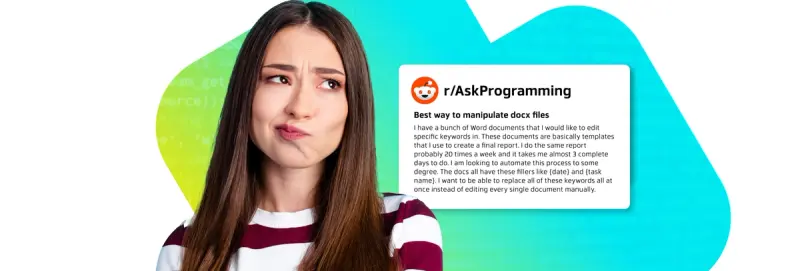
I have a bunch of Word documents that I would like to edit specific keywords in. These documents are basically templates that I use to create a final report. I do the same report probably 20 times a week and it takes me almost 3 complete days to do. I am looking to automate this process to some degree. The docs all have these fillers like {date} and {task name}. I want to be able to replace all of these keywords all at once instead of editing every single document manually.
This user is describing a template generation workflow, in which a DOCX template is maintained, with dynamic data added programmatically to generate new reports.
Apryse Template Generation was covered in Apryse Answers Episode 1, but this question brings up another important element of the workflow: if your template is DOCX, how can you maintain, edit and update the template? April uses DOCX Editor to edit the template first, before generating documents.
In-browser word document editor?

I have searched the internet far and wide for a solution to this, but I’ve found nothing. I thought for sure that with all the JS libraries in existence, someone would have made something that allows you to edit word documents in the browser. I understand now that browsers aren’t able to render .docx or anything related to it.
My question is, is it even possible to do this?
It’s true that browsers today don’t natively render DOCX files, especially not with editing support. There are open-source JS libraries today that support DOCX Editing for frameworks like React, Vue and Vite. However, because of the complexity of the OOXML standard, enterprise developers typically choose commercial SDKs like Apryse for stability, security and support.
How to Build with the Apryse DOCX Editor
The DOCX Editor integrates easily with JavaScript frameworks like React, Angular, Vue, Nuxt.js, or Next.js, using a simple DOM element to host the component and supports document creation, editing, and review workflows without third-party dependencies.
How it Works
The Apryse DOCX Editor is an add-on component of WebViewer, to the Apryse Web SDK. When configured for Office editing, it enables full creation and editing of Word documents directly on the client side, performing all operations in memory. You can load DOCX files from local storage or a remote URL, such as an AWS S3 bucket, and save your changes as a DOCX file after editing.
Check out the DOCX Editor demo on our Showcase page.
Editing capabilities include:
- Font and text formatting.
- Viewing, Reviewing, and Editing toggle.
- Paragraph alignment.
- Margin and column formatting.
- Break, table, and image insertion.
- Search and replace.
- Comments, giving permission‑based users a way to provide contextual feedback directly within DOCX files, enabling teams to collaborate without making direct edits to the document.
Prerequisites
Before you start:
- Install Node.js and npm. We recommend using the latest active LTS release.
- Create a folder for your project.
- Integrate WebViewer into your project.
- Open a text editor like Visual Studio Code.
- Get your Apryse trial key.
Now, we can enable the DOCX Editor in WebViewer. If you have a URL for a document, you can pass it to the WebViewer constructor or loadDocument function to open it.
This is an example of how the code might look in an HTML project where WebViewer is integrated, and DOCX Editor is enabled:
To get a full guide to integrating the DOCX Editor in WebViewer, check out the documentation.
Apryse Answers will Continue
In next week’s episode, April has answers for another valuable set of tools: Apryse Smart Data Extraction.
To get started with Apryse SDK in your application, start your trial.