Kevin Herschbach
Technical Content Writer
Published April 15, 2026
Updated August 11, 2026

5 min


Scanbot Android SDK Adds Jetpack Compose Support for Custom UI
Kevin Herschbach
Technical Content Writer
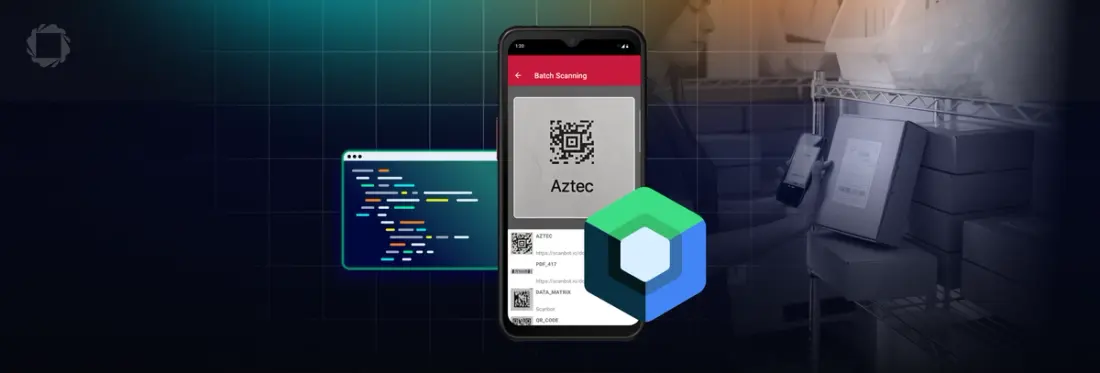
Jetpack Compose is rapidly gaining adoption as a modern UI toolkit for Android development, increasingly favored over traditional XML-based Views. Google now recommends Compose for new apps, and adoption continues to accelerate, with over 60% of the top 1,000 apps on Google Play using Jetpack Compose by 2025.
Introducing Composables For Modern and Clean UIs
Since most scanning SDKs were designed before Compose, developers often need to use workarounds such as embedding View-based SDK components into Compose screens using AndroidView. This introduces complexity in lifecycle and state synchronization and increased integration overhead from boilerplate code.
With the Spring 2026 Release, Apryse extends Scanbot SDK’s native Jetpack Compose support, which previously had been exclusive to its Ready-to-Use UI, to the Custom UI Components included in the following scanning solutions:
- Android Barcode Scanner SDK for scanning 1D and 2D barcodes in retail, logistics, and inventory management
- Android Document Scanner SDK for capturing, cropping, and processing documents
- Android MRZ Scanner Module for scanning passports and IDs during onboarding and identity verification
Check out the full details of the Spring 2026 Release.
With the fully composable UI, there’s no need for AndroidView wrappers, bridging code, or managing multiple UI systems. Instead, developers can build faster, maintain a clean architecture, and reduce complexity.
Getting Started with Jetpack Compose for Scanbot SDK
To build your scanning UI with Jetpack Compose, ensure you are on Scanbot SDK version 8.1.0 or higher. The following code samples showcase how to implement a composable scanning UI with just a few lines of code.
Integrating Barcode Scanning in Compose
Integrating Document Scanning in Compose
Integrating MRZ Scanning in Compose
For detailed integration and customization guides, check out the documentation for the Barcode Scanner SDK, Document Scanner SDK, and MRZ Scanner Module.
Ready to Accelerate Your Data and Document Workflows?
Native Jetpack Compose support is just one of many updates included in Apryse’s Spring 2026 Release. To learn more, read our blogs on Intelligent Character Recognition, PDF sanitization, and the latest updates to the DOCX Editor and Spreadsheet Editor.