Roger Dunham
Published April 22, 2026
Updated August 16, 2026

4 min


Using WebViewer with Vite 8
Roger Dunham

Summary: Learn how to resolve the "WebViewer is not a function" error popping up since the recent release of Vite 8. This blog explores why the new Rolldown bundler breaks traditional imports and provides three practical solutions, including a simple code shim, to keep your React apps running smoothly.
Introduction
I’m a great fan of Vite. I find that it is a flexible and fast way to create React and other apps, and it is my go-to when it comes to creating sample code when I’m writing blogs.
It’s remarkably easy to get started. All you need is to import WebViewer then add about 20 lines of code, dropped into a React app scaffolded by Vite:
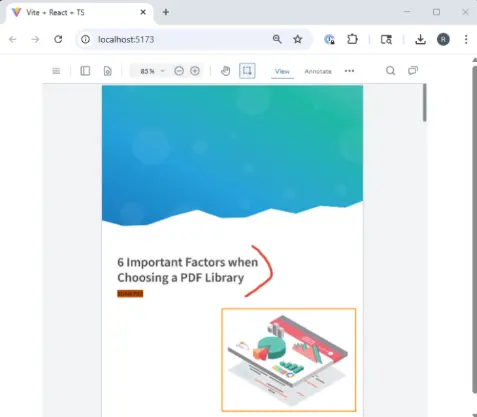
Figure 1: The typical result when using Getting Started type code with Vite 7.0.3.
But just recently, I ran into a problem.
My standard “Getting started” process works perfectly with Vite 7, but when I try to use it with Vite 8, which was released just over two weeks ago, I get an error.
Instead of WebViewer appearing in the browser, offering a way to interact with many different document types, I got nothing—just a blank browser.
What’s more, there was an error message in the Console saying “UncaughtTypeError:WebViewer is not a function”.
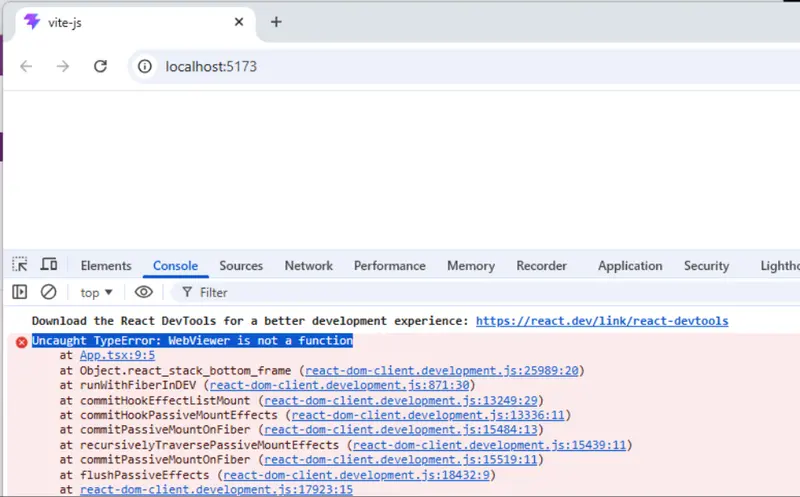
Figure 2: The same code that works with Vite 7, does not work with Vite 8.
In this article, we will look at what’s going on and see three options for solving the problem.
Cause of the Problem
I asked Copilot to summarize the difference between the two versions of Vite.
“Vite 8 replaces the esbuild + Rollup pipeline used in Vite 7 with Rolldown for both dev and production, which changes how CommonJS and ESM interop works and alters how modules are imported.
It also replaces esbuild-based JavaScript transforms with Oxc, introducing differences in how module exports are interpreted at runtime.
Because of these bundler and transform changes, packages like @pdftron/webviewer may no longer be imported as callable functions, leading to the ‘WebViewer is not a function’ error.”
Or to put it simply, “things changed”.
A reasonable response is “How do we work with this?” Let’s look at three options.
Option 1: Use a Version of WebViewer That Is Compatible with Vite 8
WebViewer 12.0 released in July 2026 works with both Vite 8 and Vite 7.
There might, however, be reasons why you can’t migrate to it immediately. For example, in highly regulated industries, extensive testing is often needed before a new version of a tool is rolled out, so you may need to choose a different option.
Option 2: Use a Shim to Allow WebViewer to Work with Vite 8
This is a great interim solution.
The underlying issue is that the way in which WebViewer is exported from the node module “@pdftron/webviewer” is considered, by the bundler, to have changed.
Previously, we were able to import WebViewer (which was a function) directly from that module and use that immediately.
With Vite 8 though, WebViewer might, or might not, be considered to be a function. The function will certainly exist, but it may be located more deeply, possibly in “module.default”, or “module.WebViewer”, or potentially even a level deeper than that.
It’s not hard to make a shim—a function that will make the necessary adjustments for us so that we can then continue to use WebViewer as before. One way of doing so is:
We import the entire contents of the @pdftron/webviewer module and give it the alias of “WebViewerModule”. We then try various options for the location of the function that provides the WebViewer functionality. If a function is returned, then that is considered to be “WebViewer”. If no function is found in any of the search locations, then an error will occur.
Provided that the function was found, we can use WebViewer exactly as we have done in the past and no further coding changes are needed.
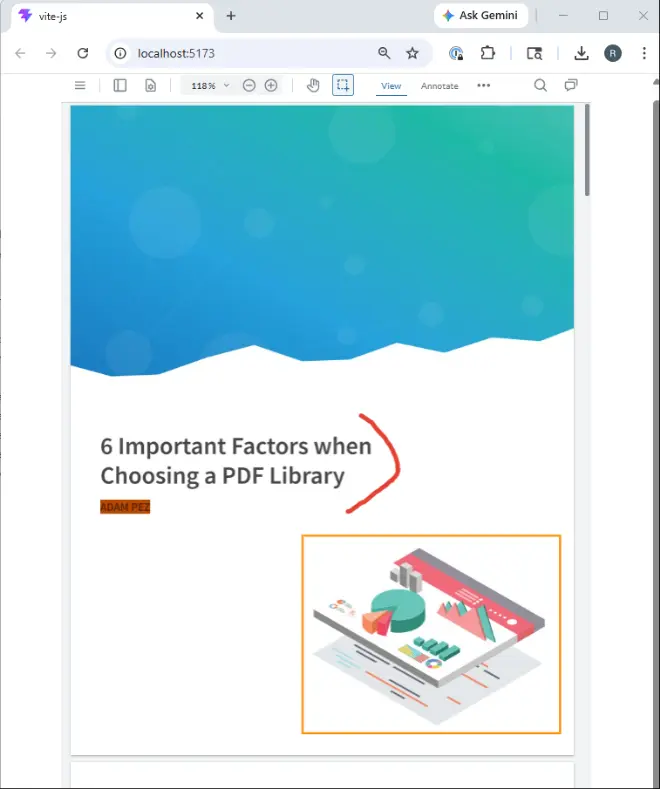
Figure 3: WebViewer running in a Vite 8 scaffolder app (along with the new Vite logo!).
Option 3: Keep Using Vite 7
We know that WebViewer works well with Vite 7, so you could just continue to use that.
There are, of course, good reasons to migrate to Vite 8.
- It is reported to be hugely (10x) faster at creating builds.
- It uses the same bundler for both dev and production builds (Vite 7 uses esBuild for one, and Rollup for the other), avoiding potential subtle differences in the final app from the one that you tested during development.
- Vite 8 will become the standard for plug-in authors. If you stick with Vite 7, then you may get left behind with inferior tools.
In the short term though, sticking with Vite 7 is a perfectly valid choice.
Wrapping Up
With the release of Vite 8, in March 2026, the mechanism that was relied on for importing WebViewer stopped working.
To make it work in exactly the same way as was previously the case, using importWebViewer from '@pdftron/webviewer' , requires some code changes by the Apryse developers.
In the meantime, though, if you need to work with Vite 8, then you can use a shim to work around the changes. Once the new version of WebViewer is available, the shim will no longer be needed, but there will be no need to remove it as the code will still work.
If you have any questions, you can reach out to us on our Support channel.
If you have any questions about this blog, or there are other blogs that you would like us to write, then please contact us at blog-feedback@apryse.com.