Isaac Maw
Technical Content Creator
Published June 17, 2026
Updated August 11, 2026

5 min


Apryse Answers: Diving into PDF Data Extraction
Isaac Maw
Technical Content Creator
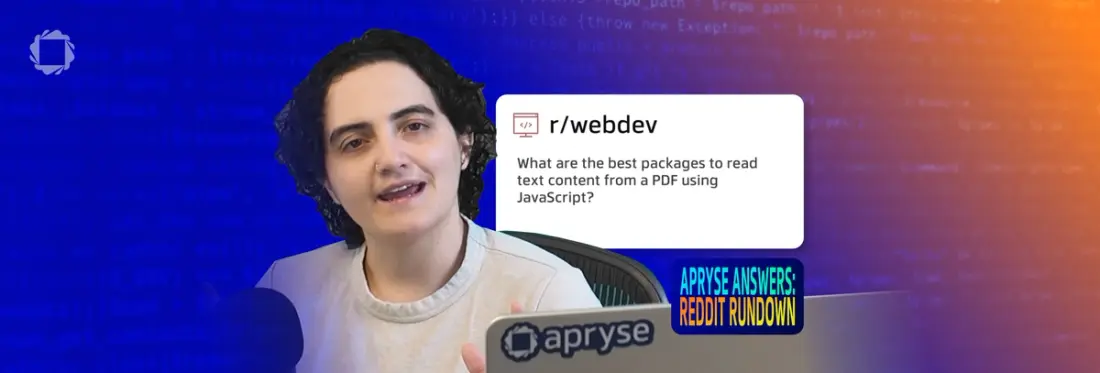
Summary: What is the best package to read text content from a PDF? Apryse Answers Episode 4 explores PDF data extraction by solving real developer questions from Reddit. Learn how Apryse Smart Data Extraction goes beyond OCR to preserve document structure, extract tables, identify key-value pairs, classify documents, and process scanned PDFs. Discover how to build intelligent extraction workflows using Apryse Server SDK, convert unstructured PDFs into AI-ready JSON, and improve automation, search, compliance, and document processing accuracy.
PDF documents are designed to put document style and content together in a single self-contained file, keeping formatting and appearance consistent across experiences. However, PDF documents aren’t machine-friendly, especially when they originate as scans or images of text.
OCR is one tool that helps detect text, but it doesn’t preserve document structure or formatting. When a PDF with columns, headings, footers, and tables is processed by OCR, the output is a wall of text, straight across the page. This jumbles content from different table columns, discards important structure such as headings, and results in more work to make the output usable.
Apryse Answers is our video series where Developer Relations Manager April Schuppel finds real developer questions on Reddit, and answers them using Apryse SDKs. In episode 4, April tackles questions about PDF Data Extraction.
Find the code from the video on Github.
What is Smart Data Extraction?
Apryse Smart Data Extraction is a set of SDK tools that solve the challenges of PDF data extraction. Smart Data Extraction goes beyond OCR to capture valuable data from a range of document structures, including tables, headings, footers, and unstructured text such as paragraphs.
Smart Data Extraction includes the following primary modes of intelligent extraction:
- Tabular Data Extraction
- Extract tables from PDFs—even with merged cells or multi-row headers—and export to JSON or Excel for reporting, analysis, or AI.
- Document Structure Recognition
- Parse the full logical structure: headers, footers, lists, images, styling, and paragraphs. Ideal for screen reading, content routing, transformation, or compliance workflows.
- Form Field Identification
- Detect visual fields in flat PDFs and generate fillable interactive forms or structured JSON for onboarding or form reuse.
- Key-Value Extraction
- Identify key-value relationships in documents with no explicit form layout. Extract data from invoices, resumes, and informal layouts without setting up templates or rules.
- Exclusive training to support key-value extraction on CAD and other technical drawing title blocks.
- Document Classification
- Assign predefined categories to document pages based on their content and structure.
Let’s take a look at how April answered three questions from Reddit, then dive into the documentation for building Extraction workflows.
Question 1: What is the best package to read text content from a PDF in JS?

This user needs to programmatically read text from a PDF. This could be required to help route documents at intake for processing or storage, or to use document data to power other automation, such as AI summaries, document generation, or trigger events.
Apryse SDK can go beyond OCR to improve outcomes and reduce errors for these use cases. For example, Apryse Document Classification detects document types, and key value extraction pulls essential data from unstructured text, such as names and numbers.
Question 2: Can you extract text from a PDF scan?

I had a patron who had a document that she needed to edit. She did not have the original Word file. Another colleague thought we could scan her doc to PDF and then extract the text from that PDF to insert into a new Word doc that she could edit. But I cannot find if this is a thing that can be done. Anyone know?
Scanning a document results in an image of text, which requires OCR to convert into searchable text. In addition to Smart Data Extraction to power downstream processing of scanned documents, Apryse PDF to DOCX conversion could serve this user.
Question 3: Is there a tool which extracts the text from a PDF, but keeps formatting?

For my work, I need to extract the text from PDFs quite a lot and also keep the formatting. I used to do it manually, but recently found pdftotext by xpdf, which speeds the process up. However, this only creates a .txt file with plain text and no formatting (only bold, italics, underlined, and regular would be enough).
Is there a tool which extracts the text from a PDF and keeps formatting?
Losing the formatting of a document is a major reason why developers seek out more capable data extraction solutions beyond OCR.
How to Build Smart Data Extraction
Get Your Trial Key
To try any Apryse SDK in your environment, start with your free trial key.
Get Started with Server SDK
The Smart Data Extraction module is part of the Apryse Server SDK. To install the Server SDK, follow the instructions in our documentation based on your specific framework and language requirements.
The Server SDK supports a number of frameworks, runtimes, and languages in all major platforms for delivering applications from a single codebase.
Install the Smart Data Extraction Module
When using Python on Windows or Linux you can install the package via PIP with this command:
pip install --extra-index-url=https://pypi.apryse.com apryse-data-extractionYou can find other installation methods, such as npm for node.js or installing the package directly, in the documentation guide.
For error handling purposes, it is generally advisable to test whether the module is available via the IsModuleAvailable function. Since the Data Extraction suite consists of multiple modules, an extra parameter is used to clarify the component to test.
Using the Extraction Engines
The simplest way to use Document Classification, Document Structure Recognition, and the other tools in Smart Data Extraction, is to specify the name of the input PDF file and the name of the output JSON file, then select the required engine:
DataExtractionModule.ExtractData("Invoice.pdf", "Invoice_Classified.json", DataExtractionModule.e_DocClassification)The engines are:
- DataExtractionModule.e_DocStructure
- DataExtractionModule.e_DocClassification
- DataExtractionModule.e_Tabular
- DataExtractionModule.e_Form)
- DataExtractionModule.e_GenericKeyValue)
This code outputs document data in a JSON file, but additional configuration is possible for each module. Check out the options, such as outputting a JSON string instead, in the documentation.
Preprocessing for Data Extraction
Before extraction begins, documents often need to be cleaned, normalized, or digitized. Apryse supports a full preprocessing toolkit—so your inputs are structured, accurate, and AI-ready.
These capabilities are modular and can be used independently or together, depending on your workflow:
- OCR (Optical Character Recognition)
Converts scanned or image-based PDFs into machine-readable text. - Deskewing & Despeckling
Cleans up crooked or noisy scans—improving OCR, table parsing, and layout accuracy. - Layer Flattening
Normalizes multi-layer PDFs for consistent rendering and analysis. - Rotation & Cleanup
Re-orients pages and removes visual clutter like stamps or overlays. - Redaction
Removes sensitive or unwanted content—ideal before sending data to AI or external systems. - PDF Conversion
Convert documents to HTML, Word, Excel, or JSON for labeling, annotation, or system integration.
These preprocessing tools improve downstream performance across:
- SLM training pipelines
- RAG and semantic search
- Compliance automation and classification workflows
No hallucinations. No unstructured text blobs. Just labeled, model-ready JSON.
Sample Code: Extract Tabular Data, Form Fields and Document Structure from a PDF
Sample code shows how to use the Apryse Data Extraction module to extract tabular data, document structure and form fields from PDF documents. Find the sample here in other languages.
Next Steps
If you have any questions about your Smart Data Extraction trial and how to get started with licensing for your use case, contact sales. Check out the Github for Apryse Answers to find the specific project demonstrated in the video!
Apryse Answers continues next week with questions about annotations and document collaboration. See you there!