Isaac Maw
Technical Content Creator
Published June 03, 2026
Updated September 25, 2026

5 min


Apryse Answers: Real-World PDF Conversion Challenges
Isaac Maw
Technical Content Creator
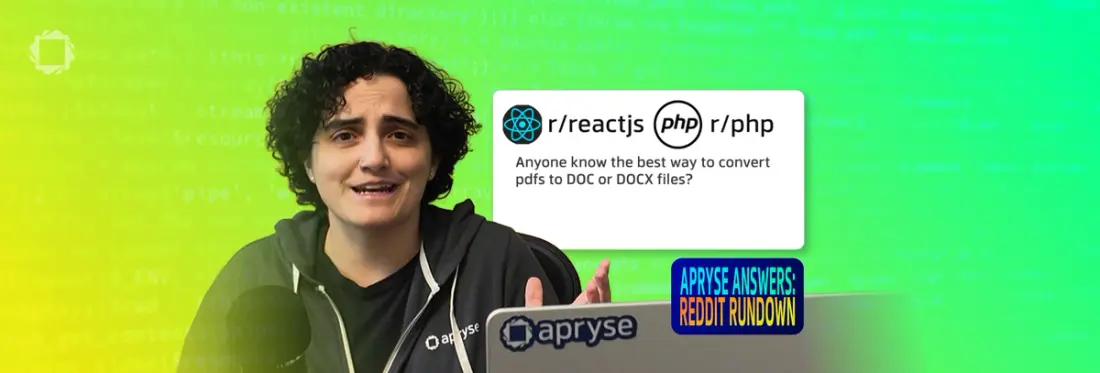
Summary: As the Apryse Answers: Reddit Rundown video series continues with episode 2, check out this article and the video to see April's demo app, demonstrating Apryse PDF conversion capabilities for a variety of formats and use cases. Apryse SDK supports PDF to Office, PDF to image, image to PDF, and Office to PDF conversions.
Developers frequently need to convert PDF to DOCX while preserving formatting, styles, and document structure. In Episode 2 of Apryse Answers, April Schuppel tackles real Reddit questions about PDF-to-Word conversion, React PDF workflows, and document conversion challenges.
If you missed the first Episode on Document Generation, find the full playlist on Youtube.
In Episode 2, April tackles a popular topic of discussion in developer communities on Reddit: What’s the best way to convert documents to and from PDF and other formats? This episode walks through the best solutions, including April’s custom demo and sample code. You can find the code on the Apryse Answers Github.
Why PDF Conversion is a Challenge
The PDF standard is designed to mimic paper documents, optimized for consistent presentation across devices and human readability. However, PDF documents aren’t readily editable, and aren’t ideal for some use cases.
While some developers need PDF to DOCX conversion to support document editing, while others need the reverse to prevent editing, it can be challenging to find an SDK or library that supports a wide range of formats, while accurately preserving layout, styles and formatting.
Apryse SDK supports conversion client-side in the browser, or server-side, including a wide range of document formats including images, CAD, and office documents such as DOCX and PowerPoint. Apryse also supports formats such as OpenOffice and LibreOffice.
Let’s take a look at April’s solutions to real developer questions!
Question 1: Converting PDF to DOCX
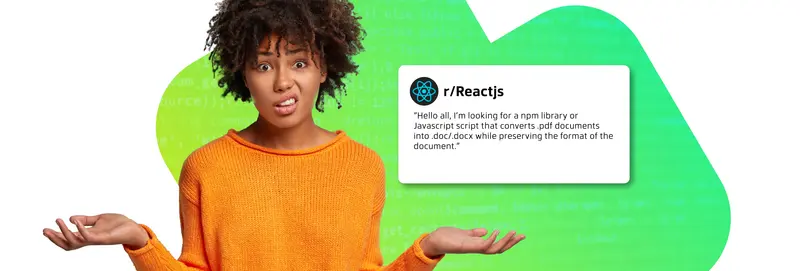
This user in the r/Reactjs community wrote, “Hello all, I’m looking for a npm library or Javascript script that converts .pdf documents into .doc/.docx while preserving the format of the document.”
In the comments of this post, other users warn that it’s challenging to accurately preserve formatting across PDF and DOCX. Others recommend creating DOCX versions of generated PDFs at the same time, instead of first creating the PDF and then converting. Agentic AI services are also an option.
Apryse PDF to Office conversion happens on the server side with the Server SDK. Converting PDF to DOCX looks like this:
Question 2: PDF to Image Conversion with Node.js
On StackOverflow, a user asked: “The plan is to create a pdf file (that only consists of a single page) then the user chooses whether to download as PDF or image. I have already written the code for generating the PDF and it is working fine as of now. The problem now is how to convert this to image.”
Supporting multiple formats can be a great way to improve UX. When users need flattened, simple documents mainly for viewing, sharing or embedding, images are useful.
Question 3: Converting Confidential Documents
In the community r/PHP, one user asked:
“Hey all, I have a task to convert pdfs to word files (doc or docx) but the issue is that I have to write the code for the conversion, I can't call an API such as zamzar because the files are very sensitive and must not leave from our servers.”
This question highlights an important differentiator for SDKs like Apryse: as a built-in solution with no external dependencies, conversion takes place fully within your secure environment. Other options, such as web services or external apps, send documents elsewhere for conversion.
Apryse Conversion
As you saw in Apryse Answers Episode 2, April shared the solutions to all these problems in a simple application you can check out on GitHub here.
With Apryse SDKs, April set up a few different workflows to simulate different conversion use cases.
Here’s how it works:
Our document conversion allows developers to convert most commonly used formats using a very simple API. With the highest quality output, we preserve the text, vector graphics, hyperlinks, colors and fonts with high fidelity.
Apryse SDK benefits include:
- Direct conversion from PDF to XPS and XPS to PDF. The high-quality conversion maintains the original document quality and preserves vector graphics, text, hyperlinks, colors and fonts.
- Direct conversion from PDF to EMF/WMF and from EMF to PDF/XPS.
- Direct conversion from PNG, JPEG, TIFF, GIF, BMP to PDF/XPS.
- Direct conversion from PDF to SVG.
- Direct conversion from SVG to PDF.
- Direct conversion from HTML to PDF (or XPS/SVG etc). HTML2PDF converter supports HTML conversion from a string or URL and offers many options to control page size and formatting.
- Easy to use API without the need to separately distribute, install, or register any additional files.
Check out the demo of Apryse Conversion here. Use the sidebar menu to demo other conversion formats.
Sample Code
To convert PDF documents to different format types:
Stay Tuned for the Next Episode of Apryse Answers
April will continue breaking down how Apryse can help solve developer questions in future episodes, with plenty more discussions emerging across Reddit communities.
Next week’s episode focuses on in-browser DOCX Editing with a familiar Word-like interface. This is a big challenge that brings many developers to Apryse SDK.
Want to explore the sample app and try Apryse Conversion yourself? Check out the demo, sample code, and documentation to learn more.